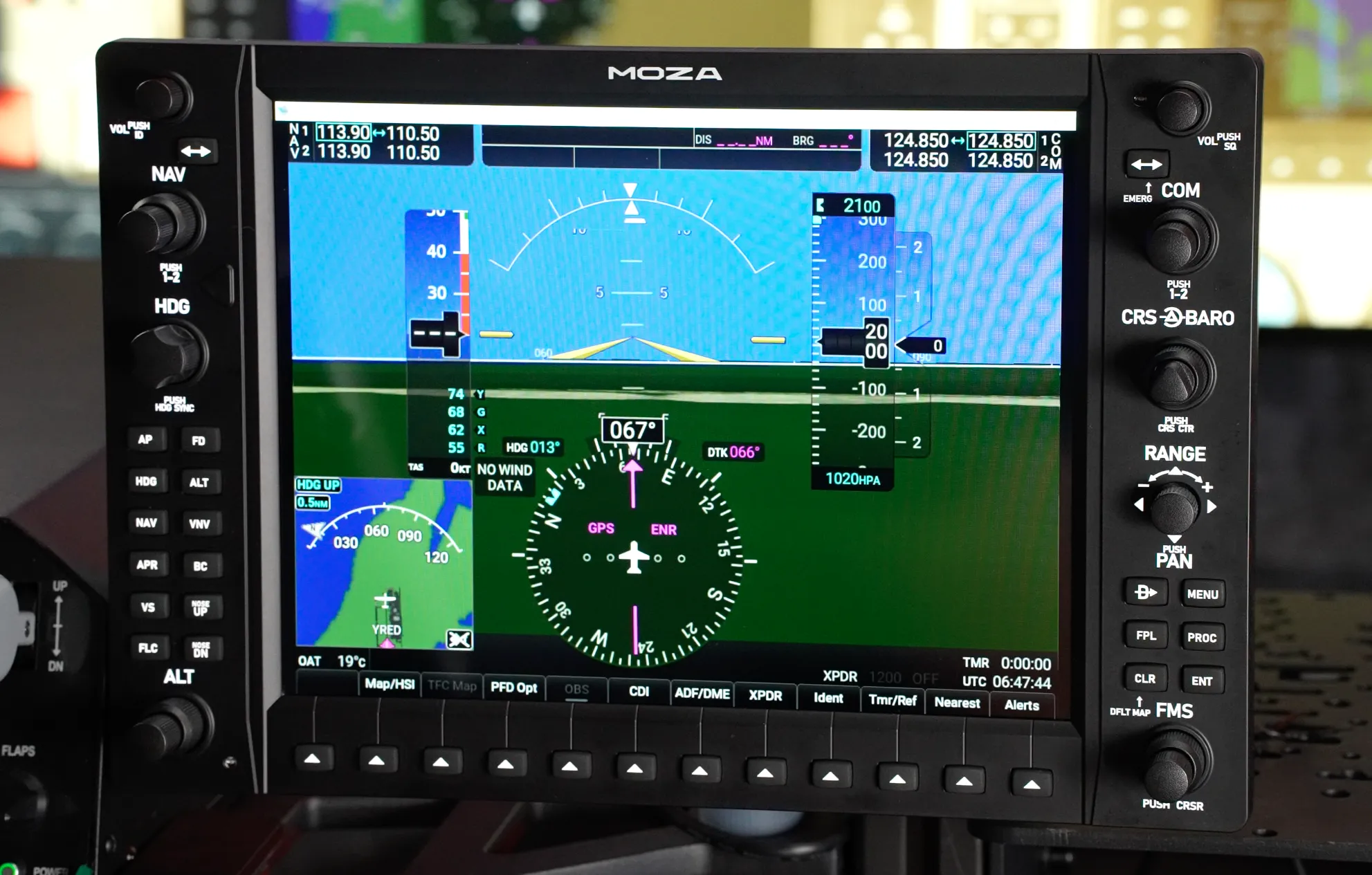
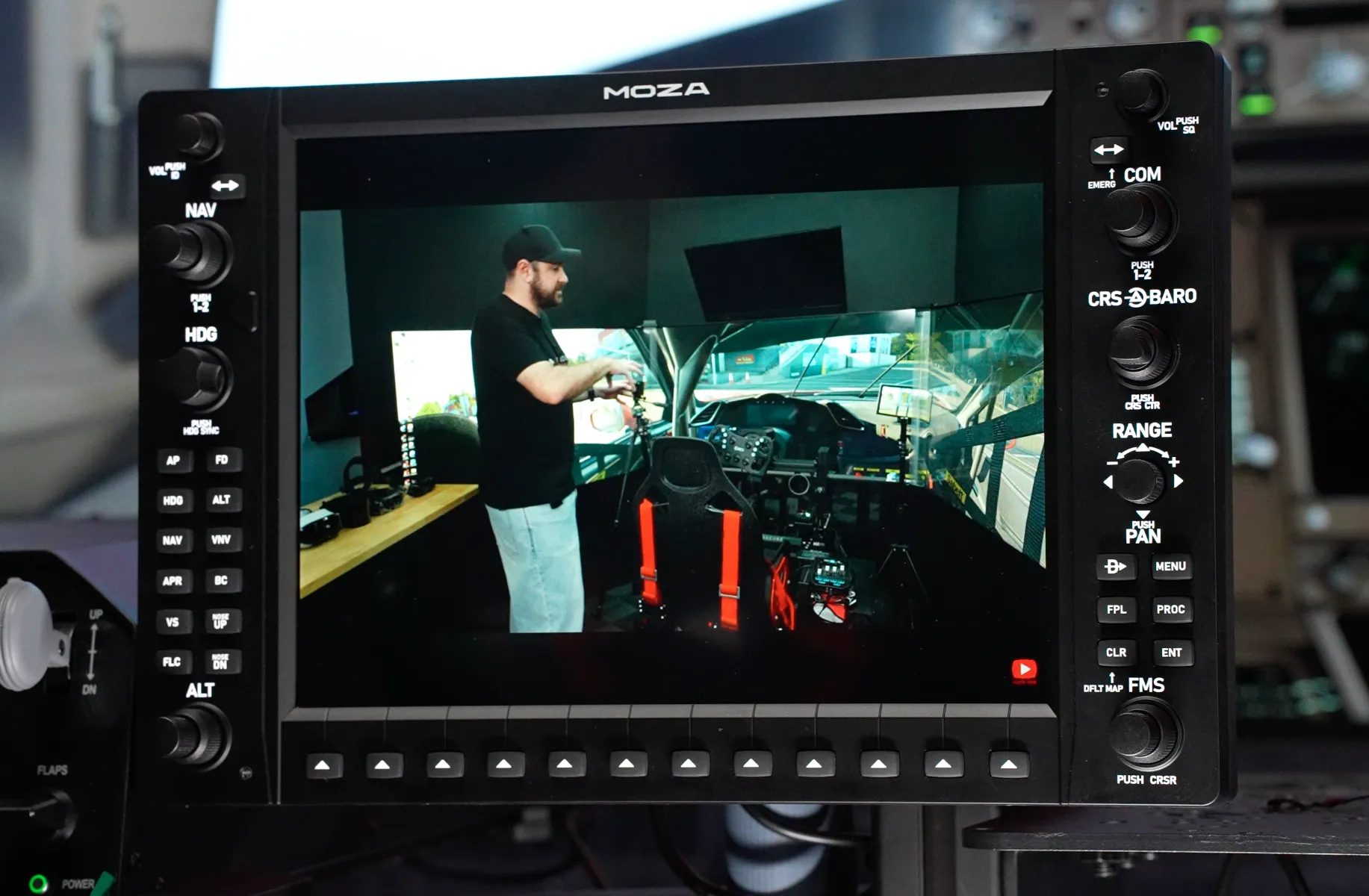
The G1000 is one of the most recognisable glass-cockpit systems in general aviation, and for many flight simmers it is also one of the most frustrating to operate with a mouse. The MOZA MGX1000 takes aim at that problem with a one-to-one-scale recreation built around a 10.4-inch display, physical controls, adjustable backlighting and the ability to operate as a conventional computer monitor.
For this review I spent time with the MGX1000 across general aviation flying, looking not only at how closely the hardware recreates the G1000 experience, but also how practical it is to integrate into a desktop simulator. With a 500-nit display, physical rotary controls and dedicated buttons for the functions you interact with constantly, there is plenty here to like — but the price and software experience make the overall value proposition more complicated.
By purchasing through links on this page you’ll be supporting Boosted Media at no additional cost to you! This option is available for a huge range of Sim Racing gear.
Pricing
At the time of review, the MOZA MGX1000 is priced at approximately AUD $829, just under USD $450 and just under EUR €470. Pricing and promotions can change, so we recommend checking this website for the latest regional pricing and any available discounts.IN THE BOX
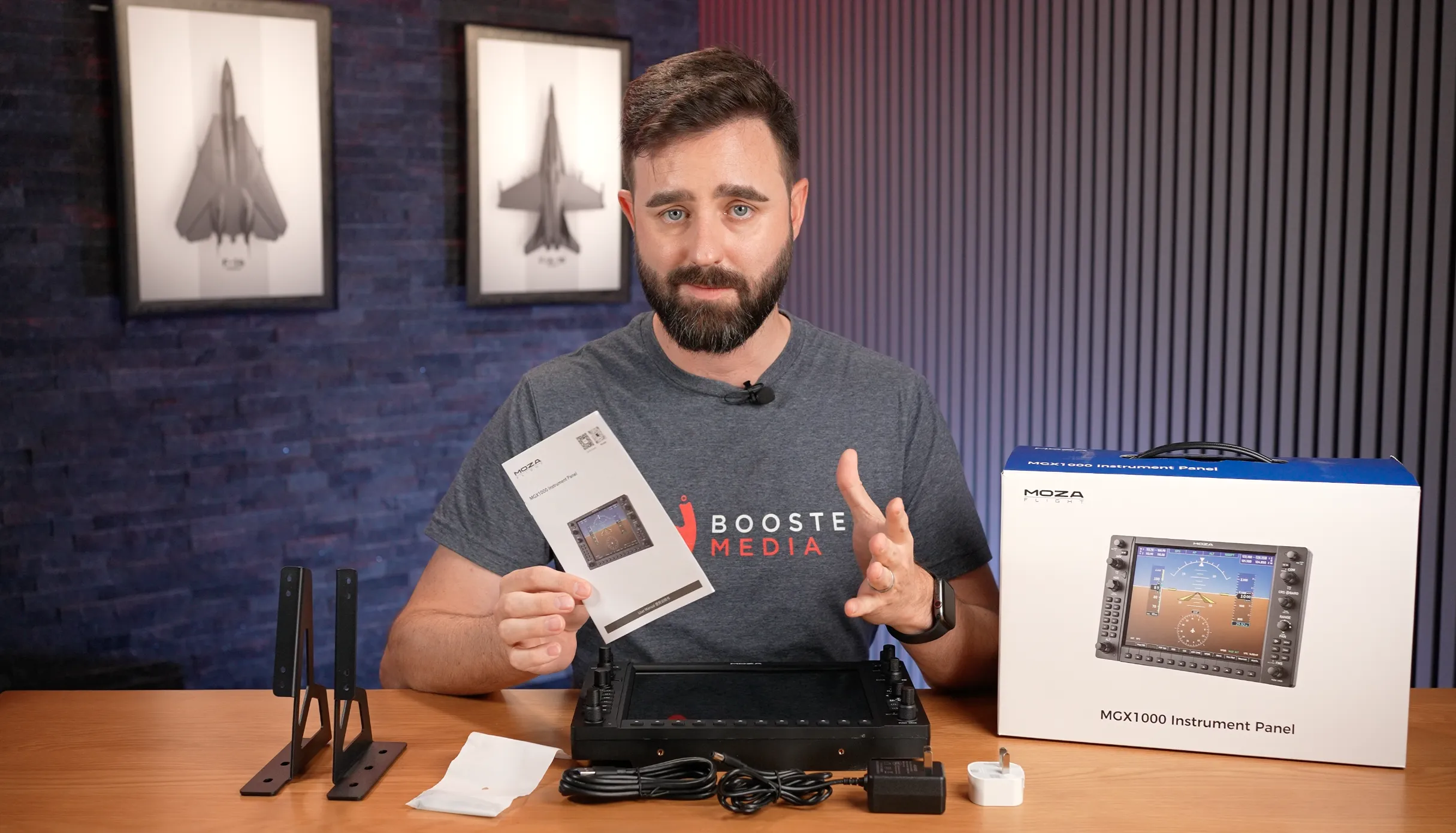
The MGX1000 arrived well protected, including a satisfyingly removable screen protector, with no damage to the review unit in transit. Alongside the display itself, MOZA includes a colour manual covering initial setup, mounting the supplied brackets and an introduction to the software.
Two metal desktop brackets are included and feel reassuringly solid. Textured rubber feet help prevent the unit sliding around on a desk, while the supplied hardware bag contains the bolts and Allen key required to secure everything together.
Connectivity is handled by a USB Type-A to Type-A cable rather than USB-C, together with a separate DC power supply. My review sample arrived before the Australian power supply was ready, so MOZA supplied an international adapter and a separate Australian plug adapter. Retail units should, of course, be supplied with an appropriate regional power solution.
Deep Dive
The MGX1000 uses an ABS and polycarbonate housing built around a two-piece front and rear construction. The seam between the two sections is clean, with no unpleasant sharp edges, with dimensions of 304 × 201 × 66.8 mm / 11.97 × 7.91 × 2.63 inches and at 1.17 kg (around 2.6 lb) the unit remains relatively light for its size.
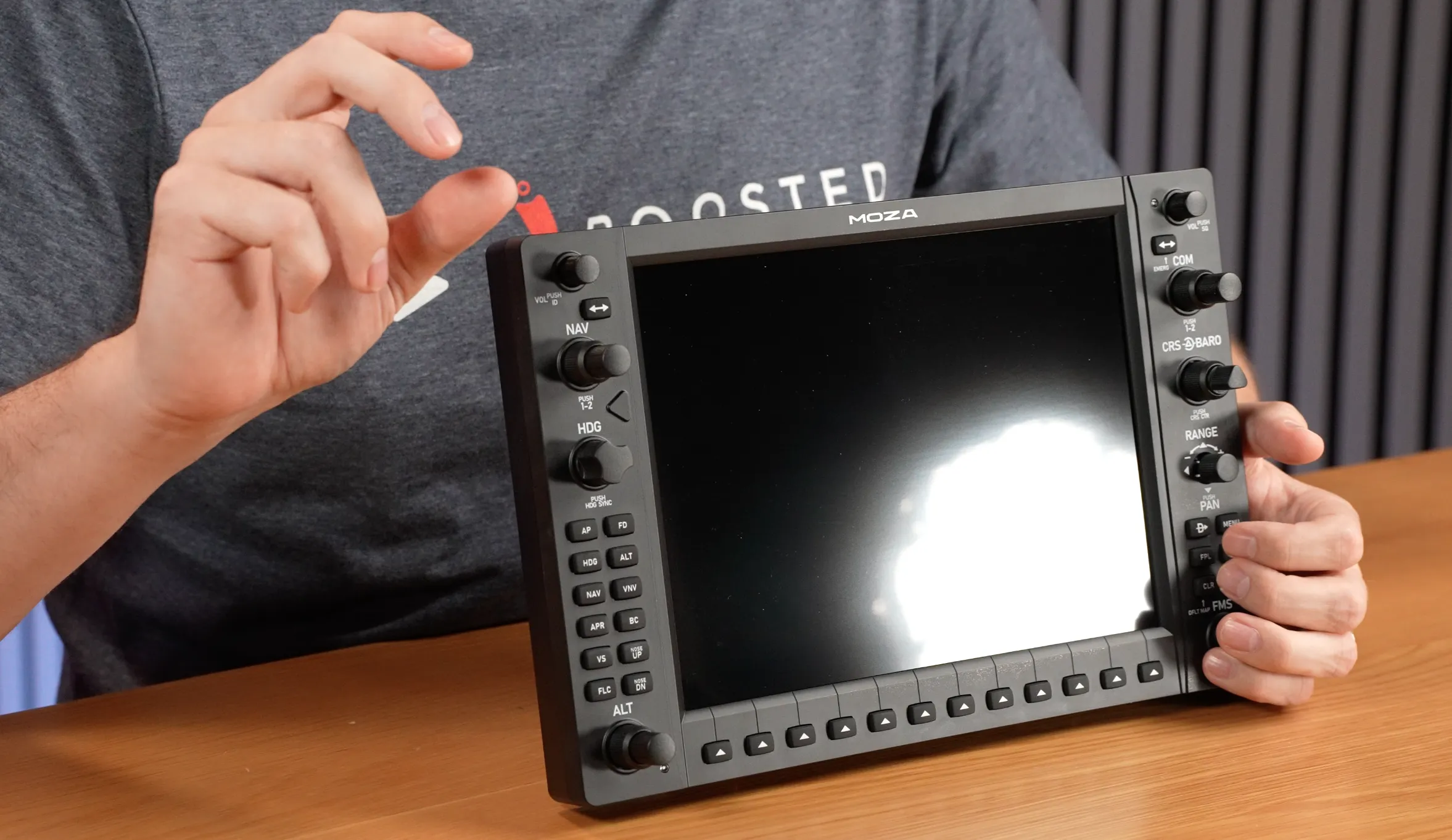
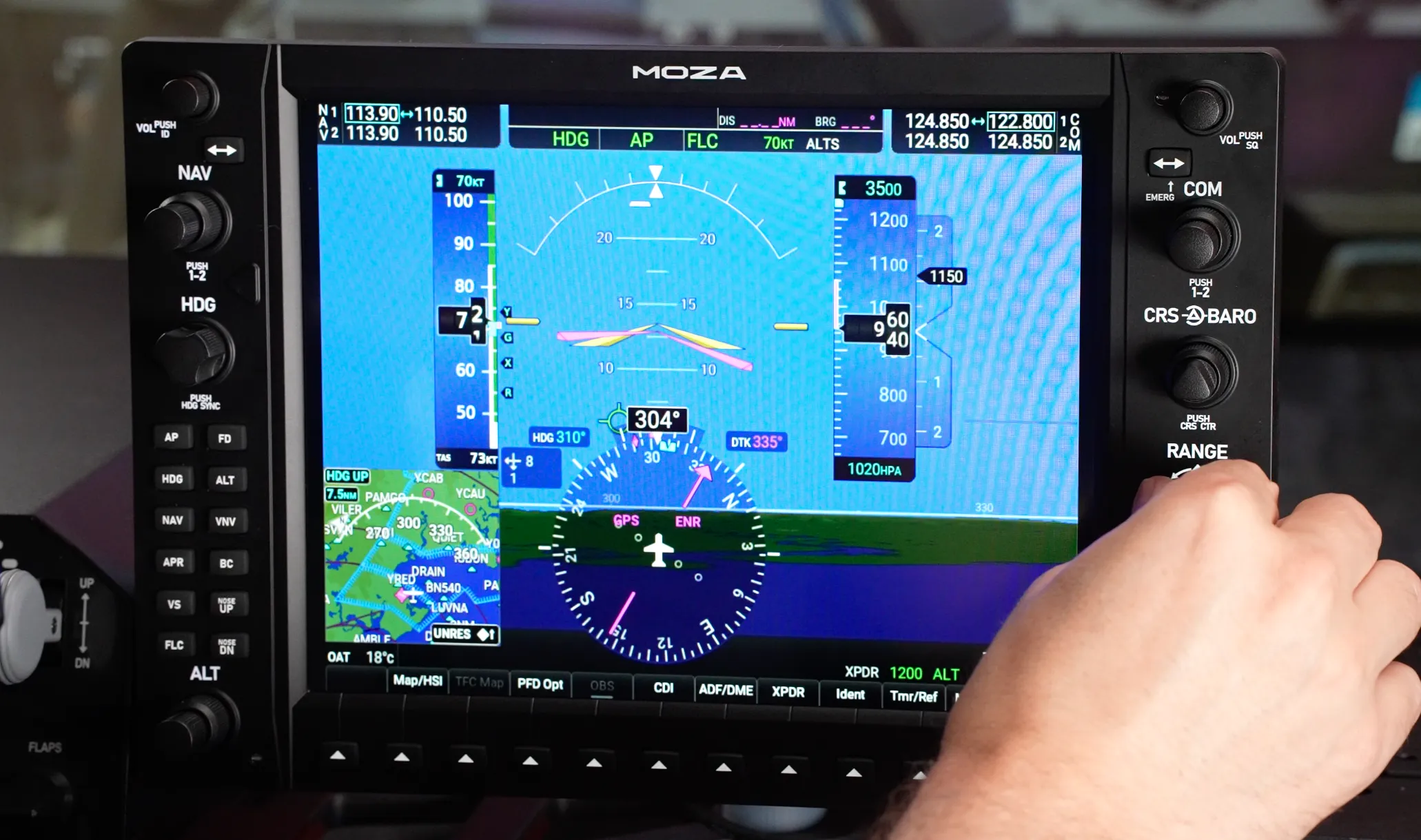
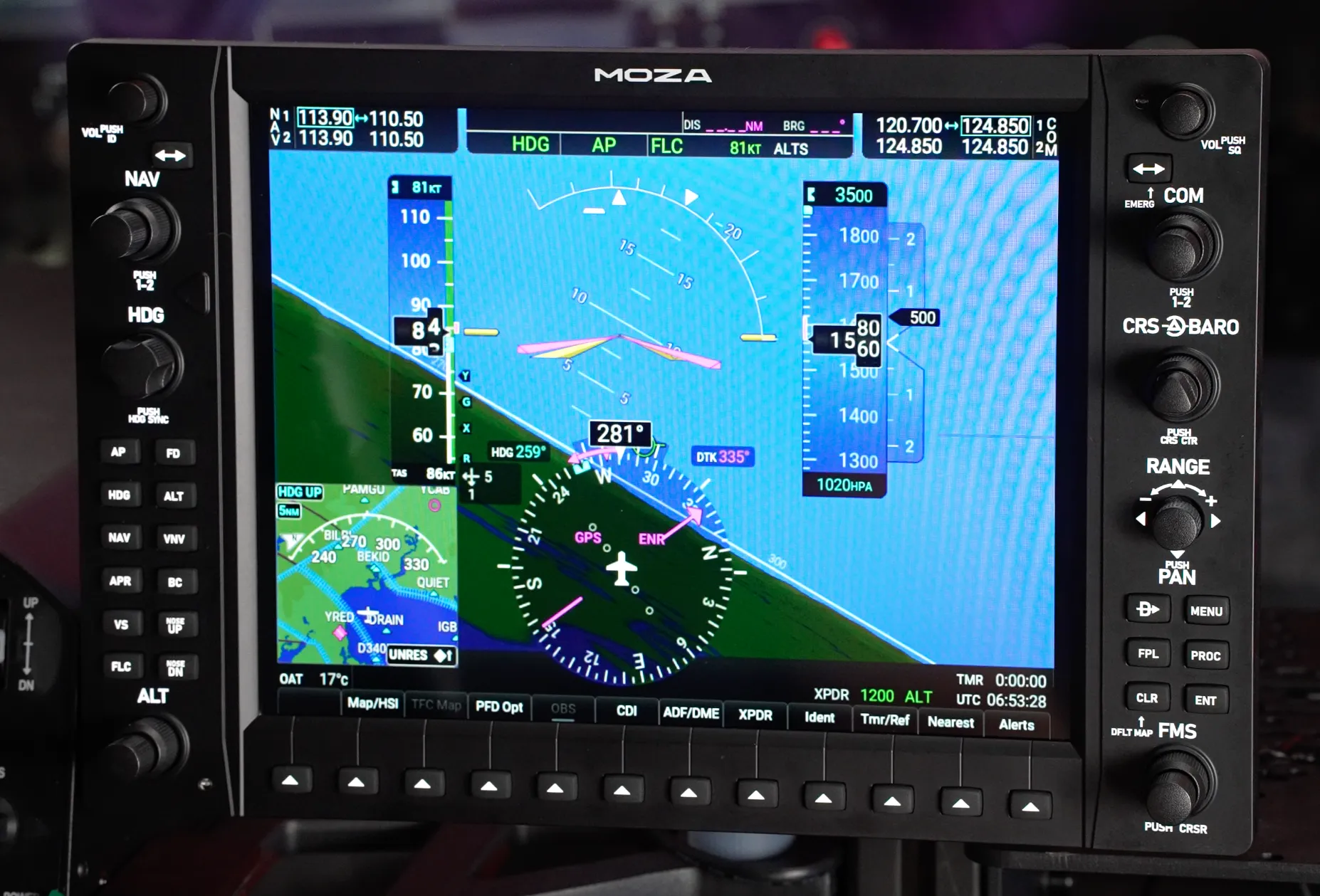
The centrepiece is the 10.4-inch, 500-nit display running at 1024 × 768 (XGA). Importantly, that is the same resolution used by the real G1000, helping the virtual display sit naturally within the recreated bezel and control layout.
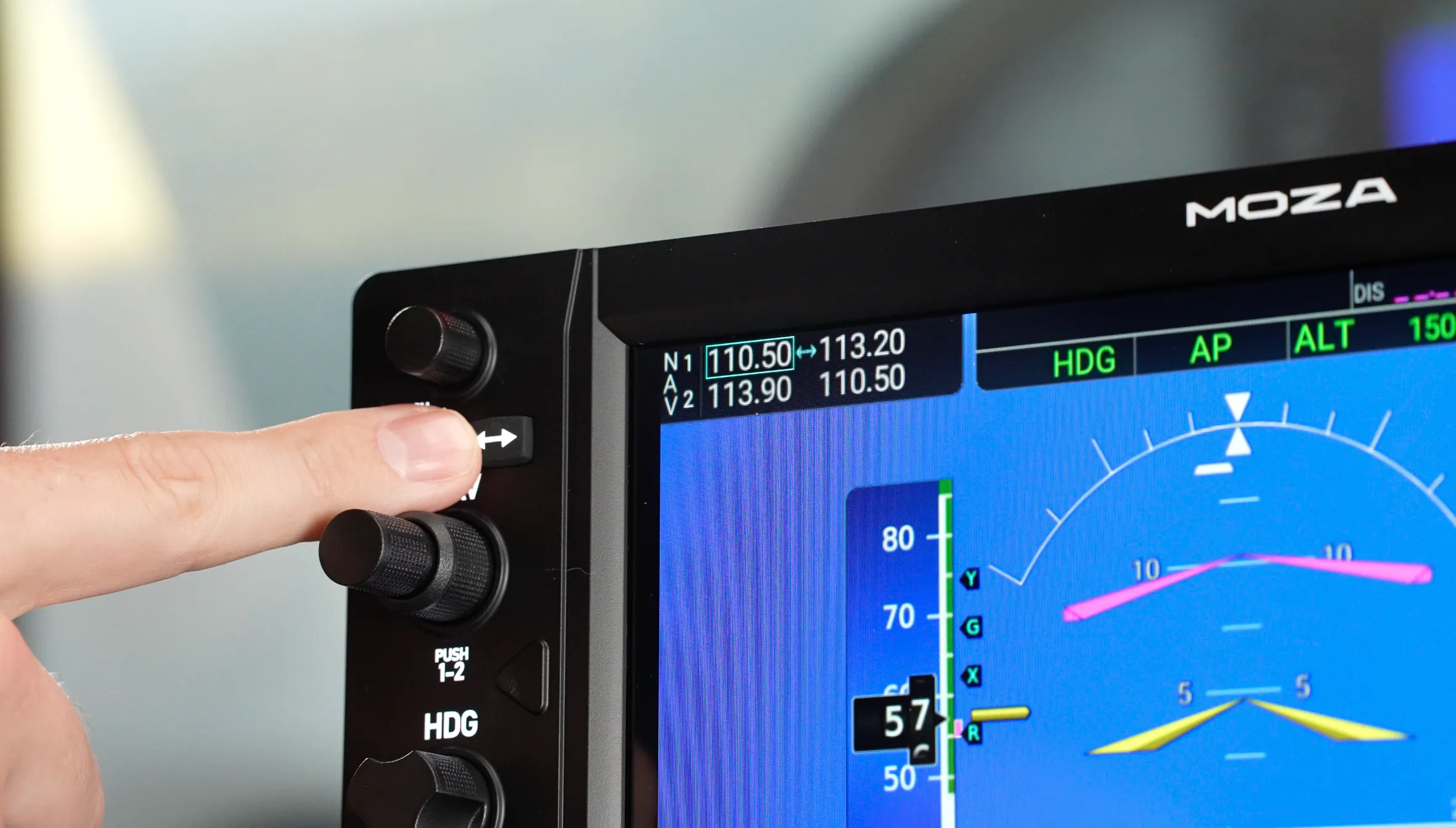
Across the front are the familiar G1000 controls: standard rotary encoders with push functions, dual-concentric knobs, autopilot controls, line-select keys and a seven-way joystick-style control that MOZA refers to as the ALPS knob. The dual-concentric controls are particularly valuable in practice. For example, the altitude selector can use the outer control for 1,000-foot increments and the inner control for 100-foot increments, closely mirroring the workflow of the real unit.
MOZA has also integrated ambient light sensors into the hardware. These can be used by MOZA Cockpit to dynamically adjust the button backlighting based on the lighting conditions in your room.
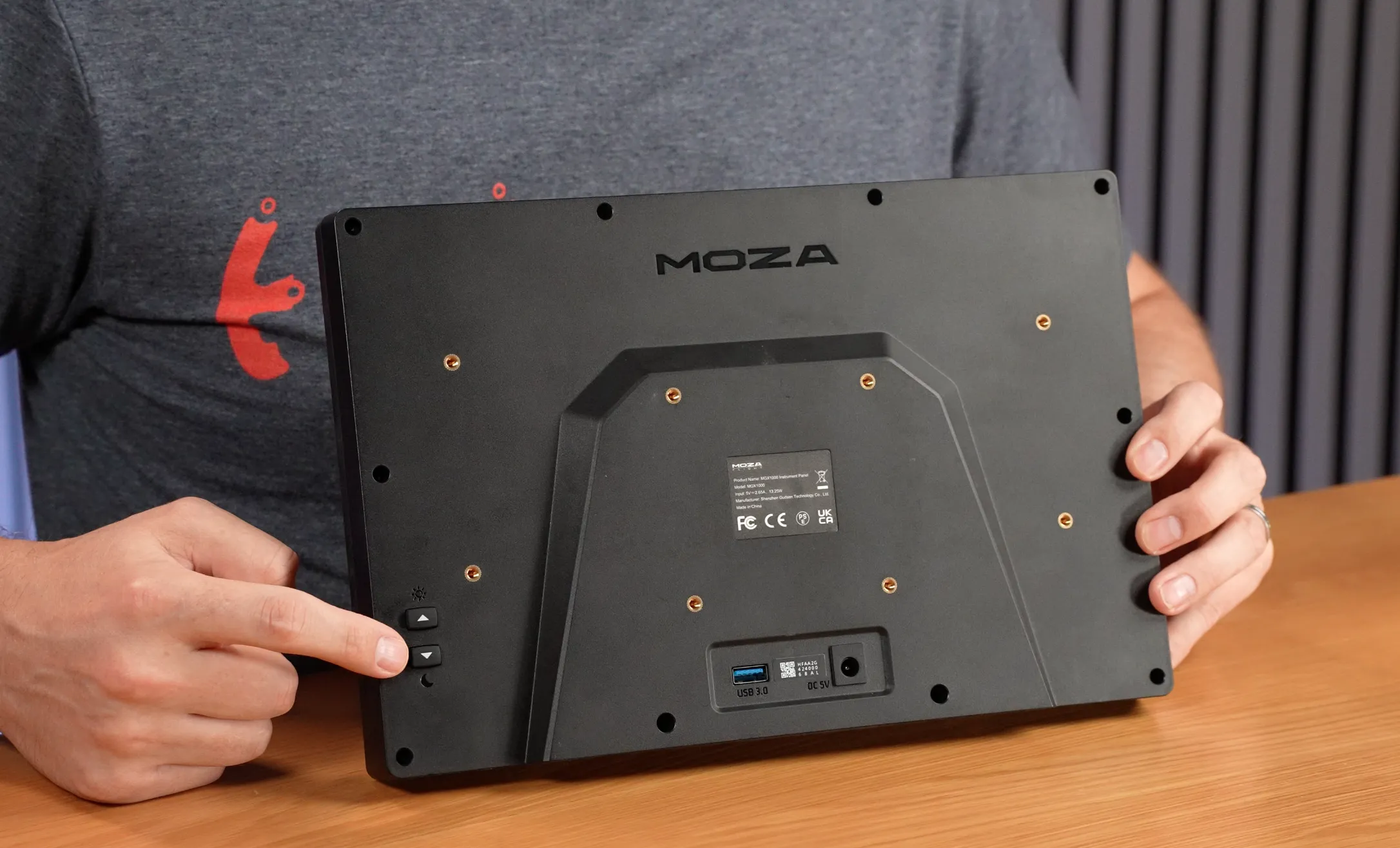
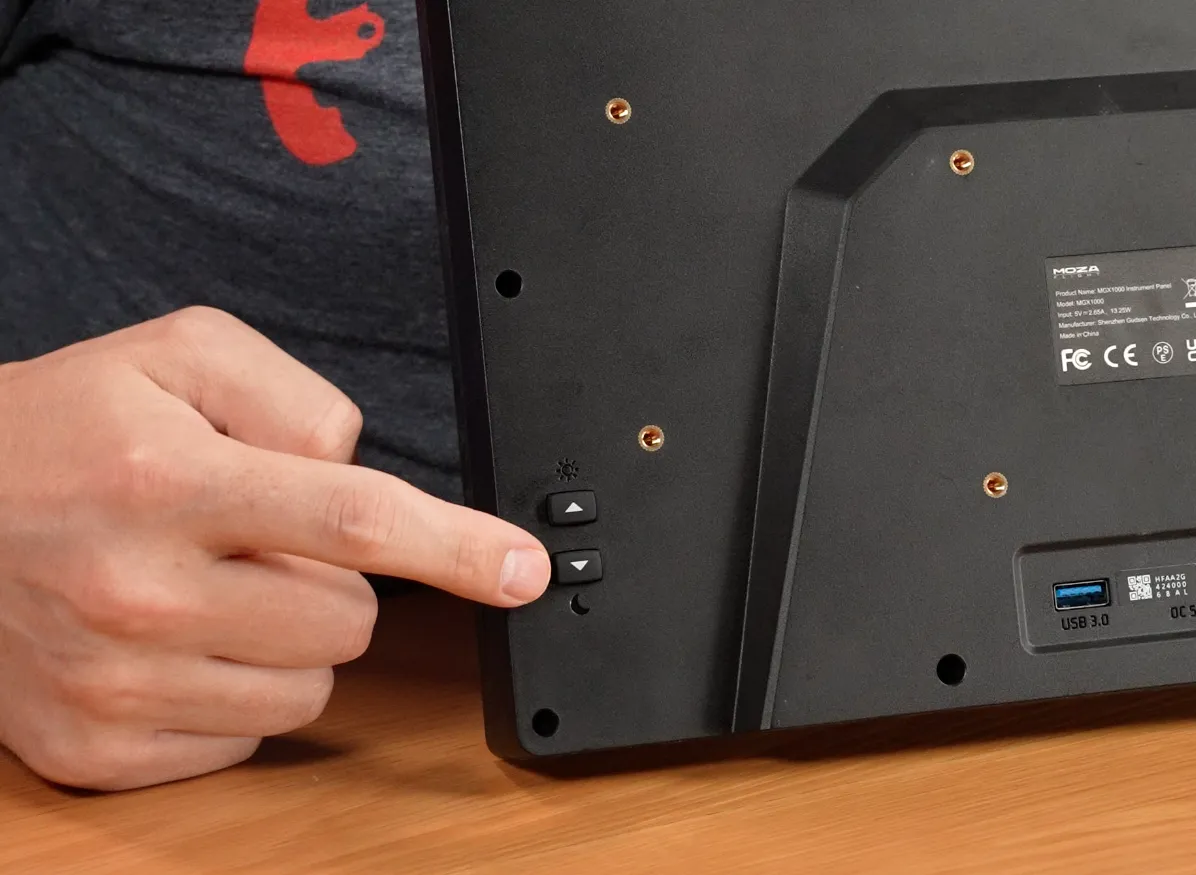
Turning things over is a standard 75 × 75 mm VESA pattern for more permanent mounting, the mounting points used by the supplied desktop stand, USB Type-A connectivity, the DC power input and physical buttons for adjusting the brightness of the display.
STAND
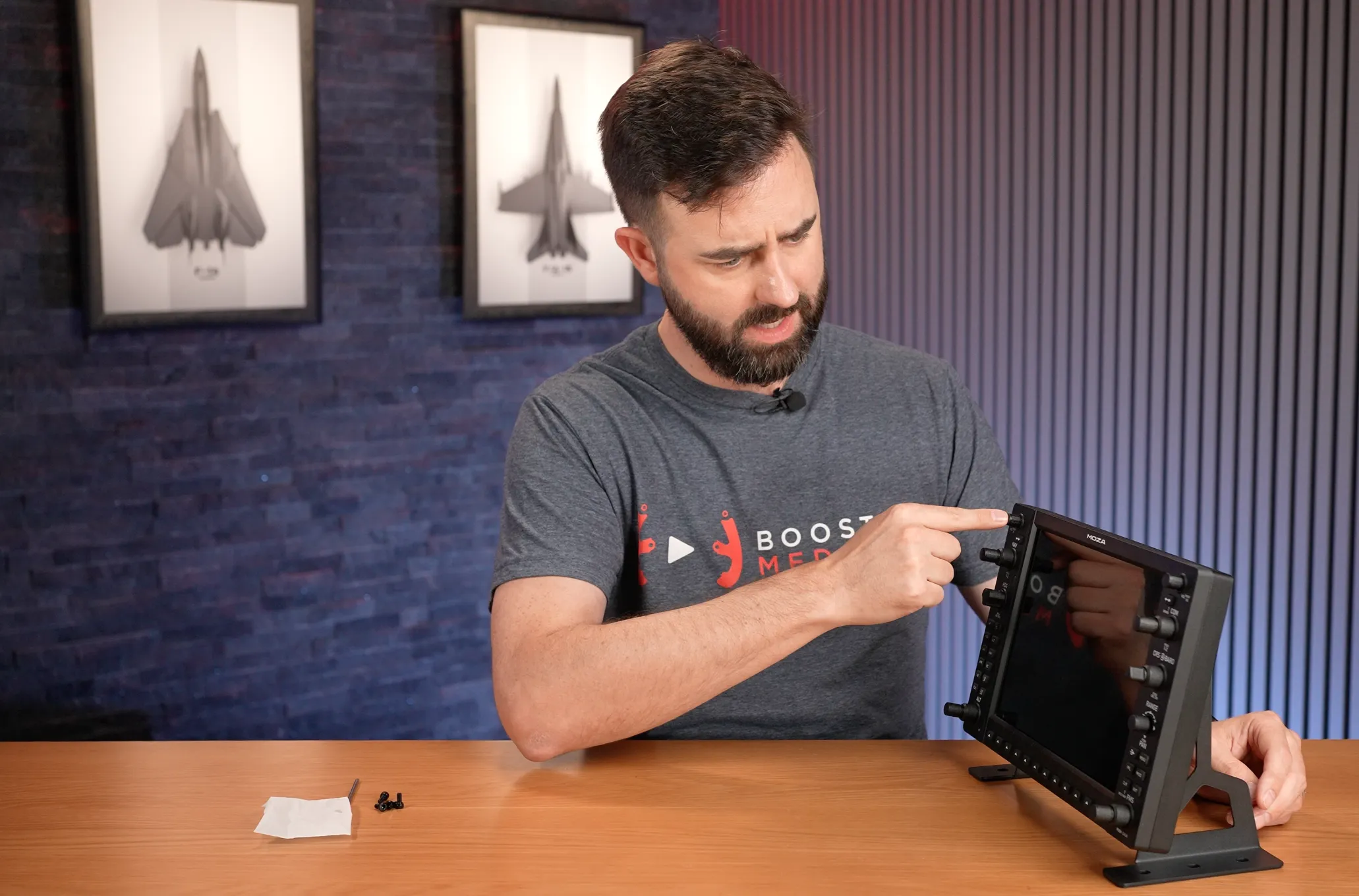
Installing the included desktop stand is straightforward: align the two metal brackets with the mounting holes on the rear of the MGX1000, install the supplied bolts with the included hex key and tighten everything down.
Once assembled, the stand does a good job of keeping the MGX1000 planted on the desk. The rubber feet provide enough grip that normal interaction with the knobs and buttons rarely causes the unit to move. Applying more force to controls such as the COM and NAV selectors can push it forward slightly, but under normal use I found the stability more than acceptable.
The brackets also provide some height adjustment. I tested the unit in its higher position, although additional mounting holes allow it to be lowered by roughly another centimetre if that better suits your seating position or simulator layout. For permanent cockpit installations, the rear VESA mount provides a cleaner alternative.
SOFTWARE
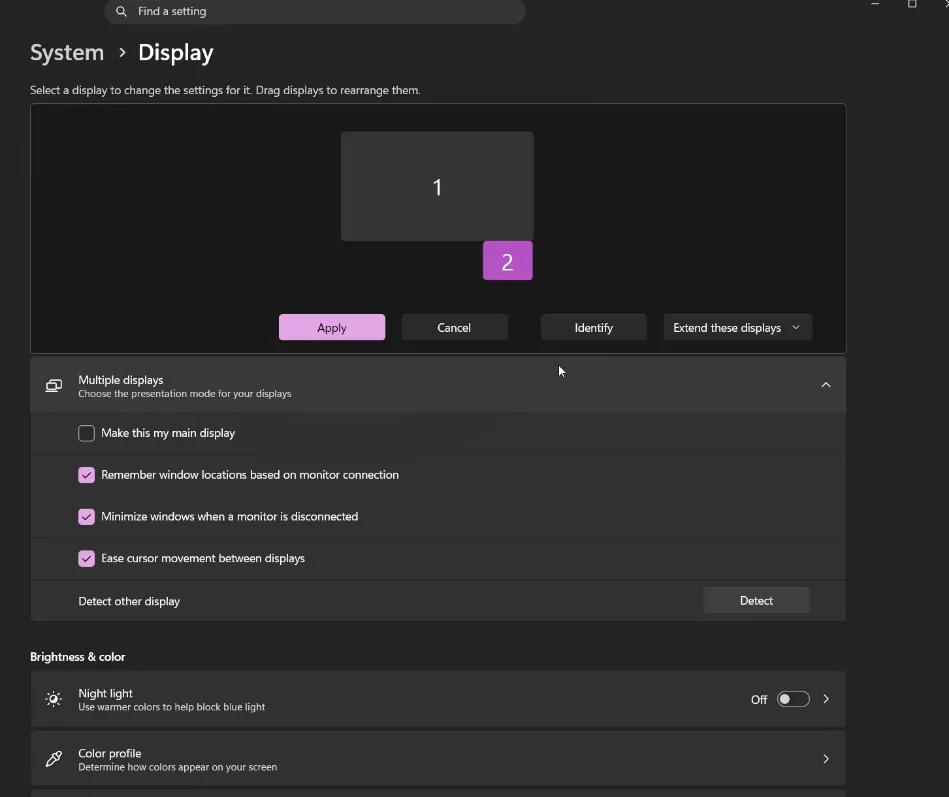
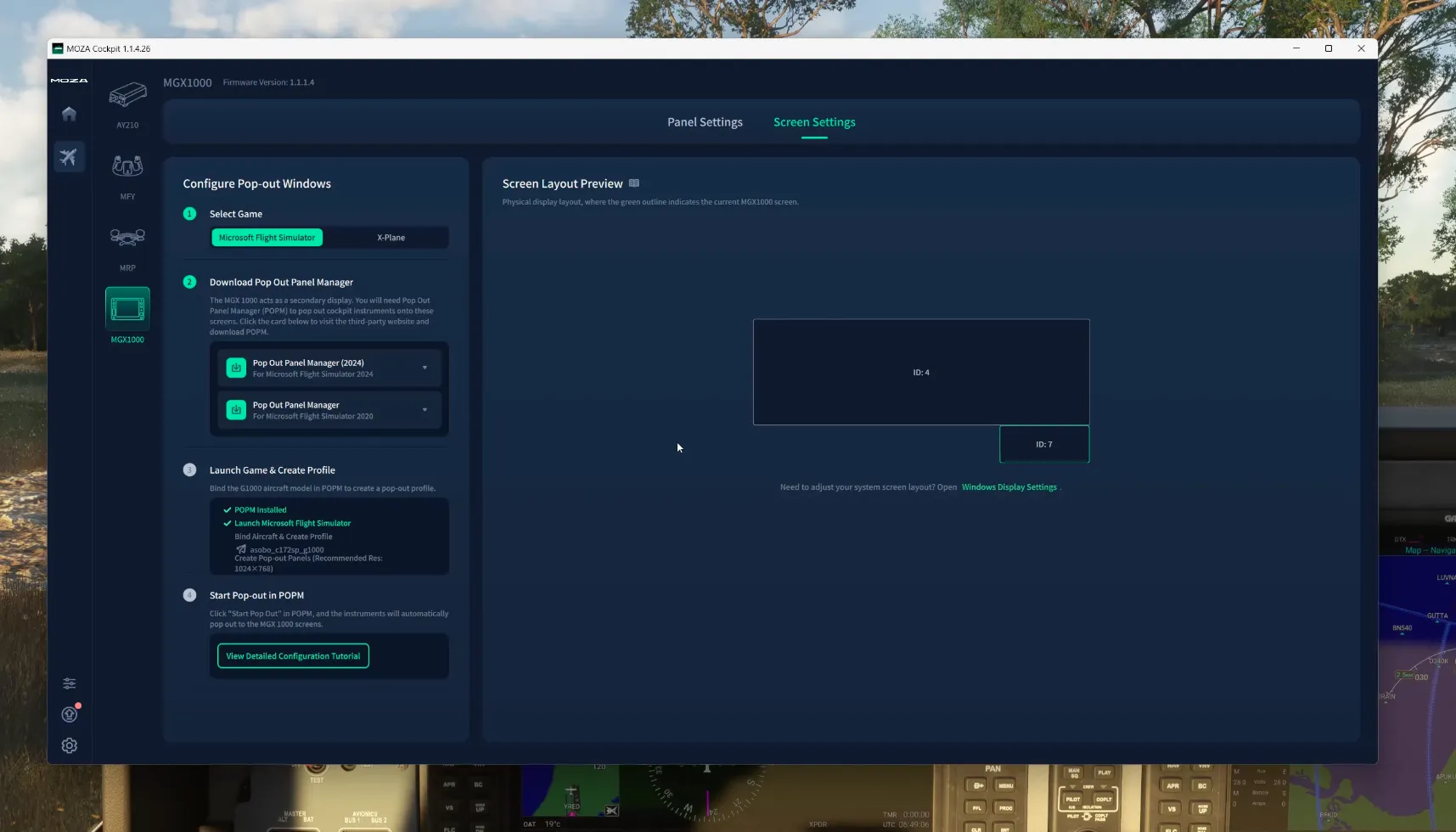
Testing was performed using MOZA Cockpit version 1.1.4.26. When the MGX1000 is connected, Windows sees the display as another conventional monitor running at 1024 × 768 and 60 Hz. That distinction is useful because the MGX1000 is not limited to displaying a G1000 — it can also be used as an additional desktop display.
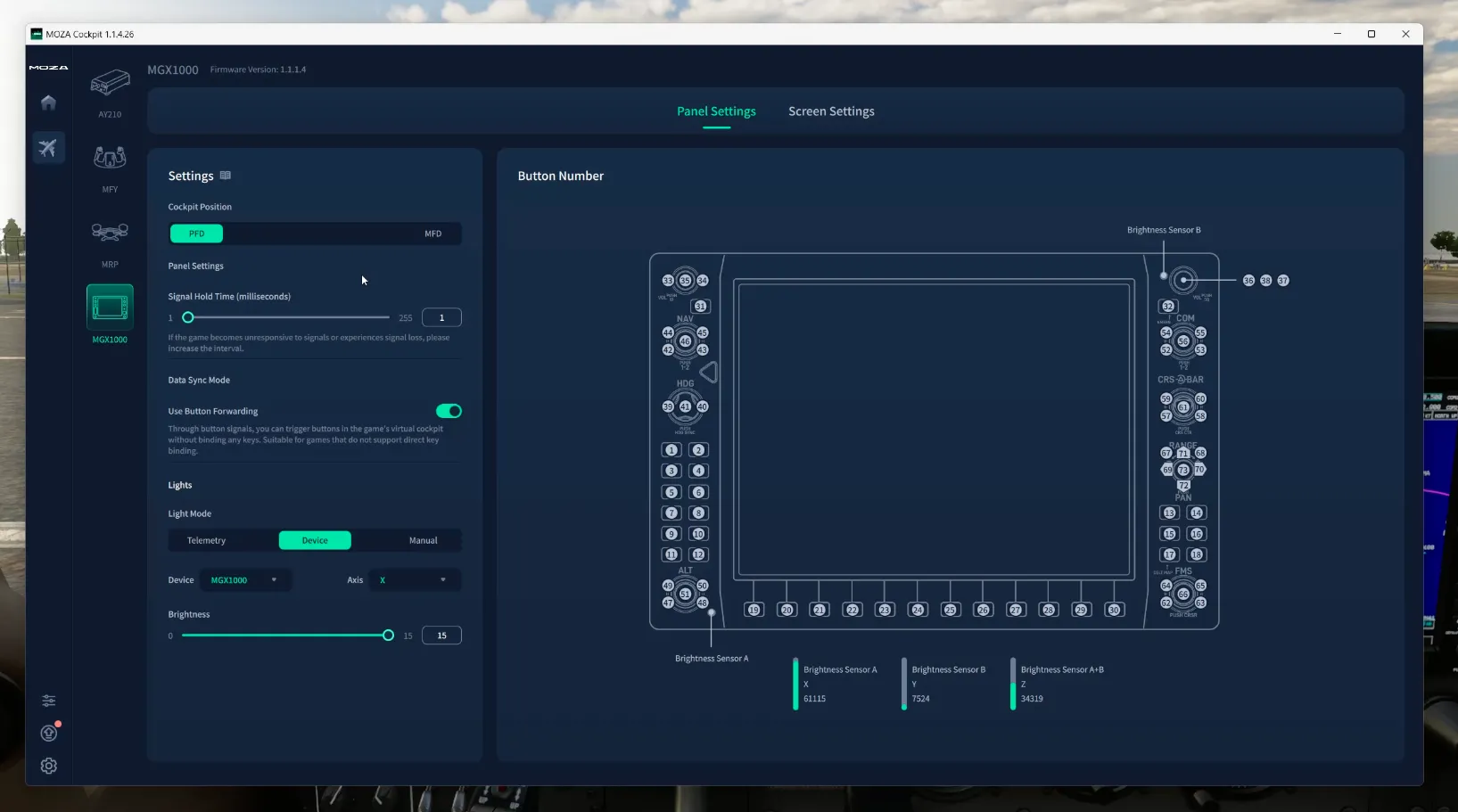
MOZA Cockpit follows the same general layout as the company’s other flight hardware. Connected devices are shown on the home screen, firmware updates and application settings are easily accessible, and simulator-specific plug-ins can be installed where required. The MGX1000 settings provide control over whether the unit is being used as a PFD or MFD, input behaviour and backlighting.
The Signal Hold Time setting determines how long a button command remains active. Increasing this value can help if a simulator or third-party application is missing rapid rotary inputs. Data Sync Mode includes Button Forwarding, which allows MOZA Cockpit to send the required commands directly rather than forcing the user to manually bind every individual control. Unless there is a specific compatibility reason to disable it, leaving Button Forwarding enabled is by far the easier option.
Backlighting can be controlled manually, from simulator telemetry or from supported MOZA hardware. Manual mode provides a simple brightness slider, while telemetry can tie illumination to aircraft data or cockpit lighting states. My preferred option was using the MGX1000’s own ambient light sensors. This allows the backlighting to respond to the actual lighting in the room rather than what is happening in the virtual cockpit, which makes a lot of sense when flying at different times of day.
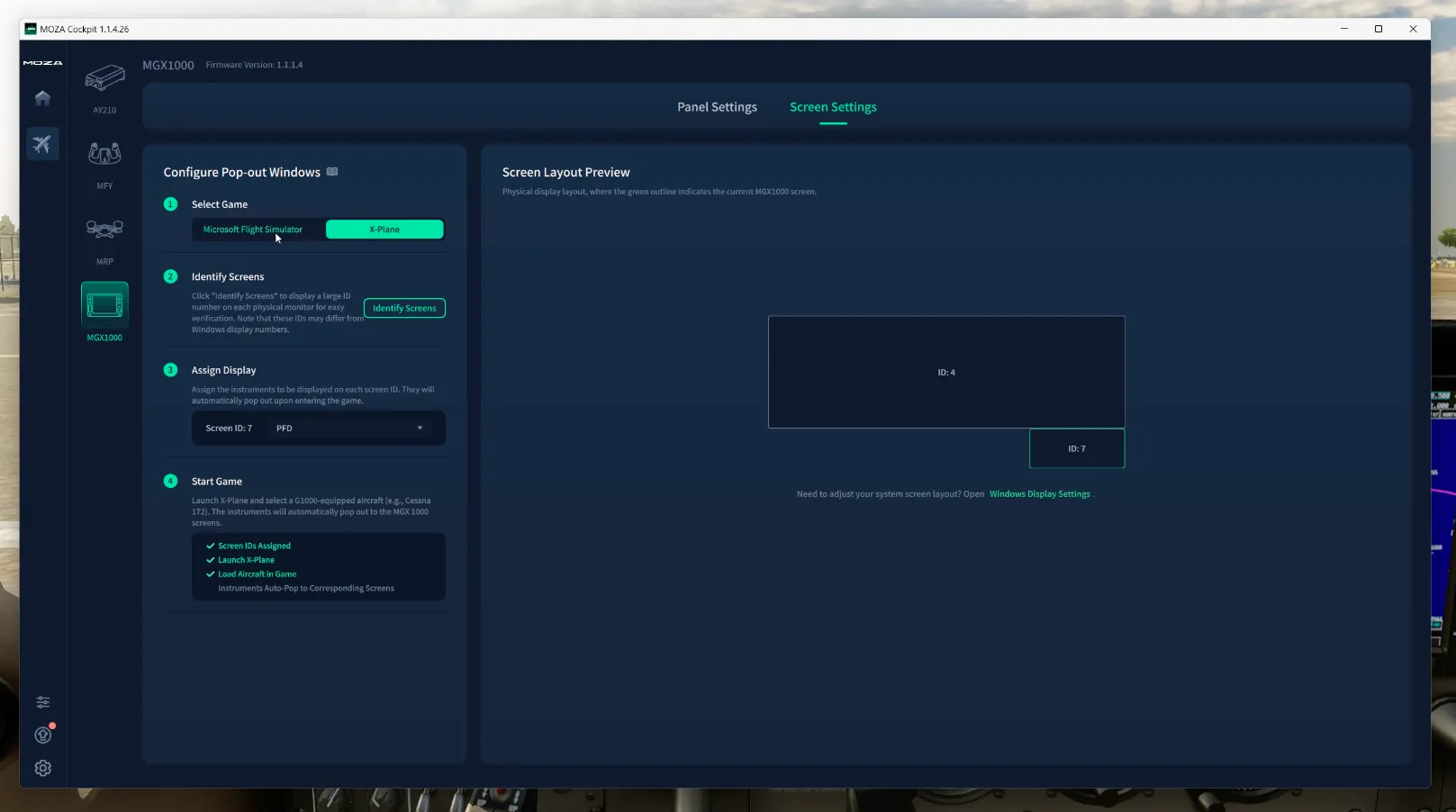
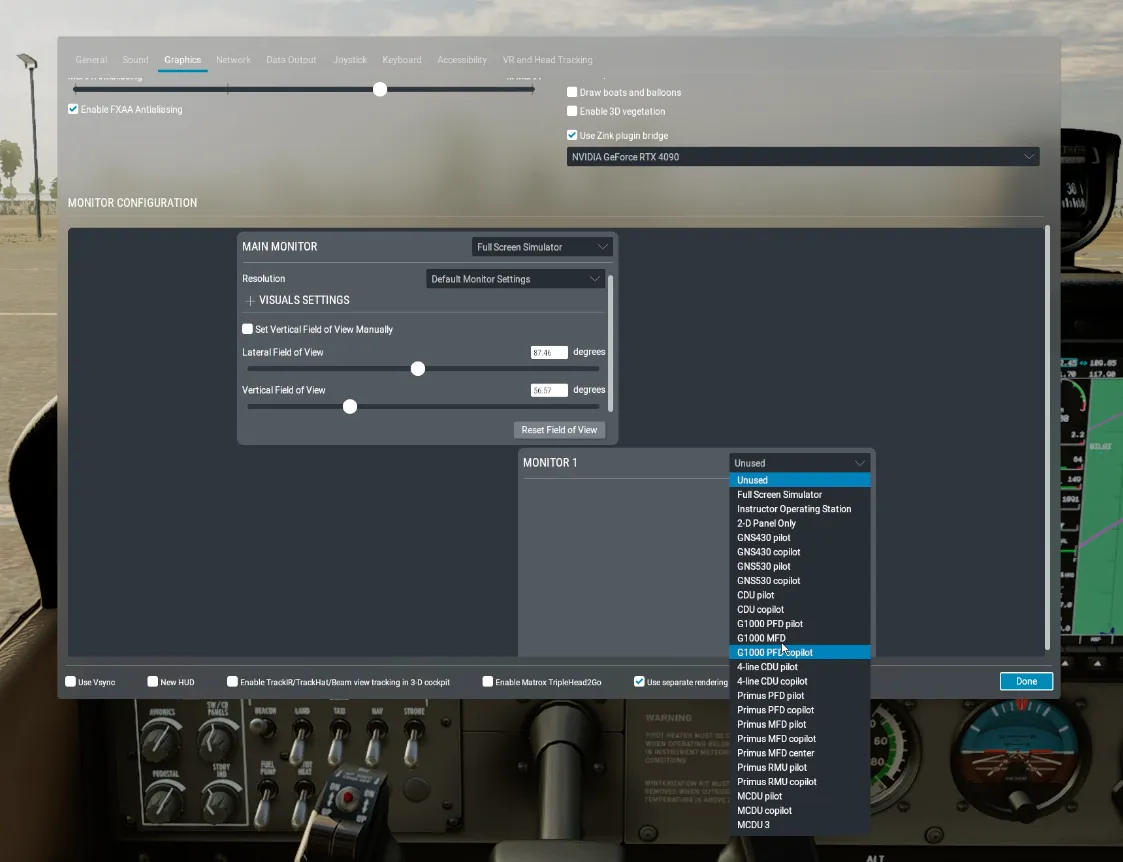
Getting the display working differs between simulators. In X-Plane, MOZA Cockpit can identify the available displays and assign the MGX1000 as the PFD or MFD. X-Plane still requires the corresponding monitor output to be configured in the simulator’s graphics settings, but once assigned, the PFD can be displayed correctly on the MGX1000.
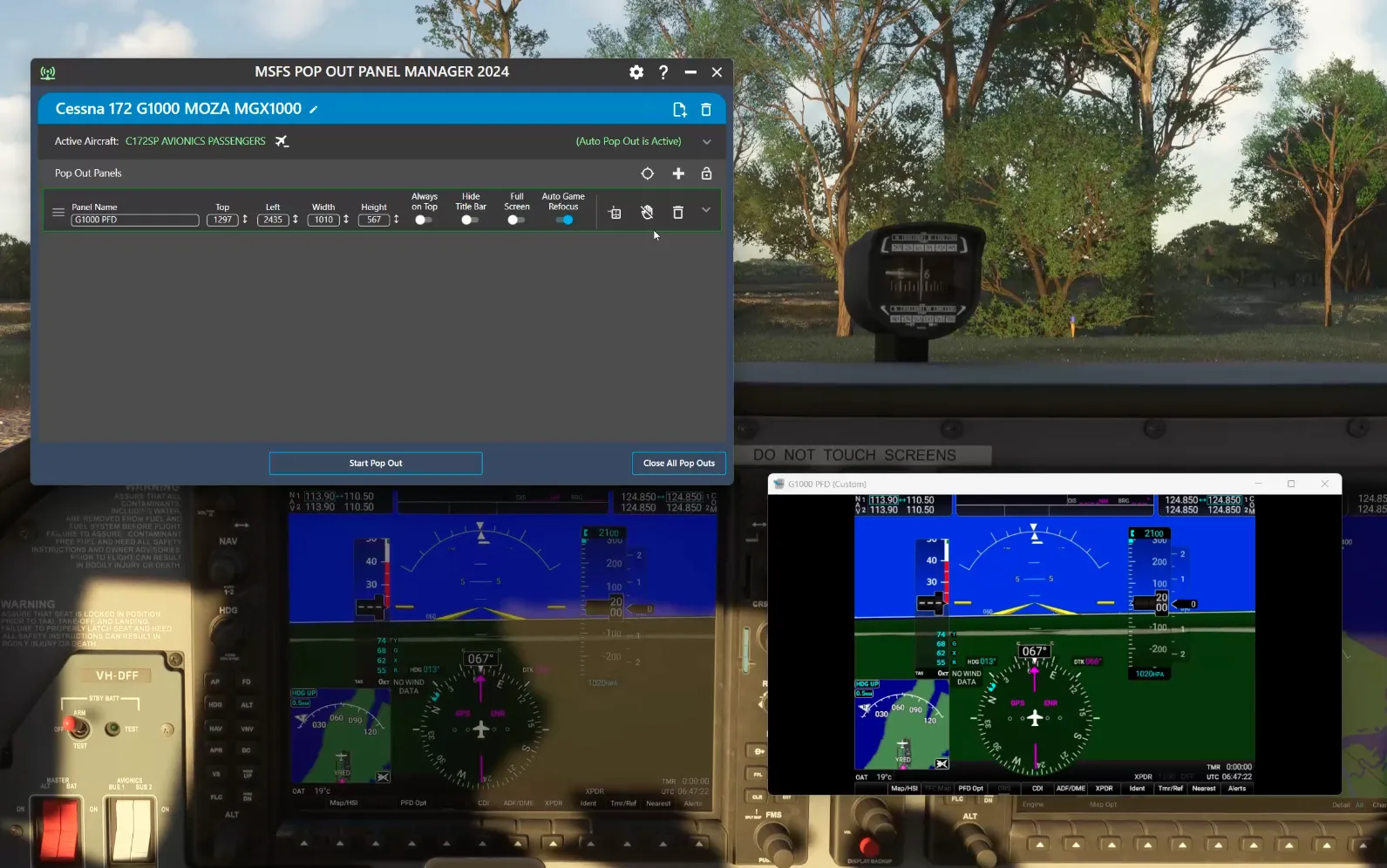
Microsoft Flight Simulator is a little less elegant. The simple approach is to use the simulator’s panel pop-out functionality, drag the G1000 window onto the MGX1000 and maximise it. This works, but the simulator does not conveniently remember that arrangement between sessions, meaning the process needs to be repeated. The title bar can also present taking up a small amount of space across the top of the display.
MOZA therefore points users towards a third-party Pop Out Panel Manager that can automate the process, remember the panel location and restore it when the appropriate aircraft is loaded. In practice the tool worked well during my testing, but I am conflicted about MOZA relying on community software to provide the most seamless experience. I would much rather see this functionality handled entirely within the MOZA ecosystem. If the third-party utility stops being maintained or a simulator update breaks compatibility, users are pushed back towards manually positioning the display.
This area of MOZA Cockpit also felt less mature than the rest of the application during testing. Some guidance and configuration options felt unfinished, including a detailed configuration tutorial link that did not respond for me. The functionality is there, but this part of the experience could use further refinement.
Flying Experience
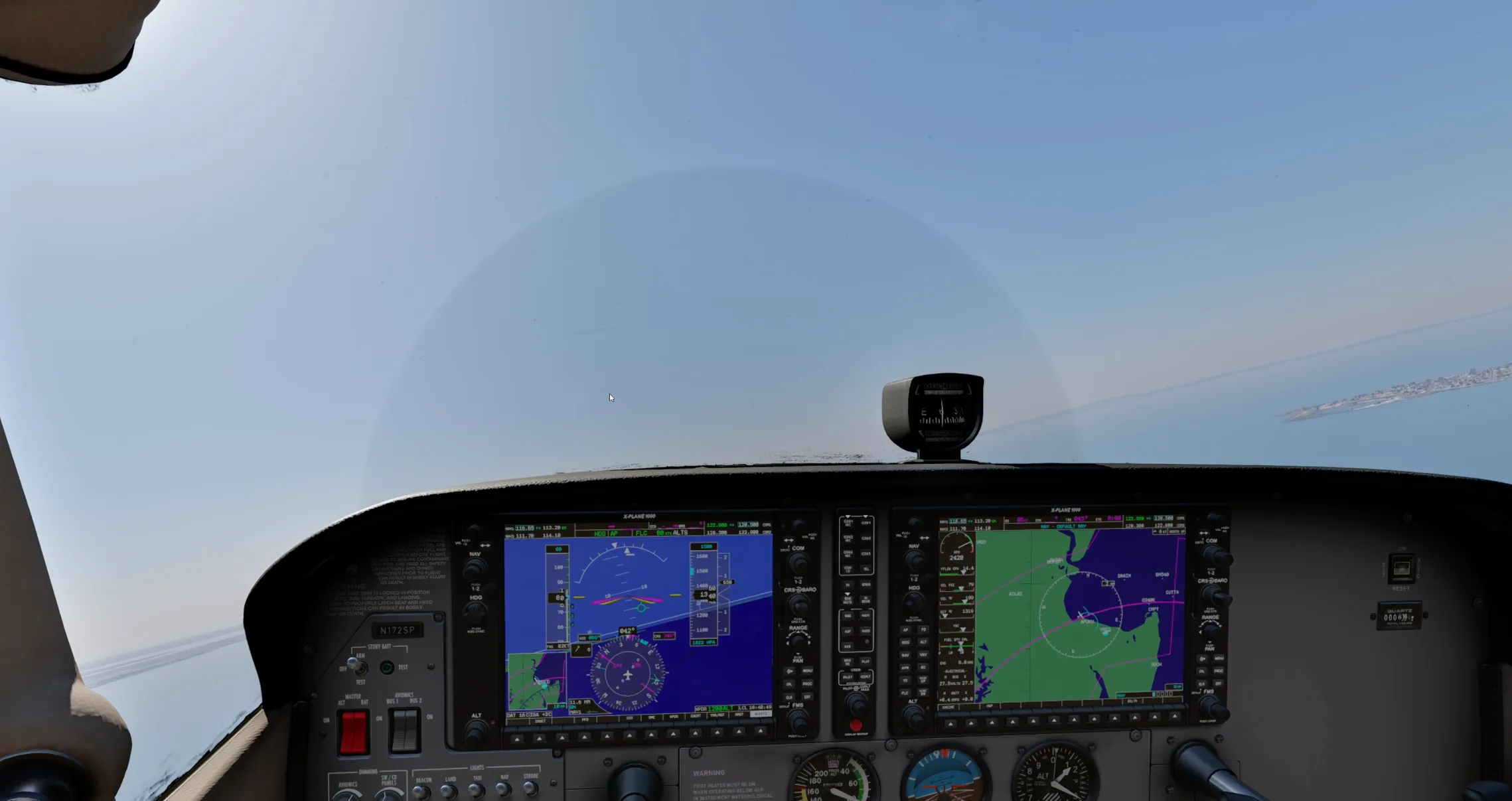
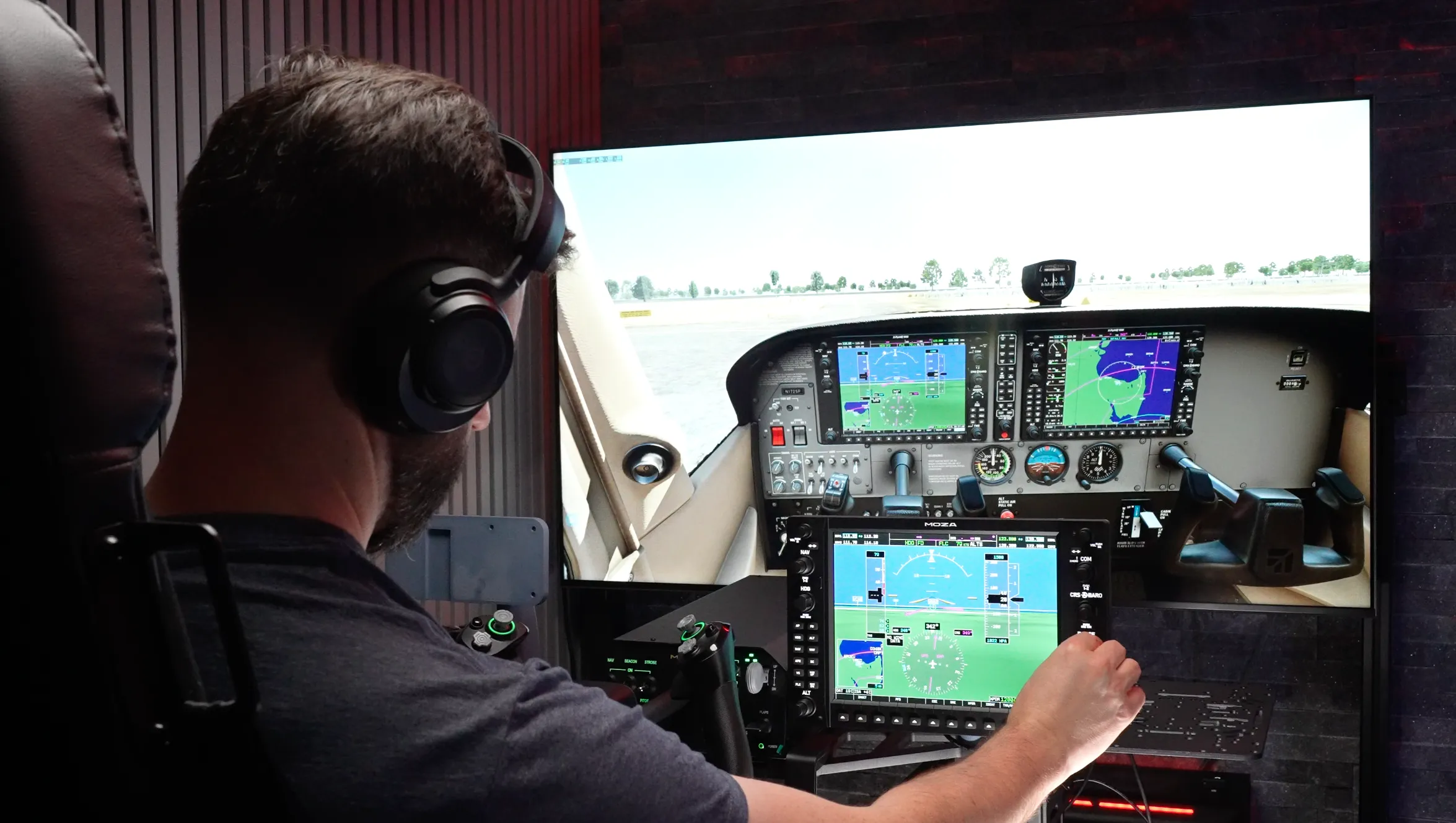
Displays like the MGX1000 create an interesting dilemma. In an aircraft such as the Cessna 172, the virtual G1000 displays are already large and prominent immediately below the windscreen. If you continue using the normal virtual cockpit camera, it can be difficult to justify looking away from those perfectly usable virtual displays towards a physical unit sitting on the desk.
To create a more convincing physical cockpit, I think the ideal arrangement would be two MGX1000s — one PFD and one MFD — with the in-game camera positioned higher so the virtual instrument panel is largely removed from view. The problem is that this requires a second MGX1000 and potentially additional mounting hardware, dramatically increasing the overall cost.
Where the MGX1000 really earns its place is through the physical controls. The G1000 contains a large number of small buttons and several dual-concentric rotary controls, all of which can be frustrating to manipulate accurately with a mouse. Add turbulence, head tracking or general camera movement and clicking the exact virtual control you want can become frustratingly difficult.
With the MGX1000, the PFD controls are physically in front of you. Adjusting radios, navigation functions and flight planning feels considerably more natural, while the joystick makes moving around the inset map far easier than trying to interact with the virtual unit. Entering airports, waypoints and navigation legs using physical knobs and buttons also removes a lot of the friction from G1000-equipped aircraft. During testing I found myself flying considerably more GA aircraft simply because configuring the navigation system was easier and more enjoyable.
The 500-nit display is bright and remained easy to read during testing. The button backlighting can dynamically respond to the studio lighting through the ambient sensors, although the display brightness itself does not automatically follow those changes. Display brightness can be adjusted using physical buttons on the rear of the MGX1000, but I would like to see the same control added to MOZA Cockpit so both the screen and button illumination can be managed together.
The controls themselves are a highlight. The buttons have a firm, tactile action and the rubber is stiff enough that accidental or incomplete presses were uncommon. The rotary controls also feel consistent across the unit. For anyone regularly flying G1000-equipped aircraft, these physical interactions are what transform the MGX1000 from simply being another small monitor into a genuinely useful piece of cockpit hardware.
NEWSLETTER
Stay up to date with new releases And major updates
Thanks. Please check your email to confirm your subscription.
Sim RACING
Discount Codes
Conclusion: 8/10
The MGX1000 is a welcome addition to a flight simulation hardware market that still tends to devote far more attention to airliners than general aviation. As someone familiar with the G1000 in real aircraft, I enjoyed seeing such a recognisable piece of GA avionics recreated as dedicated simulator hardware.
MOZA has done a good job with the controls. The buttons respond consistently regardless of where they are pressed, the rotary encoders feel solid and the seven-way control has been faithfully reproduced. The 500-nit screen is bright, and while its 1024 × 768 resolution is modest by modern monitor standards, it is appropriate to the G1000 and remains perfectly usable for text and general desktop applications.
That ability to operate as a conventional monitor is an underrated advantage. When the MGX1000 is not being used as a G1000, it can become a secondary screen for applications such as Discord, vPilot or xPilot, web pages, video or other simulator utilities. I much prefer this flexibility to a proprietary display that can only show content supplied by the manufacturer’s software.
The software experience is where the package feels less complete. Manual panel pop-outs work, but repeatedly positioning them becomes tedious, while relying on a third-party community utility for automatic panel management makes the overall solution feel less self-contained than I would like. The community tool worked during my testing, but buyers should not have to depend on an external developer to get the most seamless experience from premium hardware.
My biggest reservation, however, is the price. The MGX1000 makes the most sense as part of a two-display PFD and MFD arrangement, yet in Australia that means spending more than AUD $1,600 on the displays alone. At that level the value proposition becomes difficult to ignore, particularly for younger pilots and GA enthusiasts who may otherwise be the ideal audience for this type of training and simulation hardware.
If you can get past the price, the MGX1000 is a very enjoyable addition to a G1000-focused simulator. The physical controls remove much of the frustration associated with operating the virtual avionics with a mouse, the hardware feels well suited to regular use and I am genuinely pleased to see more high-quality GA equipment entering the flight simulation market.
Related Articles

WINWING Orion Metal Flight Rudder Pedals – REVIEW
WinWing Who? Before digging into these pedals, you’d be forgiven for reading this review and not knowing who WinWing was. Until just a few

Bigscreen Beyond: Best VR for Sim Racing?
Comfort is a significant issue holding many gamers and Sim Racers back from committing to VR. And while VR offers an extremely immersive visual experience,

Pimax Crystal VR Headset Review
The Pimax Crystal VR Headset is undoubtedly a serious bit of kit when it comes to VR Sim Racing. With a total resolution of 5760
MORE REVIEWS and Discounts
If these Sim Racing Reviews have helped you find the best racing simulator gear for your sim rig, please consider using the affiliate links on this website. By purchasing through these links, a small commission will come back to Boosted Media at no additional cost to you. This is how Boosted Media keeps providing content to the Sim Racing community.
About The Author
-
Sean is a pilot with over two decades of experience in aviation and senior technology roles within Airlines and Non-Profit sectors. He's a lifelong flight simmer and avid VR user, blending his passion for flying with cutting-edge technology. From cockpit to virtual skies, Sean loves all things Tech and Aviation.