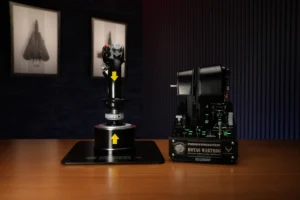
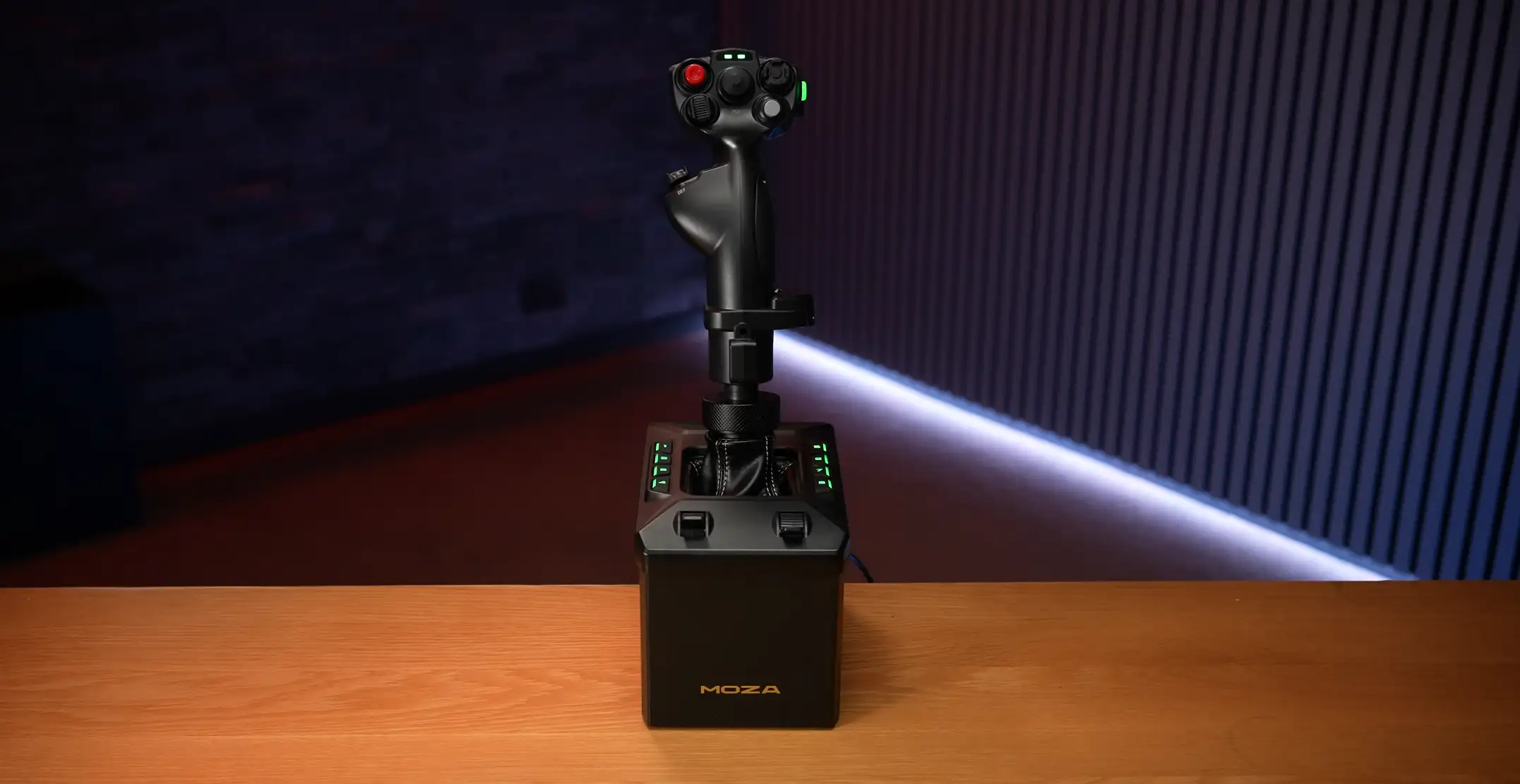
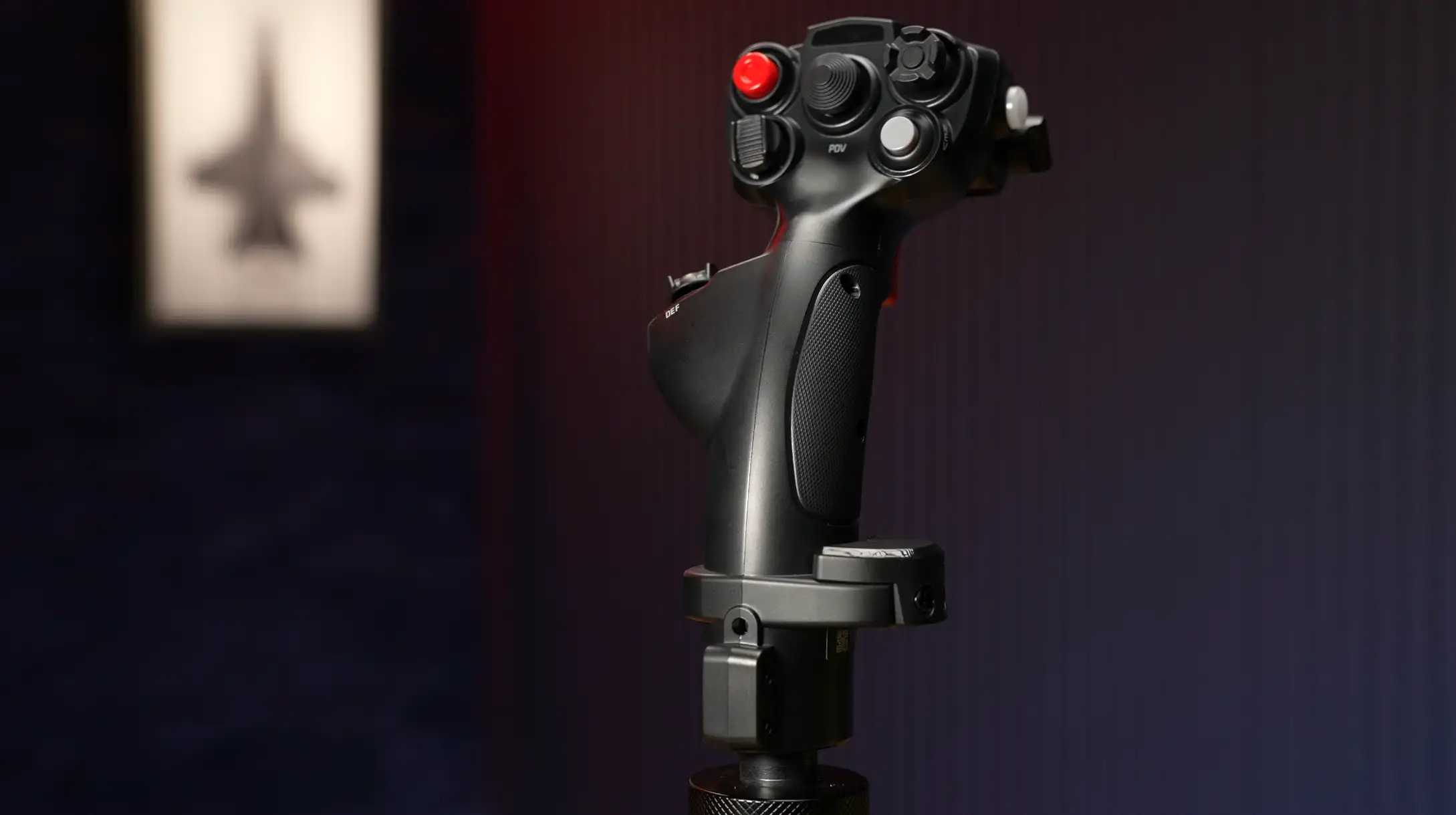
If your desk is held together with hope, hot glue, and a dream — this might be a difficult read. On one side we have the MOZA AB6: a 6Nm, smaller-footprint, easier-to-live-with force feedback base. On the other, the MOZA AB9: larger, heavier, smoother, and absolutely the kind of thing that makes you say “yeah, the desk will hold” — right before it doesn’t. This review covers pricing, what’s in the box, build quality, mounting options, stick compatibility, a deep dive into the MOZA Cockpit software, and back-to-back flying tests across X-Plane 12, DCS, and the Apache. By the end, you’ll know which one makes sense for your flying — and your budget.
Have our MOZA reviews helped you decide what the best sim racing gear is for you?
Please consider using the links on this page to make your purchase.
By doing so you’ll be supporting Boosted Media at no additional cost to you! This option is available for a huge range of Sim Racing gear.
Pricing
AB6 Bundle (base + MHG Flight Stick + table mount)
AB9 Base Only (no bundle at time of writing)
To match the AB6 bundle with the AB9, you’ll also need:
What’s in the Box
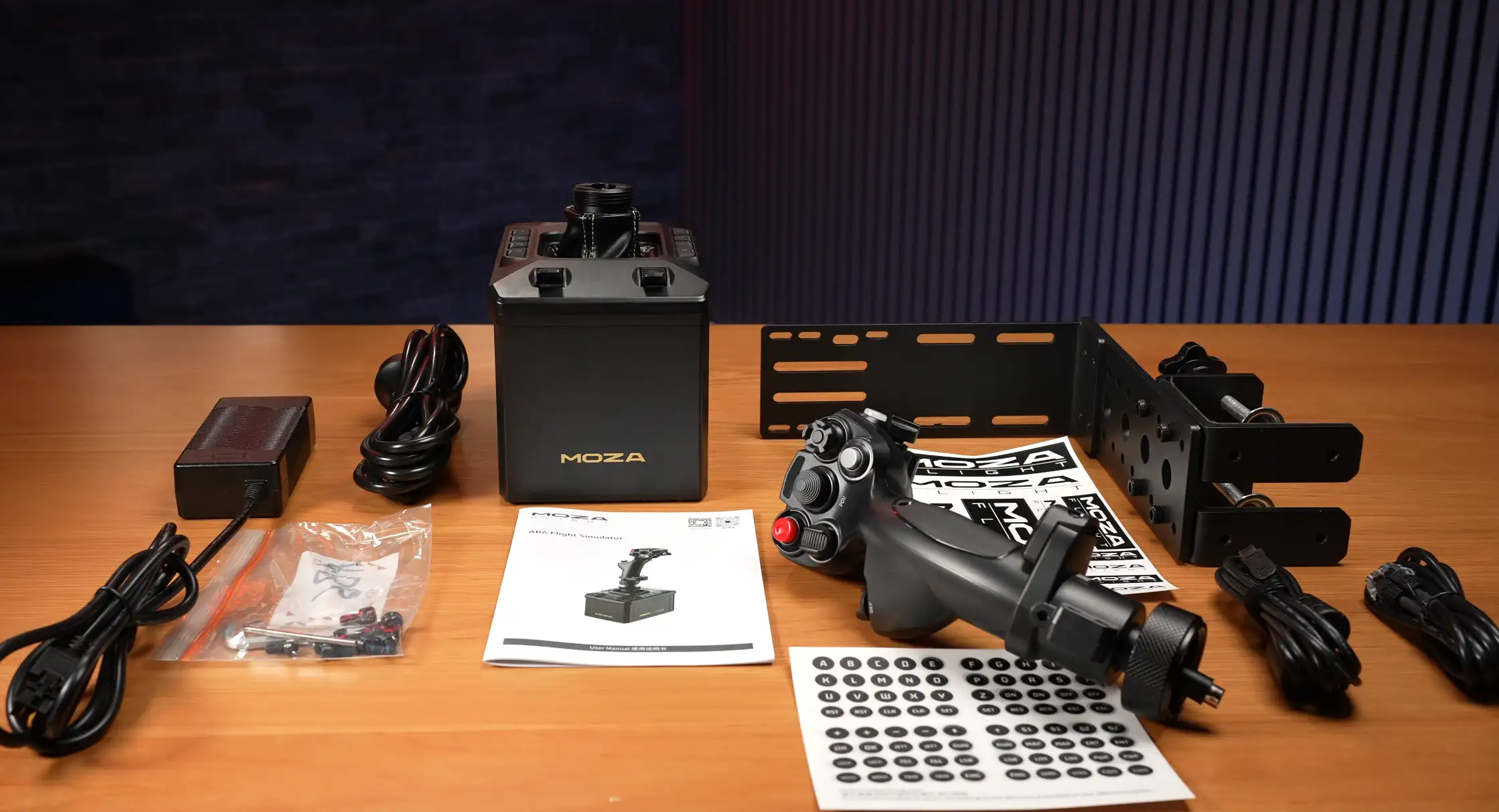
MOZA AB6 Bundle
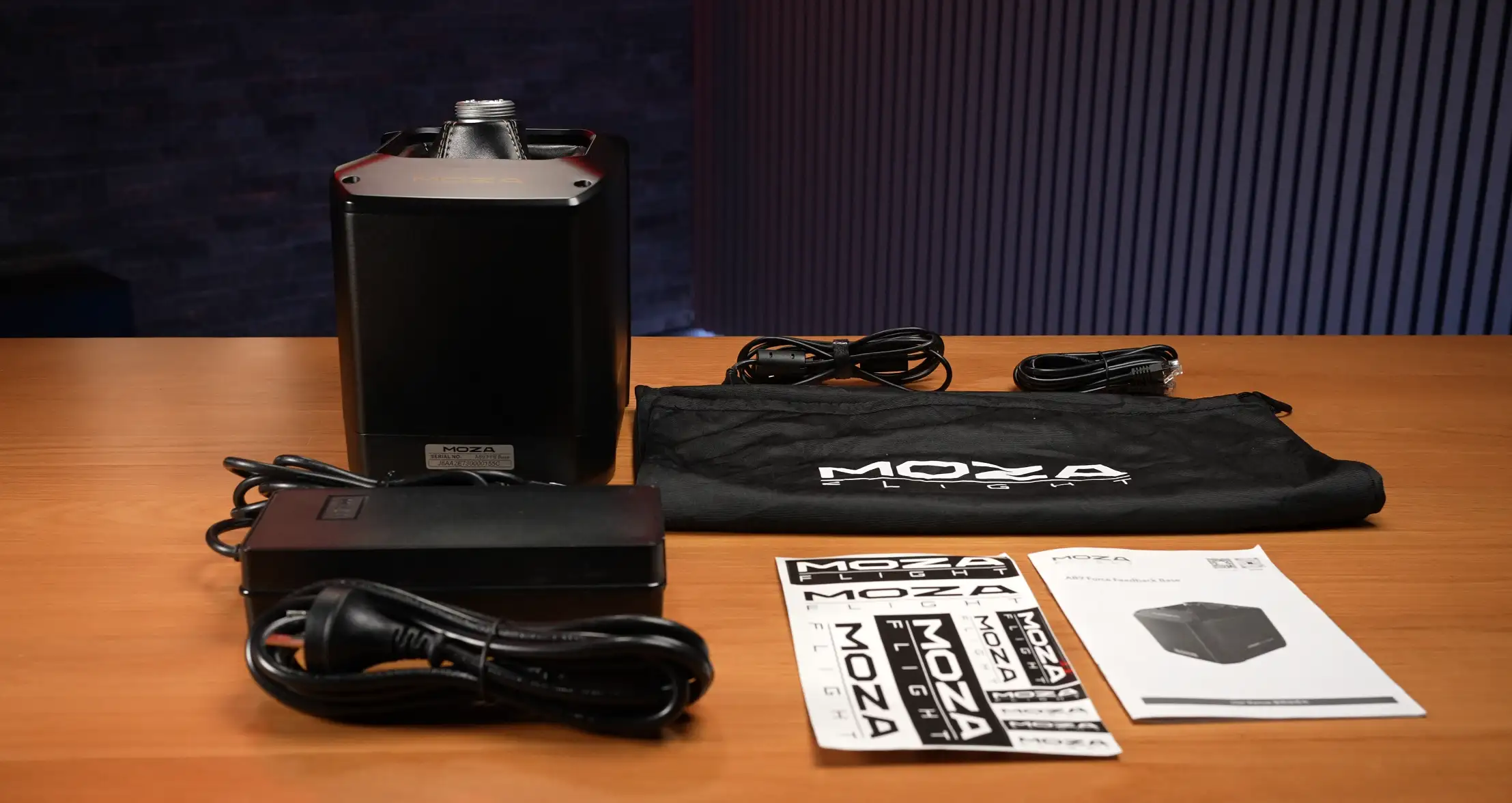
MOZA AB9
Note: No flight stick. No table clamp included. Both are sold separately.
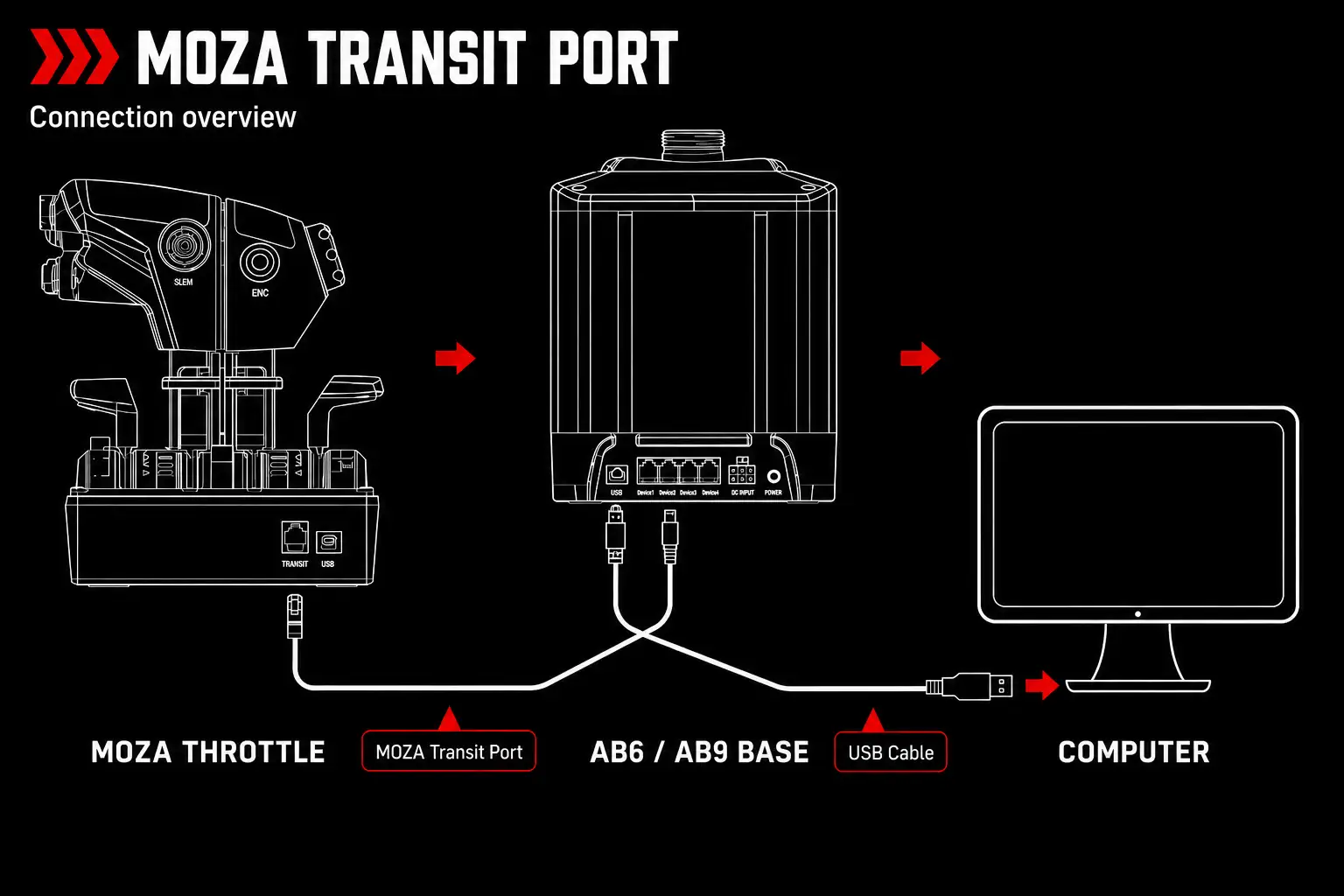
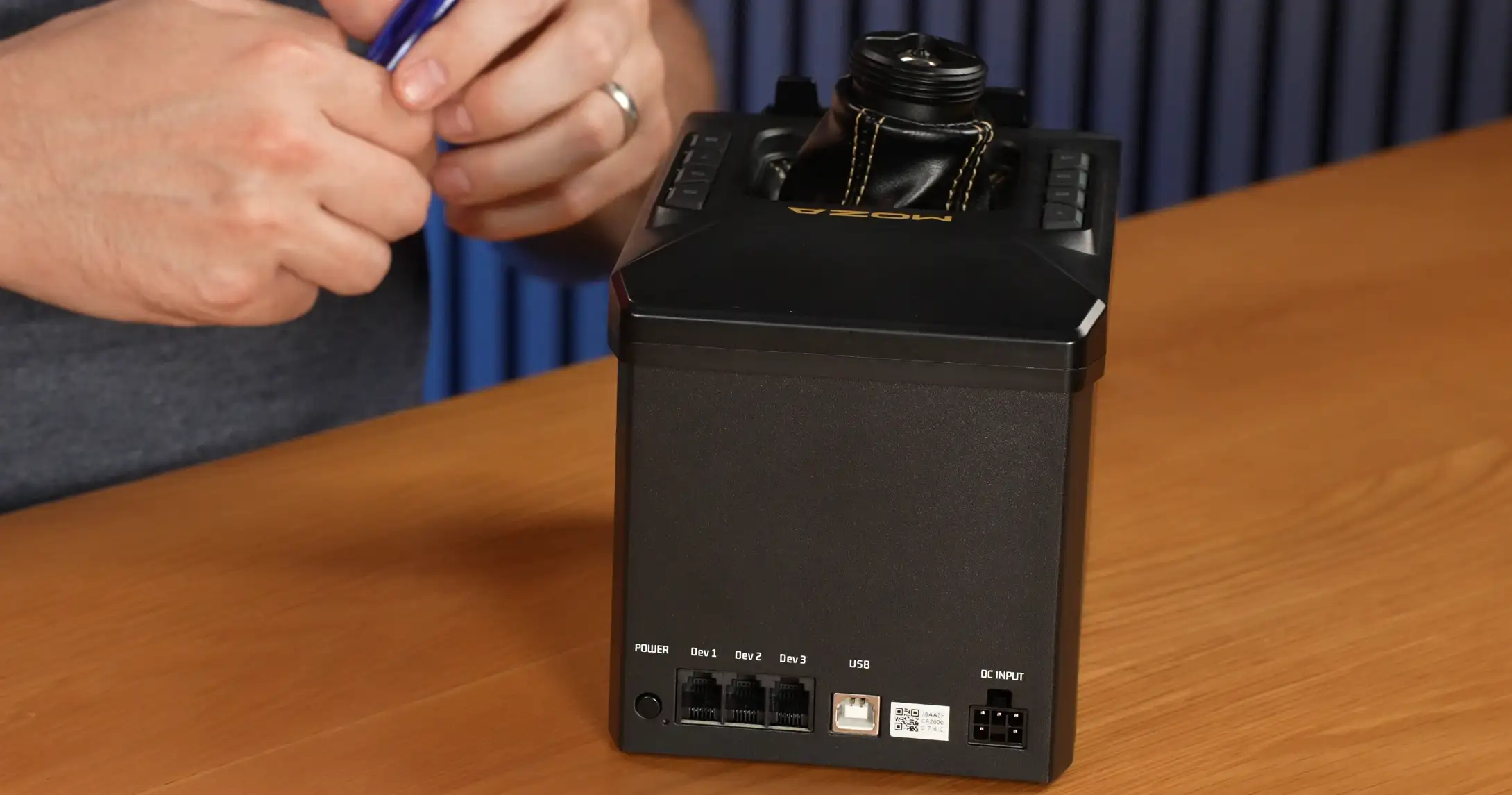
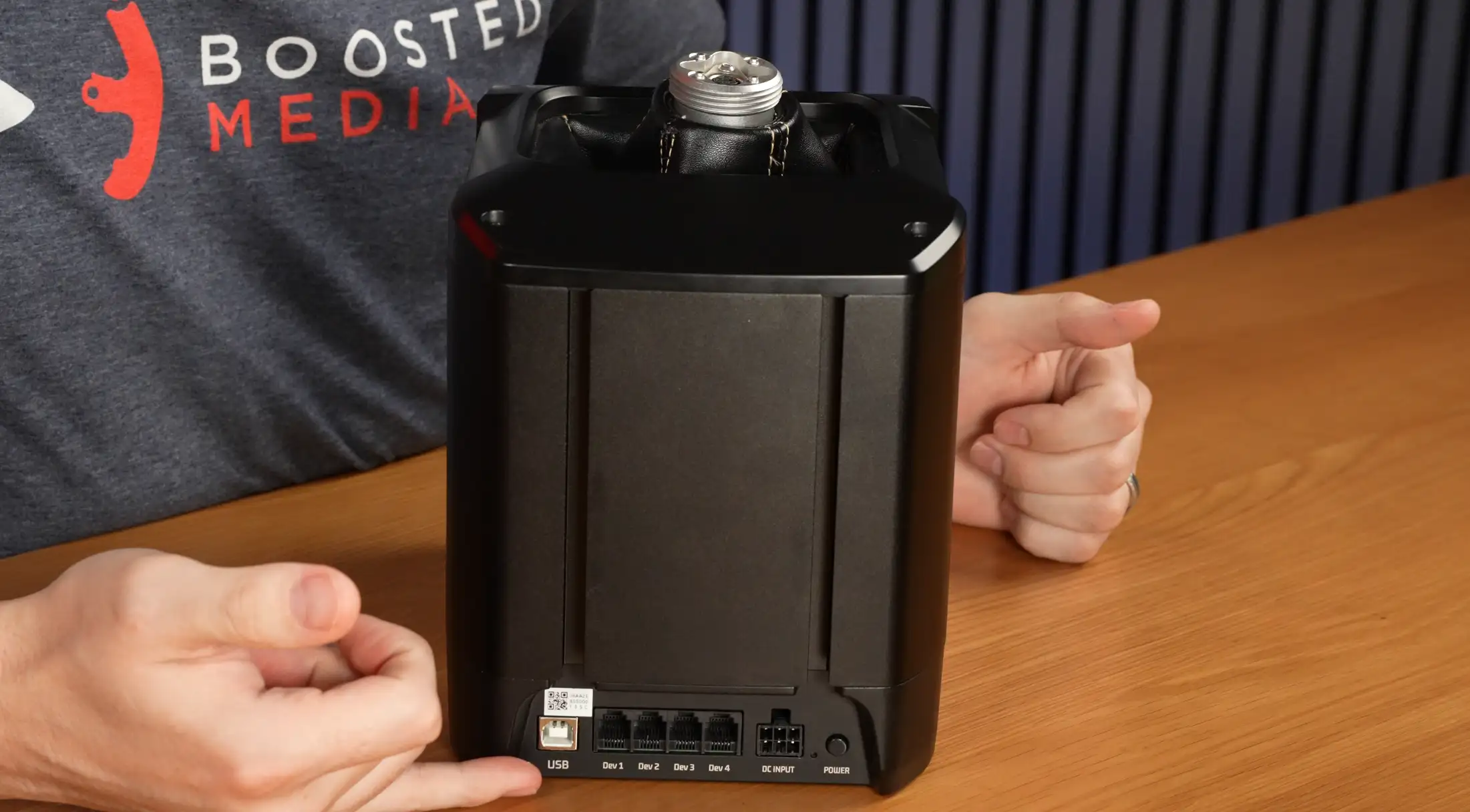
Both bases come with the ability to daisychain other MOZA devices pulling them back to these bases using the data transit cables. You can then use the base’s single USB cable to connect multiple MOZA devices back to your PC.
Dimensions & Weight
| AB6 | AB9 |
|---|---|
| Dimensions 188 x 123 x 163 mm 7.40 x 4.84 x 6.42 in | Dimensions 227.9 x 157 x 204.5 mm 8.97 x 6.18 x 8.05 in |
| Weight 2.98 kg 6.57 lb | Weight 5.43 kg 11.97 lb |
Build & Design
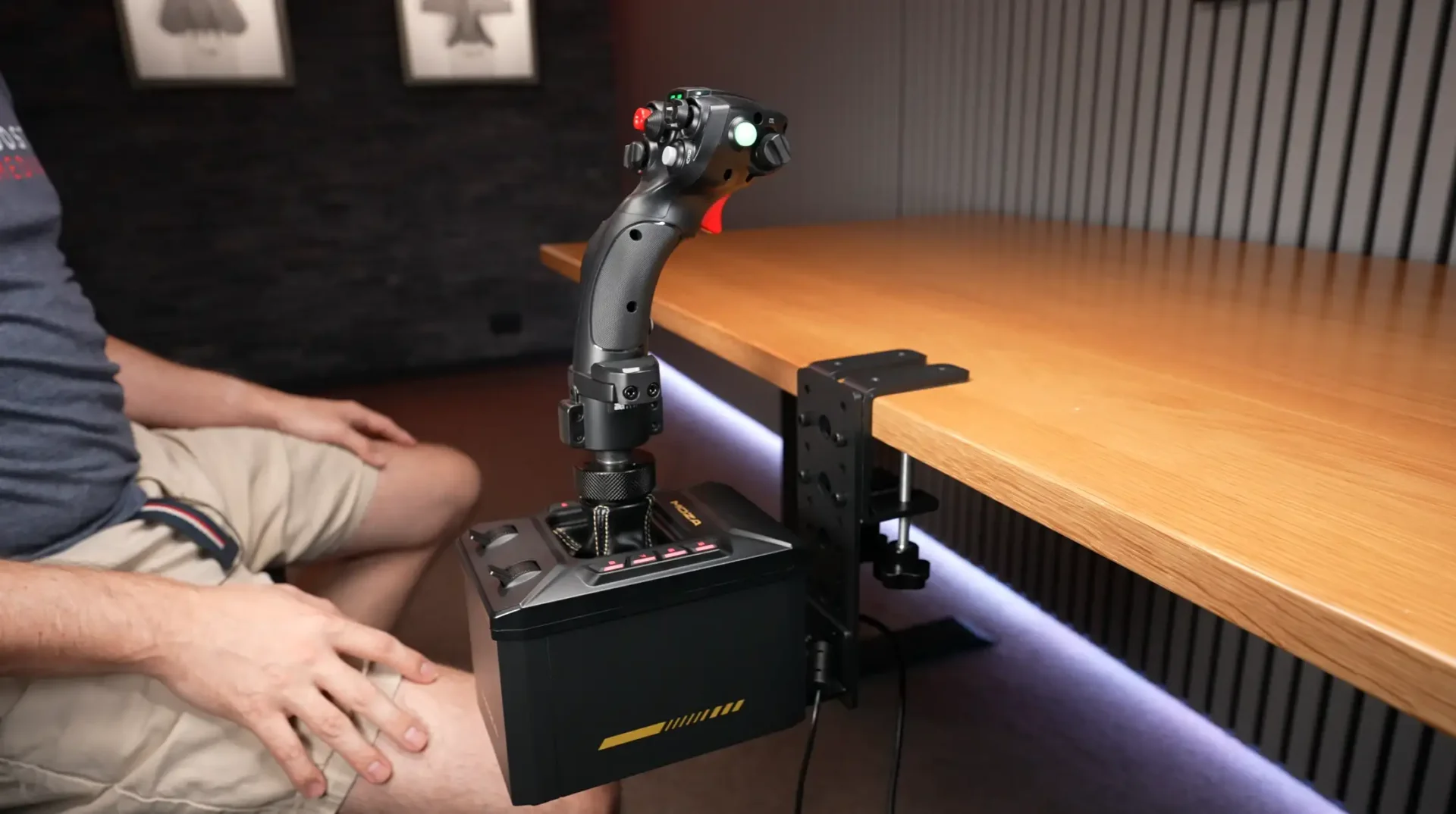
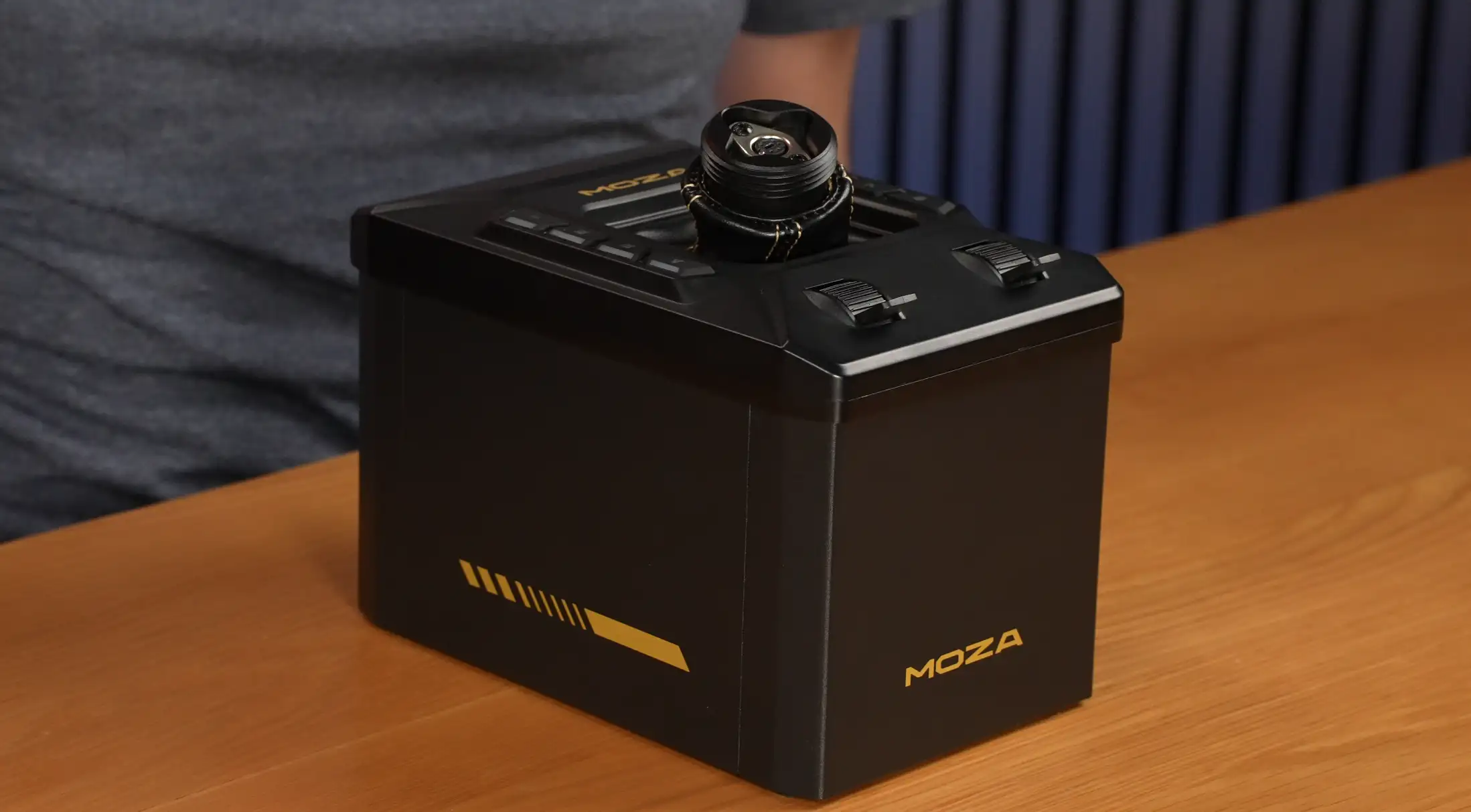
AB6
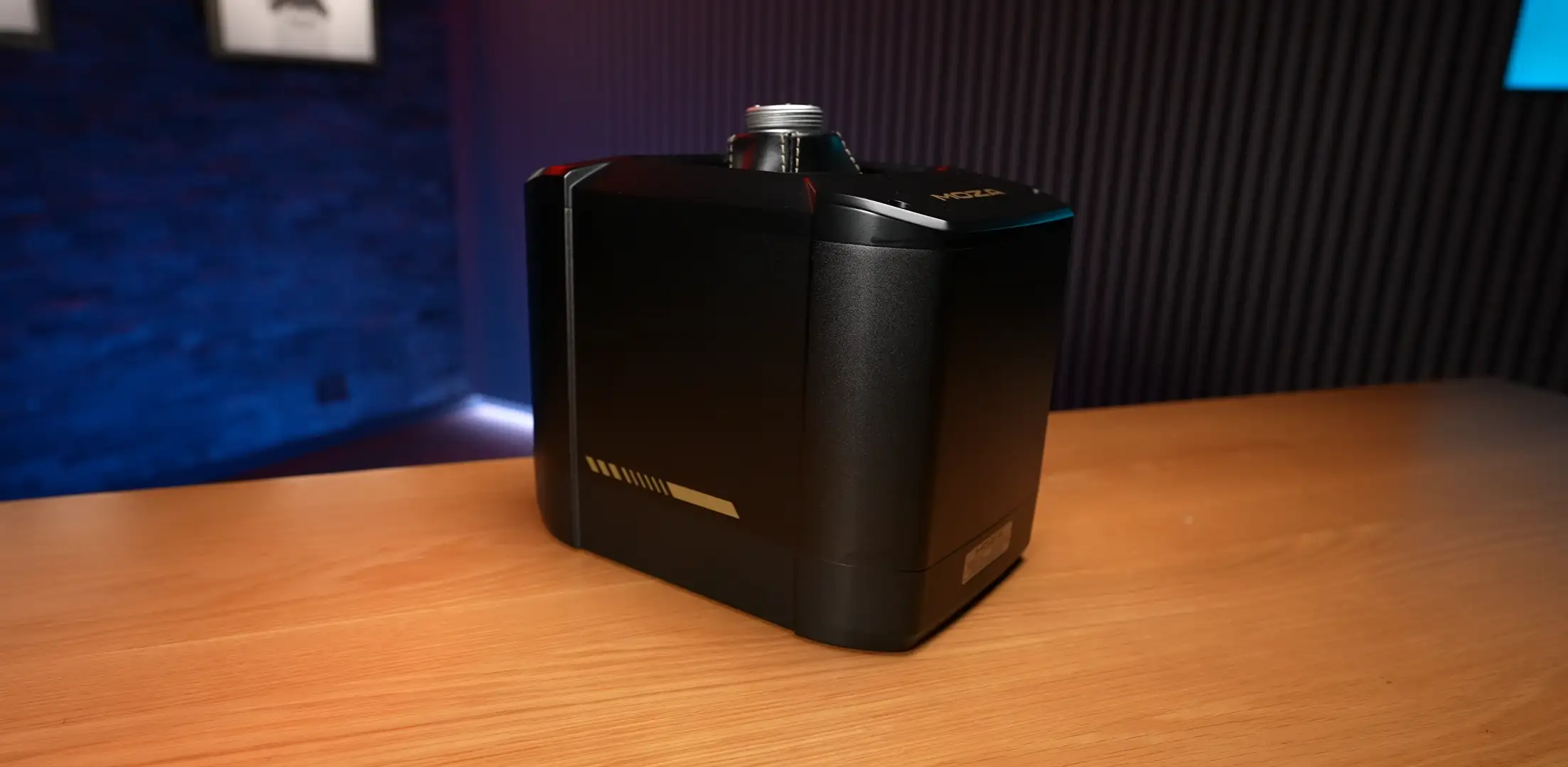
The AB6 has an all-metal construction on the sides and underside, which feels solid for its size but noticeably lighter than the AB9. Four rubber feet on the base do a genuinely good job of keeping it planted on a smooth desk — harder to slide around than you’d expect.
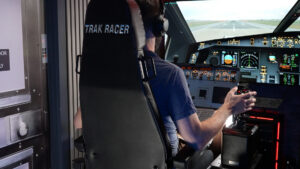
Underneath you’ll find mounting holes for rig integration. On a Trak Racer flight sim mount panel, the hole layout only allows two bolt placements rather than four, but combined with the rubber feet it’s more than enough to keep things locked down.
The top panel is plastic, featuring the MOZA logo, eight illuminated buttons (four per side), and two weighted axes. The buttons have a satisfying rubberized feel and click. The axes themselves feel surprisingly premium given the price point — could serve as a throttle in a pinch, though if you’re buying this you likely already have one.
Stick mount:
MOZA uses an M36×2.0 thread — the same Thrustmaster/VIRPIL-style collar found across the industry. Inside sits a mini-DIN (PS/2-style) connector.
Stick compatibility:
All MOZA sticks (MH16, MHG, MA3X), Thrustmaster F-16C Viper and F/A-18C Hornet sticks, VIRPIL Constellation ALPHA and ALPHA Prime (some earlier models may have issues), and WinWing 16EX with an adapter. The leather shroud on top feels like actual leather — thick and quality, much like what you’d find around a car’s gear shifter rather than the faux leather on a budget gaming chair.
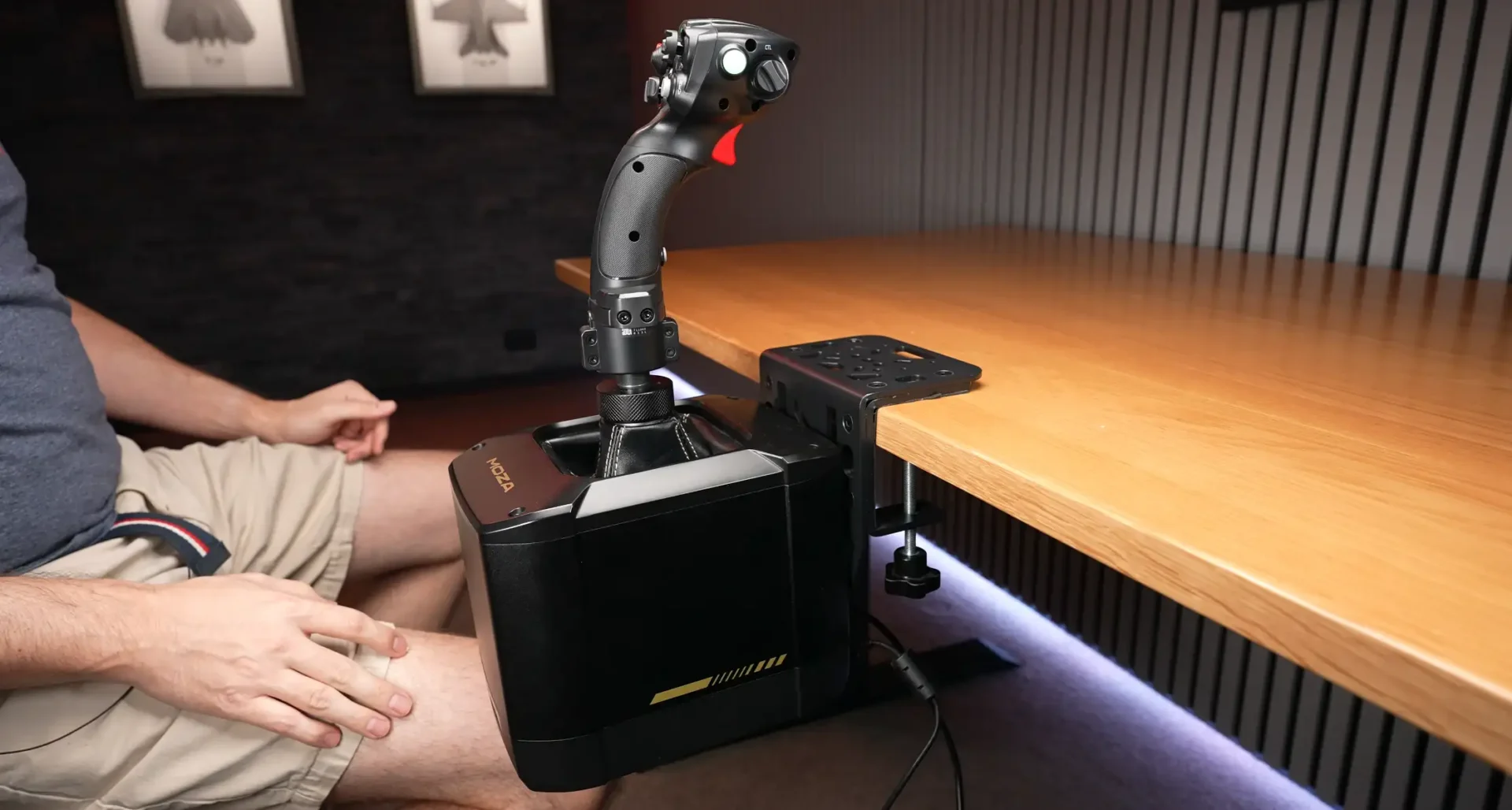
AB9
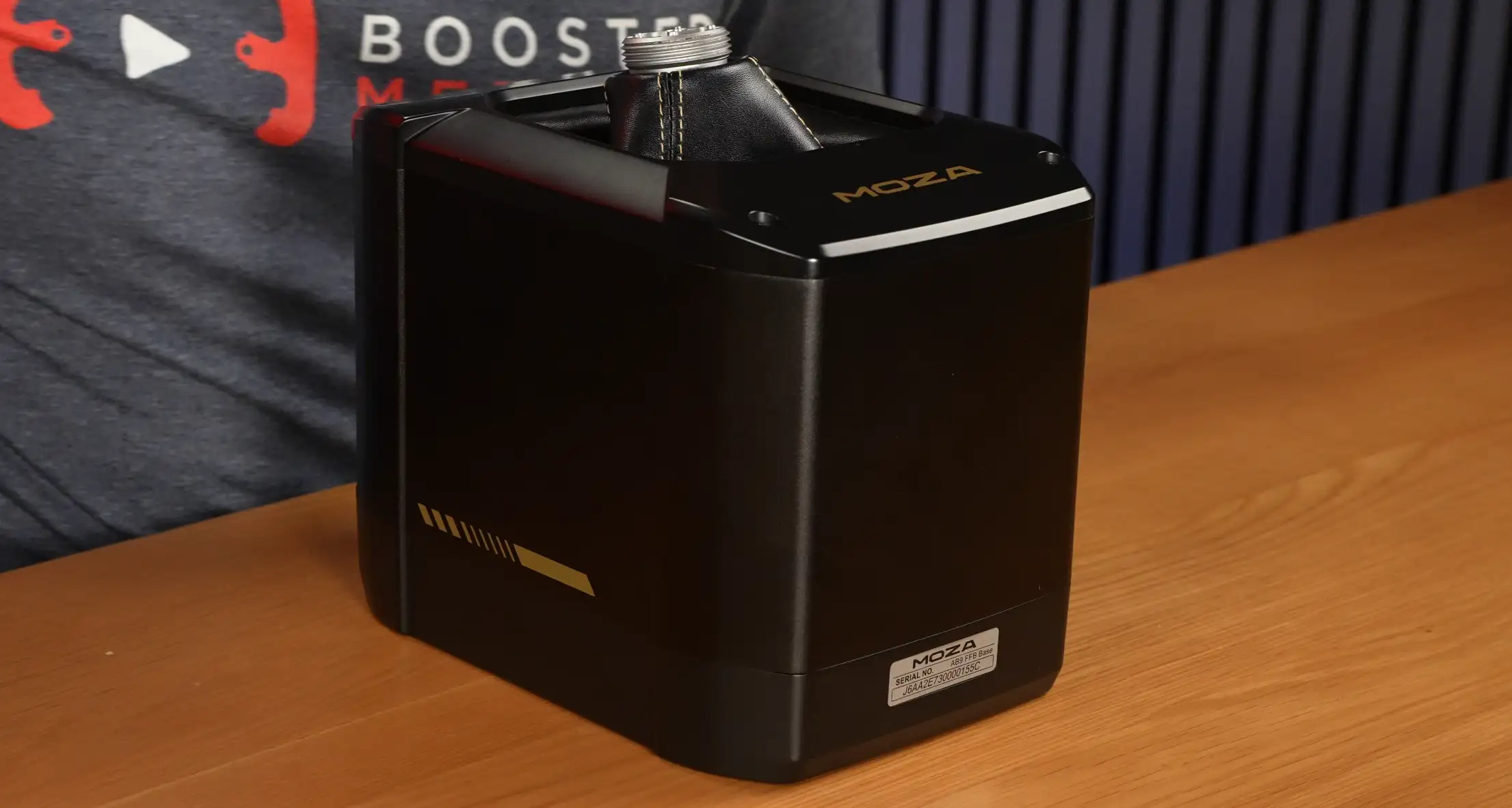
The AB9 is a different proposition altogether. Metal all the way around — top, bottom, sides — and noticeably heavier to handle. It simply feels more premium at every touchpoint.
The front features a serial number plate and subtle design detailing breaking up the matte finish. Around the back you get the same connectivity as the AB6 but with an additional transit data port for chaining yet more MOZA devices.
The top is a clean, simple metal platform — no buttons, no axes, no extra features. Just a quality leather shroud covering the internals and a place to put your stick.
MOZA MHG FLIGHT STICK
Included with the AB6 bundle and available separately for $184 AUD / $99 USD, the MHG is a plastic-construction stick with a metal mounting ring and base bar.
The design sits somewhere between a traditional flight stick and a space-combat joystick — longer in the hand than MOZA’s MH16 fighter stick. Edges are generally smooth with the exception of one top-right corner and lip that can catch your finger during extended sessions.
Features
Button feel requires noticeably more pressure on the centre buttons of the 5-way and 3-way switches compared to the MH16. The trigger has a soft pull to a positive stop, then a second-stage activation. Functional and capable, but clearly plastic fantastic.
Software
Understanding Where the Force Comes From
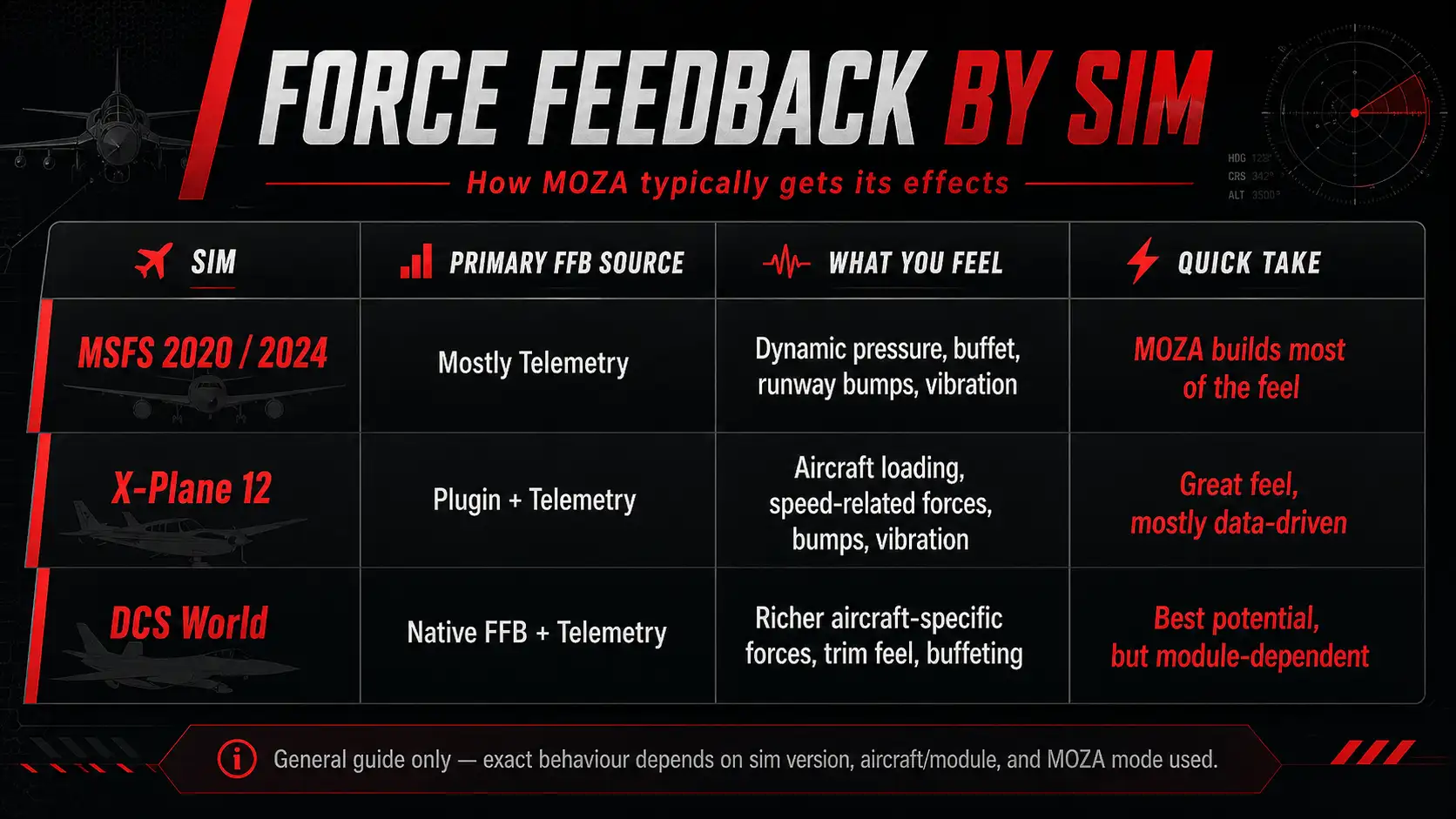
Before getting into the software itself, it’s worth understanding how force feedback is generated — because it directly affects what you feel in different sims.
MOZA Cockpit can run in three modes:
- Direct Input — the sim sends force feedback effects directly to the stick
- Telemetry FFB — MOZA reads sim telemetry (angle of attack, airspeed, flap state, gear, etc.) and generates forces itself
- Integrated FFB — a blend of both, useful for filling gaps where one mode falls short
Microsoft Flight Simulator: Largely telemetry-driven. MSFS doesn’t consistently output native FFB effects, and even the MSFS team has spoken publicly about the challenge of getting hardware to speak the sim’s FFB language.
X-Plane 12: Also largely telemetry and event-driven via MOZA’s plugin. Not X-Plane directly commanding a detailed force model, but the plugin approach gets you good results.
DCS: The most interesting case. DCS can output native FFB via Direct Input, but it’s highly module-dependent. Some aircraft give rich, believable force feedback; others output very little. Integrated mode helps fill the gaps across modules.
What this means in practice: when you feel gun recoil, aerodynamic buffet, or stall vibration — it may be the sim sending that force directly, or it may be MOZA building that sensation from telemetry. Understanding which mode you’re in helps you tune intelligently.
SOFTWARE WALKTHROUGH
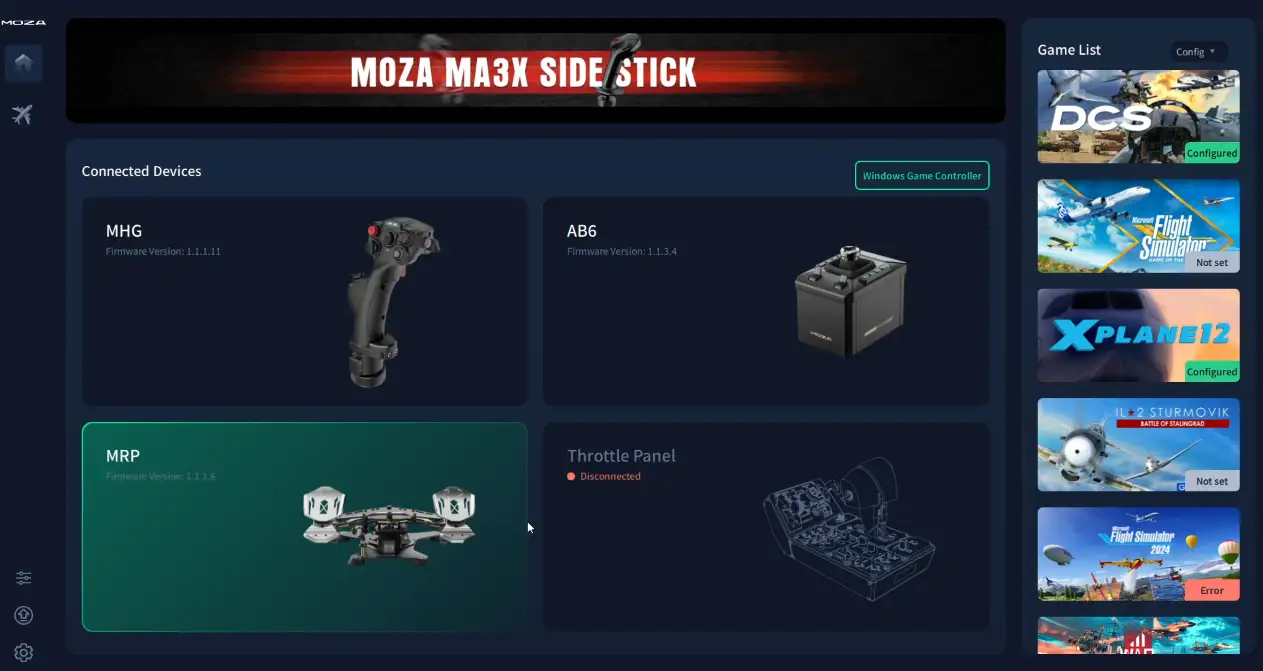
The software has seen significant improvements recently — most notably, it now properly handles multiple MOZA devices connected simultaneously. Connecting an AB6 and AB9 at the same time is fully supported.
Home screen:
Shows connected devices. Right-hand panel lists supported sims. Clicking any sim takes you to configuration where you set the game installation path, user data path, and telemetry port settings.
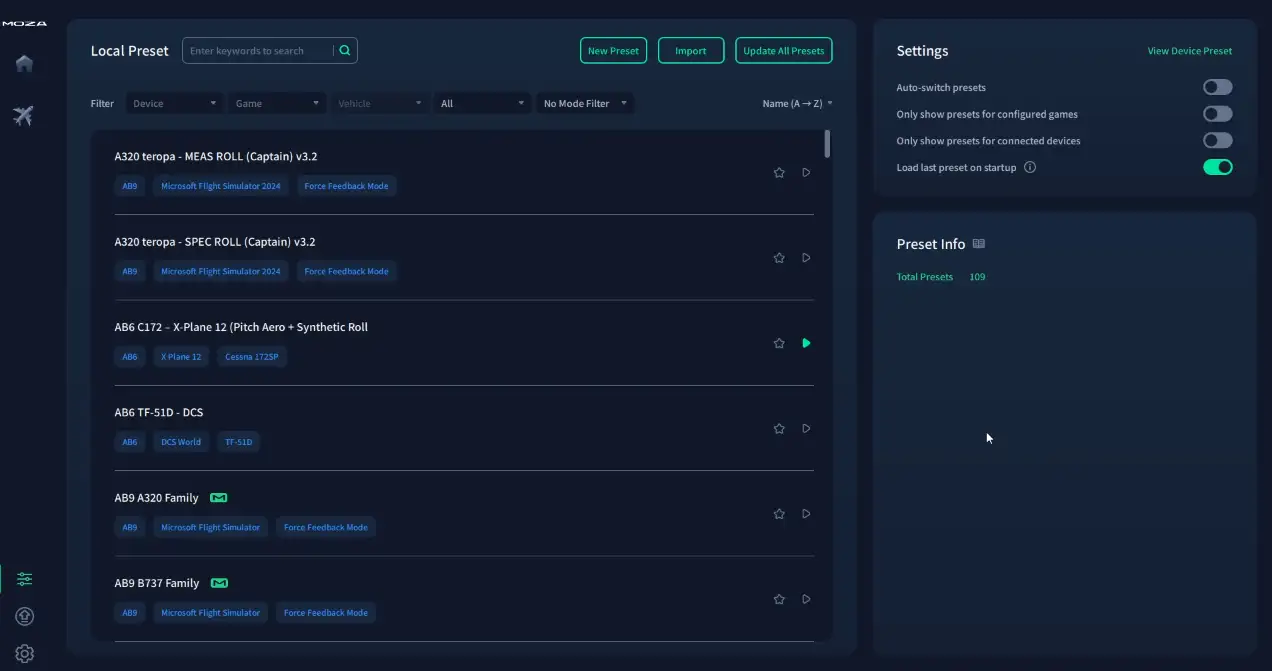
Preset management:
Presets are stored locally — there’s no cloud sharing built in. Community presets can be found on the MOZA Discord, Reddit, and sim forums. The software would benefit enormously from an in-app community preset library, but this remains a gap for now.
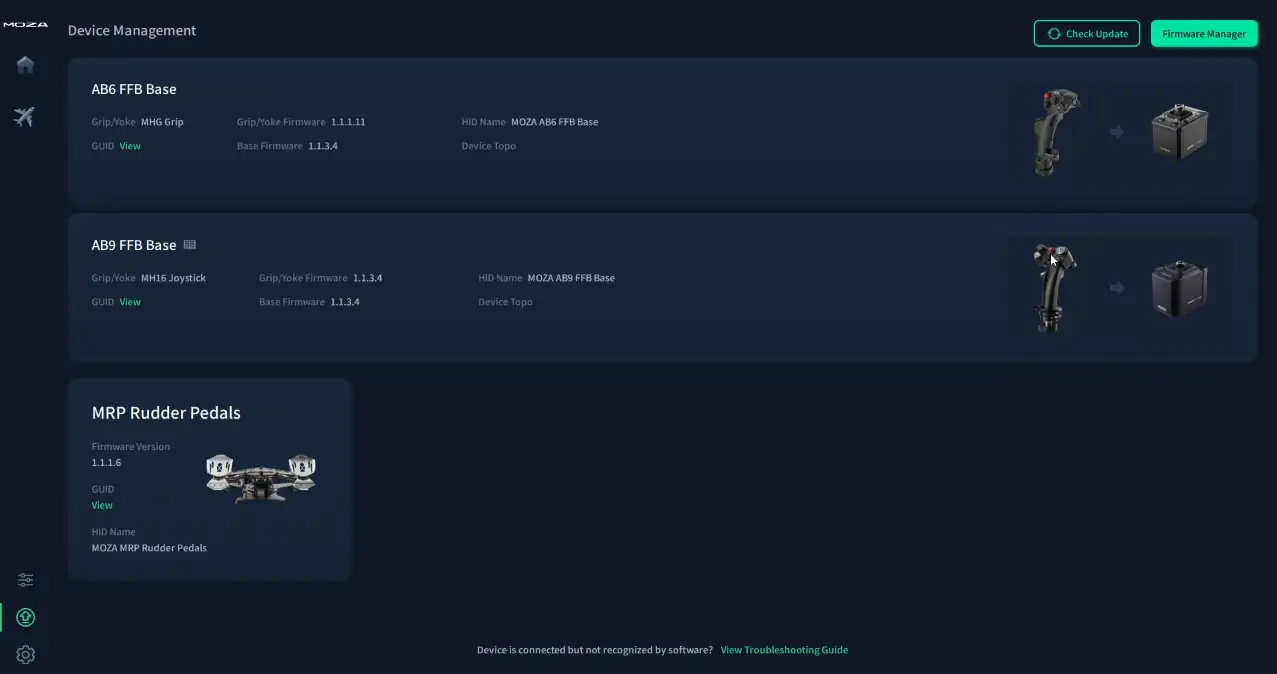
Firmware:
Clean and straightforward. The firmware manager lists devices needing updates and walks you through the process. Multiple devices can be updated without issues. Check your sim plugins too — these update independently and an outdated plugin can silently degrade your experience.
Settings / cog menu:
Language, dark/light mode, startup behaviour, error reporting, changelog (which is excellent — well worth reading), and experimental firmware versions for those who want to live dangerously.
Base Configuration — Shared Settings (AB6 and AB9)
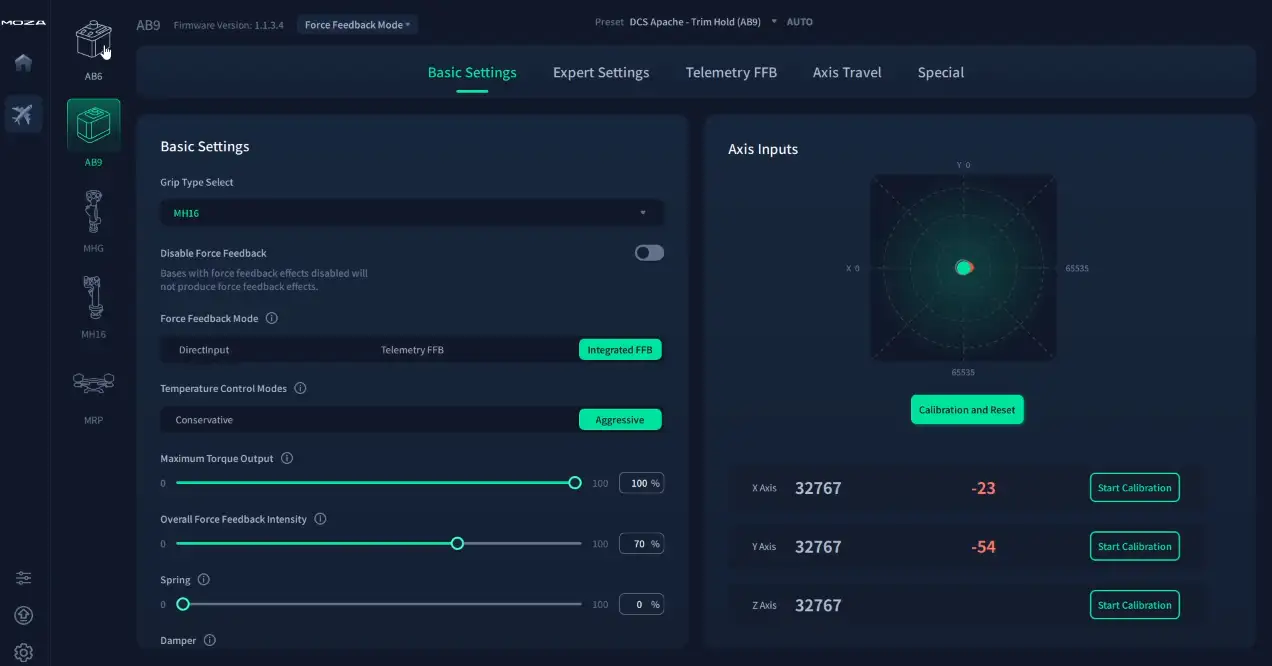
Inside the device configuration page, both bases share the following:
- Force feedback enable/disable toggle
- FFB mode selector: Direct Input, Telemetry FFB, Integrated
- Temperature control: Conservative (cap at 30°C surface temp) or Aggressive (up to 40°C)
- Maximum torque output and overall FFB intensity sliders
- Individual gain controls: spring, damper, inertia, friction, and game FFB gain
- Live force visualisation: a dot shows stick position, a red dot shows the opposing force the base is applying — great for tuning
- Cogging torque calibration — run this when changing sticks or if cogging becomes more noticeable
- Axis calibration per axis (X, Y, Z)
AB6 Exclusive: Top Panel Configuration
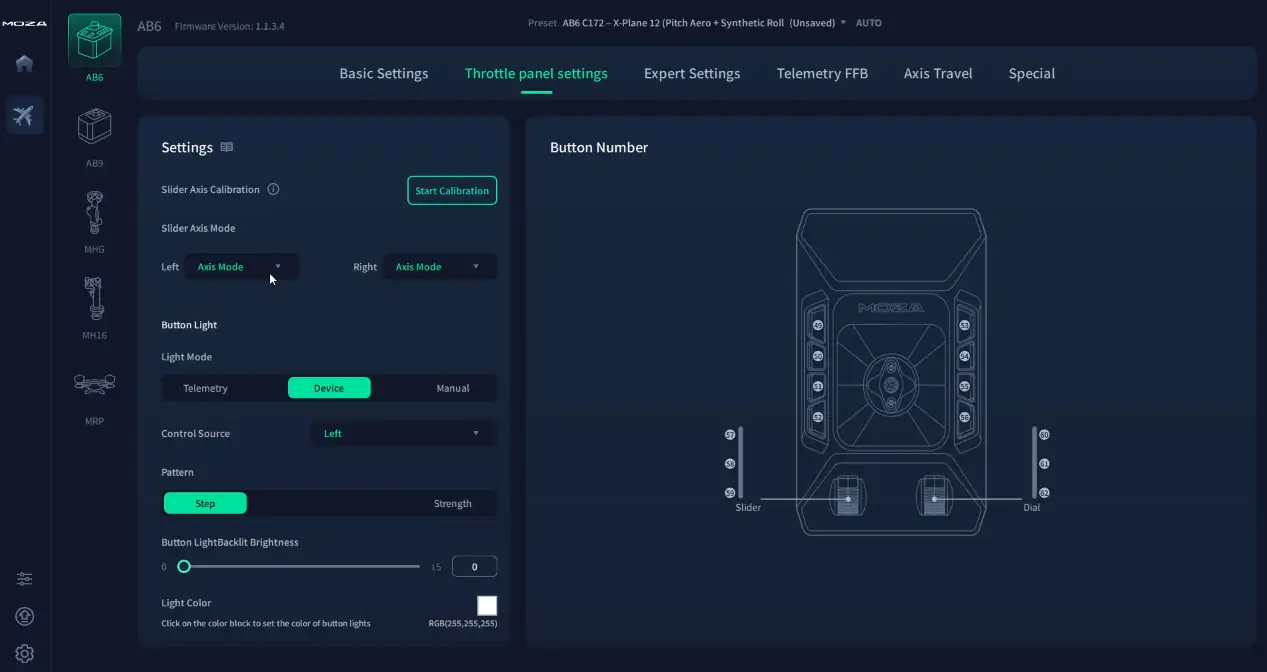
The AB6’s top panel buttons and axes get their own configuration page:
- Axis calibration for the two top-panel axes
- Axis mode, button mode, or mixed mode (axis + buttons simultaneously)
- Button lighting: manual, telemetry-driven (engine RPM, gear state, flap position, etc.), or device-driven (responds to stick position on a selected axis)
- Light patterns: step, strength, blink
- Full RGB colour selection
The AB9 has none of these features — its top panel is passive and requires no configuration.
AB9 Exclusive: Force Sensing Mode
The AB9 offers a Force Sensing mode not available on the AB6. Rather than the stick physically moving, Force Sensing mode keeps the stick rigid and reads the force you apply — similar to the sidestick behaviour in an F-16.
This requires the substantial torque output of the AB9’s motors to hold the stick in place under pilot input. The AB6’s motors simply don’t have enough grunt to maintain rigidity reliably under hard inputs, which is why the feature is exclusive to the larger base.
EXPERT SETTINGS
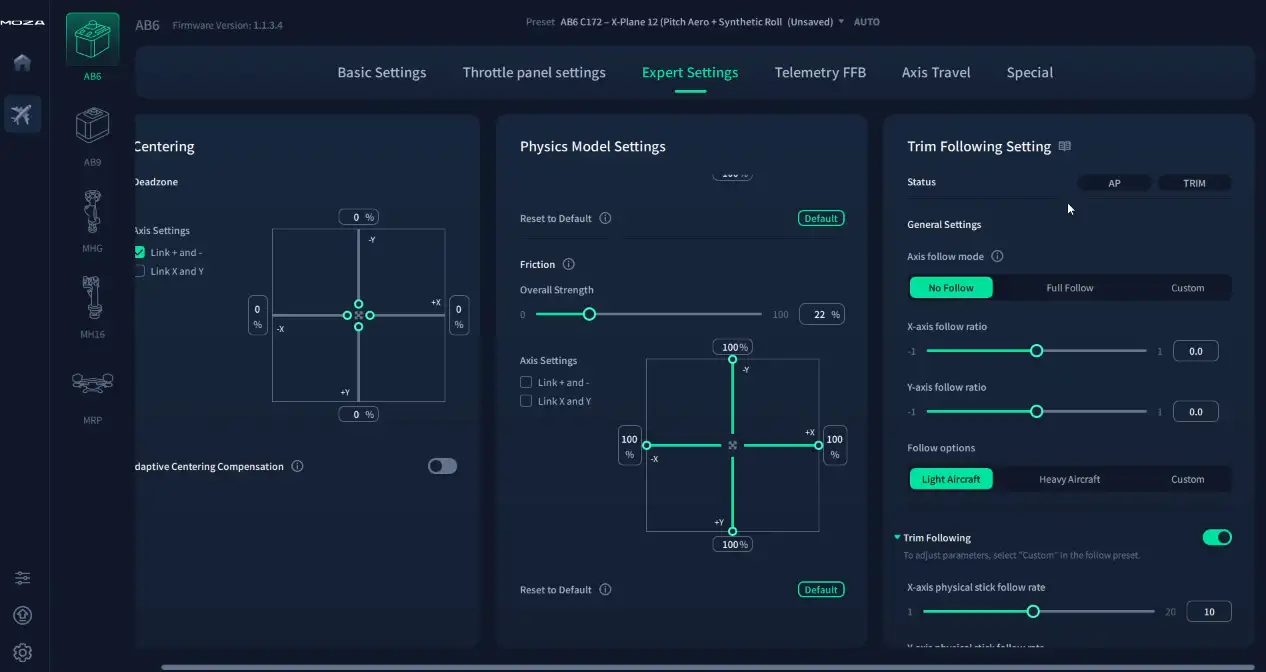
Both bases offer an Expert Settings page where configurations become considerably more granular:
- Centering: Adaptive Centre Compensation to assist return-to-centre when spring strength is low
- Physics: separate torque, intensity, spring settings for pitch and roll axes independently
- Trim follow: configure the stick to physically mirror the sim aircraft’s yoke/stick movements (great for autopilot engagement in aircraft like the Cessna 172)
- Axis travel curves: apply hardware-level deadzones and curves — similar to in-sim curves but processed at the hardware level
- Hardware trim mode: physical stick moves as you apply trim inputs
- Grip removal protection: base reduces force output if it detects the stick has been disconnected
Telemetry FFB SETTINGS
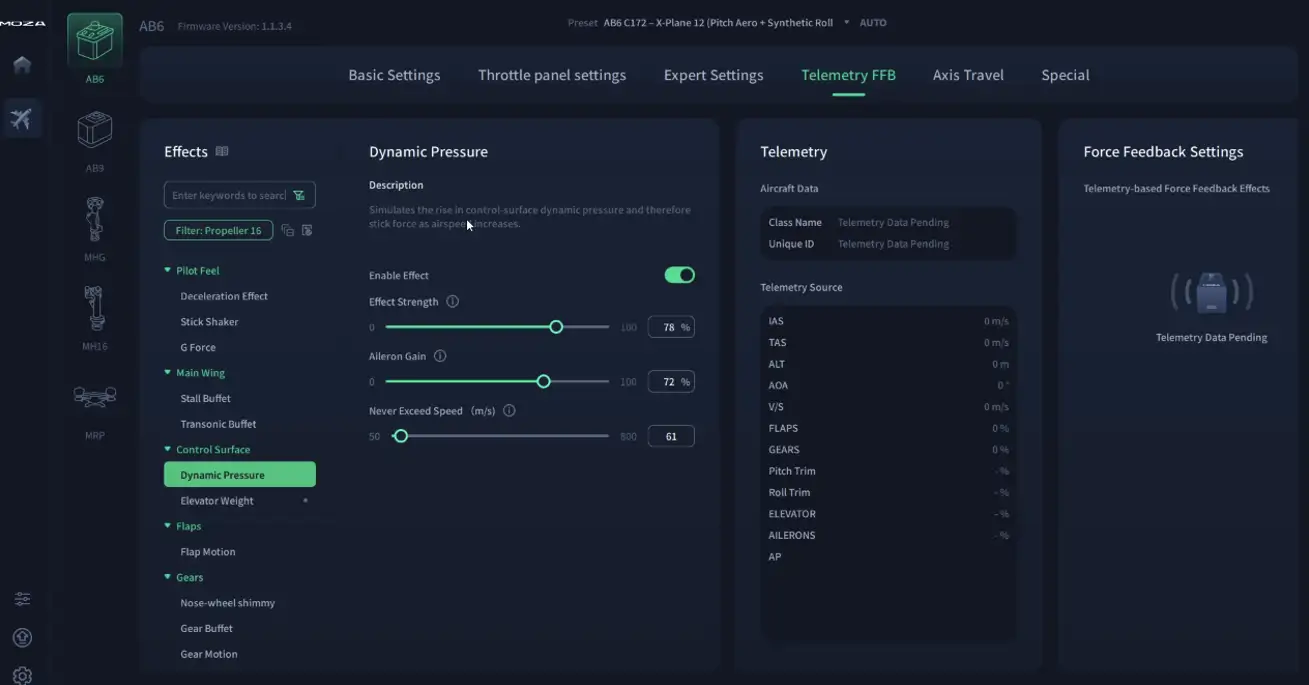
The telemetry page is where MOZA really earns its keep for light aircraft flying. Configured correctly, you can dial in effects such as:
- Dynamic pressure — control surfaces become progressively firmer as airspeed increases, sloppy at low speed, taut at cruise. Exactly what you’d feel in an unassisted-control aircraft like a Cessna 172.
- Elevator droop — simulates the elevator dropping under gravity when the engine is off or at idle. Highly effective in the 172 — you can watch the stick move as you spool up.
- And many more: stall buffet, ground roll vibration, gear/flap deployment, cannon fire, turbulence
The right-hand panel shows a live telemetry feed from the sim, useful for confirming the software is receiving data correctly.
Understanding the Technology:
Brushless Servo Motors & Cogging
Before the flying tests, it’s worth spending a moment on the physics — because understanding how these motors work explains everything about the difference in feel between the AB6 and the AB9.
How Brushless Servo Motors Work
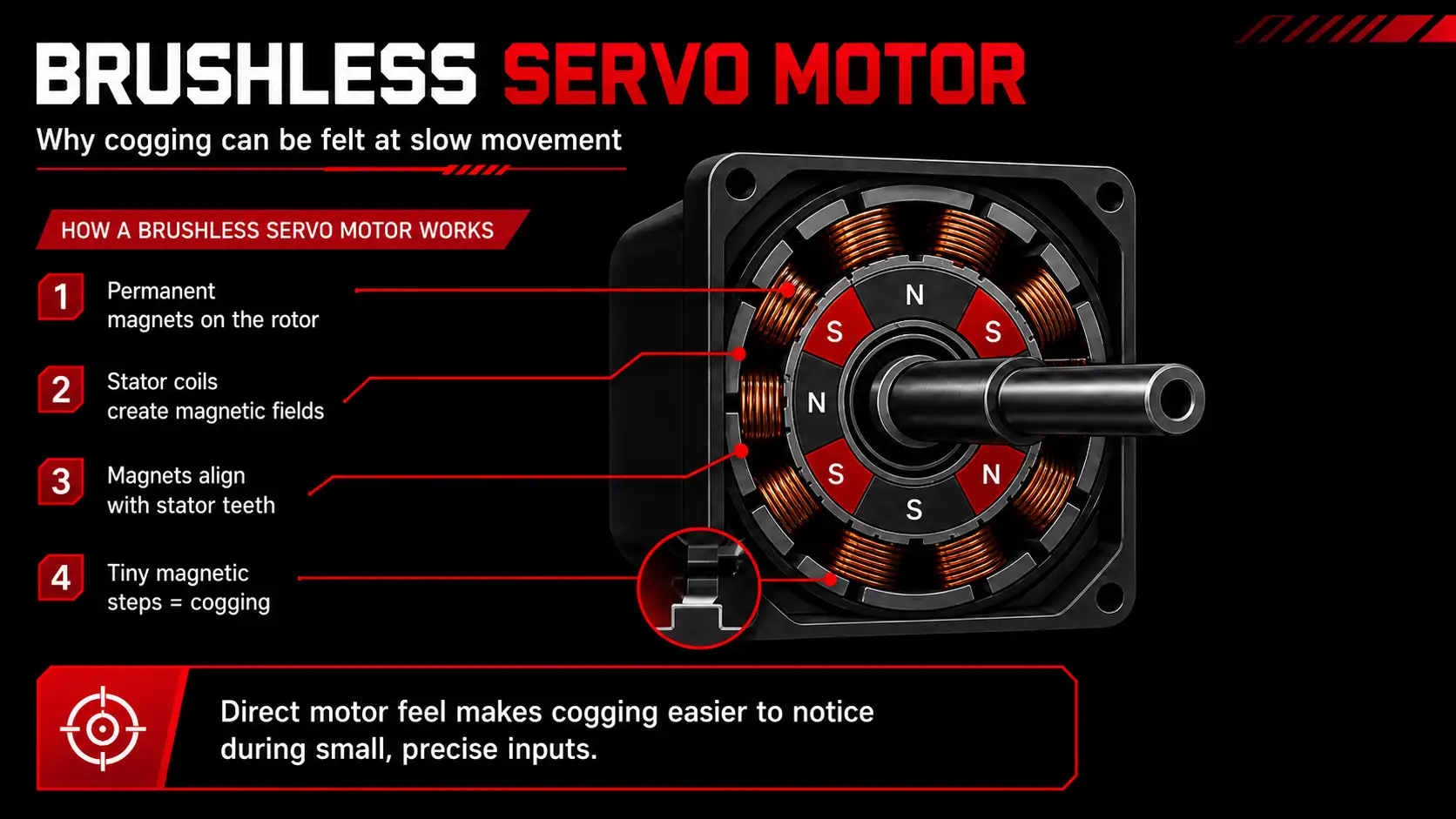
Both the AB6 and AB9 use brushless servo motors. Inside each motor are two key components:
The Rotor — the spinning part. It carries permanent magnets arranged evenly around a circular ring.
The Stator — the fixed outer ring. It contains electromagnetic coils arranged in segments around the rotor. When current flows through the coils, they create magnetic fields that push, pull, and rotate the rotor’s magnets. No gears, no brushes — just physics.
A high-resolution encoder on the shaft reports exact rotor position thousands of times per second. This position data feeds back to the motor controller, which applies precise torque commands — giving you accurate, nuanced force feedback.
What Is Cogging?
Even when the motor is switched off, those permanent magnets on the rotor don’t disappear. They continue to interact with the metal structure and coil segments of the stator.
As you slowly rotate the shaft by hand, the magnets naturally want to snap into alignment with certain positions inside the stator. Instead of feeling perfectly smooth rotation, you feel tiny alignment points — almost like the motor is gently stepping from one position to the next.
That subtle magnetic stepping sensation is what we call cogging. It’s not a software issue, not a defect — it’s the natural physics of permanent magnets interacting inside any brushless motor.
Cogging frequency is determined by the number of poles multiplied by the number of stator slots per revolution. Higher pole count and more slots push the cogging frequency up — above the threshold you can feel — and the motor controller can also run a cogging compensation algorithm, mapping every cogging peak across the full rotation and injecting an equal and opposite torque command in real time.
AB6: Direct Drive
The AB6 uses a direct-drive arrangement — the motor shaft connects directly to the steering column with no intervening mechanical components. This means maximum responsiveness: zero mechanical lag, pure 1:1 torque transfer.
The trade-off is that any cogging torque from the motor reaches your hand with minimal attenuation. Powered off, you can feel that characteristic stepping as you rotate the shaft. Powered on, the MOZA software’s cogging compensation does a solid job of smoothing it out, but in moments of very fine, slow inputs — air-to-air refuelling precision work, for example — you can still detect a subtle texture.
AB9: Belt Drive
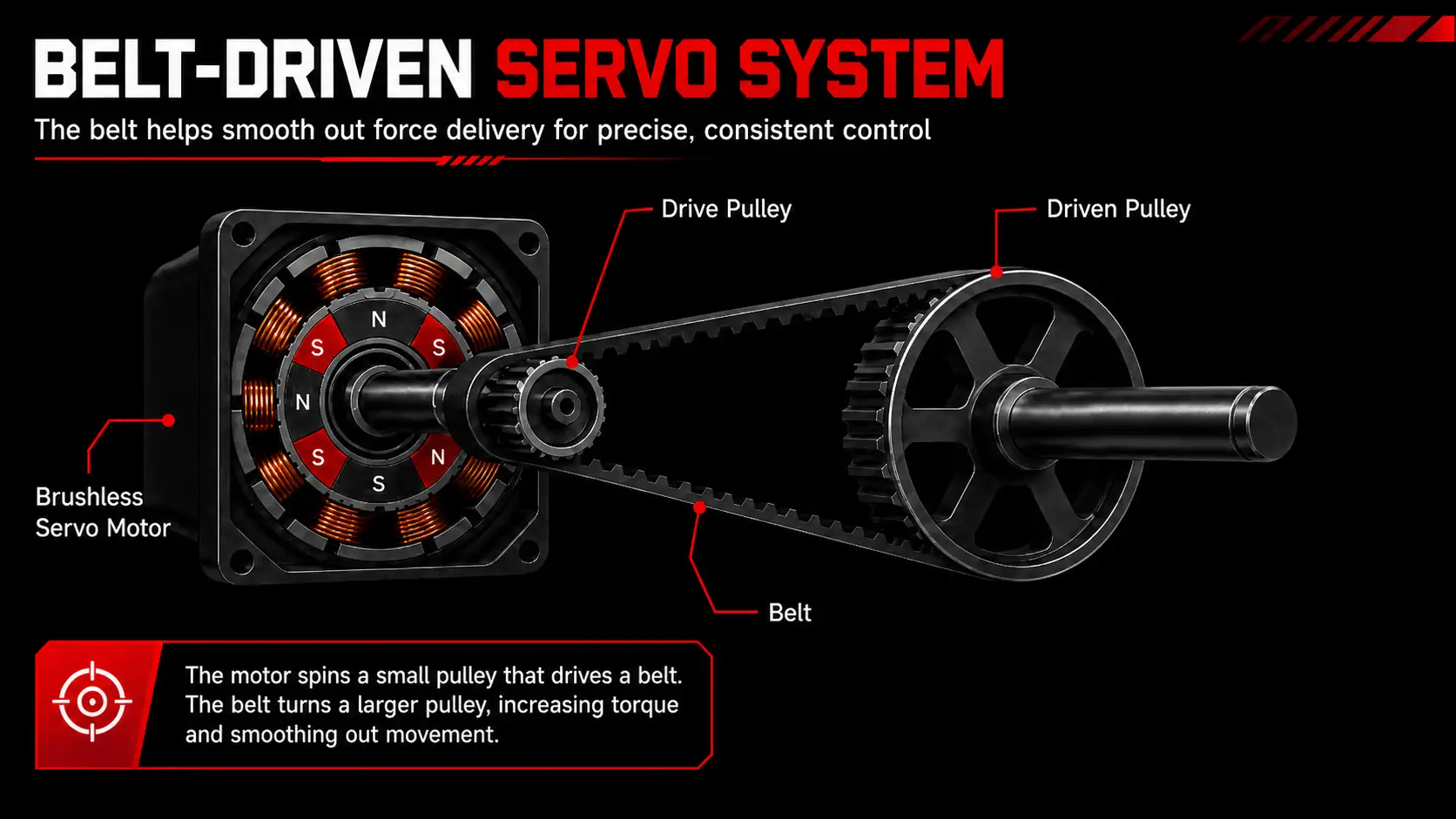
The AB9 is a different mechanical story. It uses larger dual servo motors paired with a belt reduction stage. The toothed belt runs from a small motor-side pulley to a large output pulley, creating approximately a 5:1 gear ratio. The size difference between pulleys multiplies the motor torque before it reaches the shaft — allowing a smaller, lighter motor to produce the full output torque.
The key benefit: the belt acts as a mechanical low-pass filter. The elasticity and inertia of the belt naturally absorbs cogging pulses before they reach your hands, reducing reliance on software compensation.
Powered off, the AB9 is virtually free of detectable cogging. It feels fluid and smooth — reminiscent of a high-end belt-driven sim racing wheel. Powered on, that smoothness continues. In force terms, if the AB6’s cogging is a 10 out of 10 for noticeability, the AB9 sits around 1 to 1.5 out of 10. It’s there if you’re actively hunting for it; completely invisible if you’re just flying.
What you’re paying for with the AB9: Yes, you’re getting more torque. But you’re also getting more sophisticated mechanical engineering — a belt drive system that delivers a fundamentally more refined experience than software compensation alone can achieve.
Force Output Tests
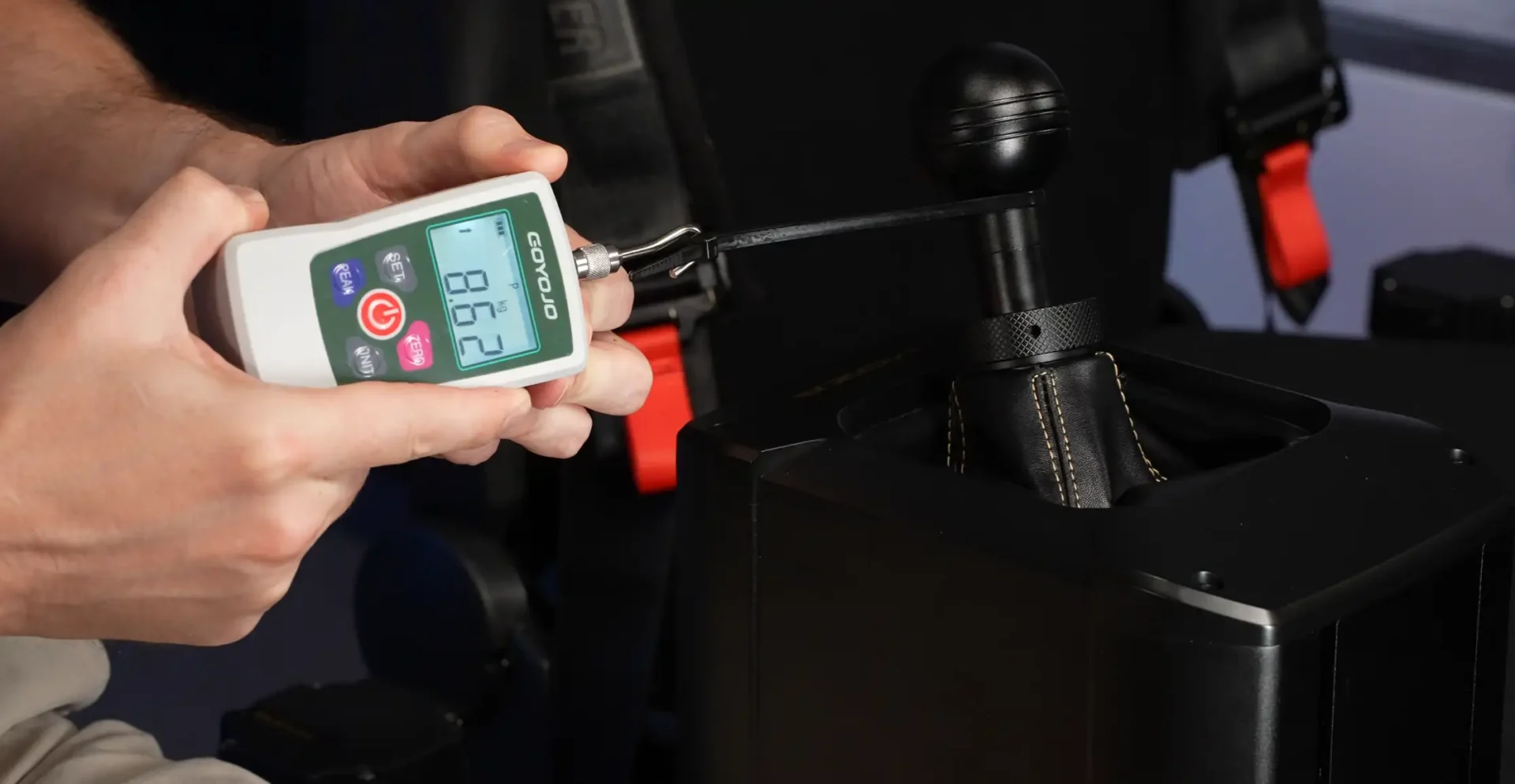
To put some numbers to the torque difference, both bases were put into shifter mode (MOZA supports this natively — you can attach a gear knob and use it as a sim racing shifter). With the stick in a gear position, lateral force required to shift was measured using a force gauge:
Lateral Force to Override
| AB6 | AB9 |
|---|---|
| Force to Override ~5 kg 11 lb | Force to Override ~8.62 kg 19 lb |
| Direct drive, more flex on rig mount | More rigid with T-slot table mount |
In the Sim
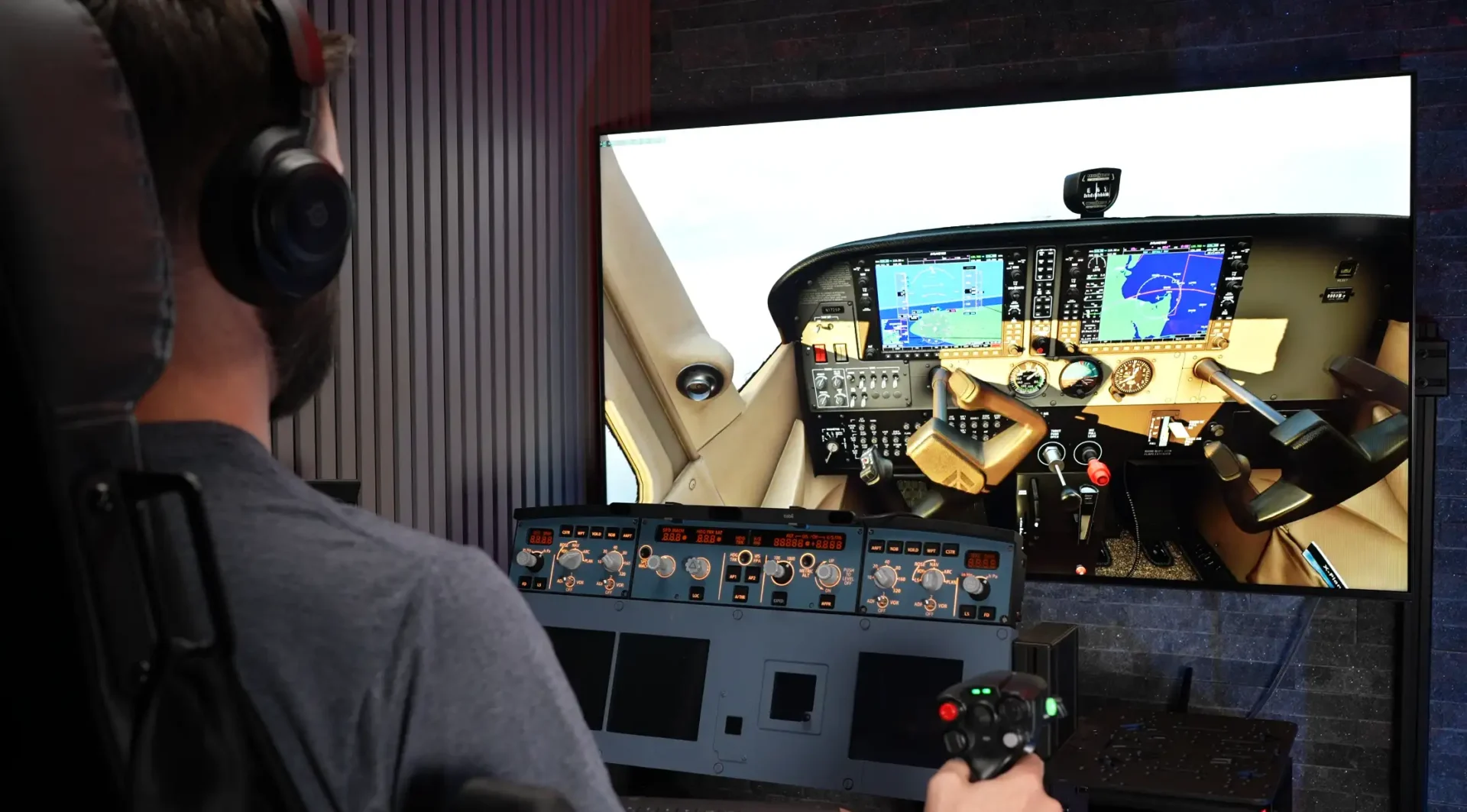
X-Plane 12 — Cessna 172 (AB6 then AB9)
Testing used a custom Cessna 172 profile with dynamic pressure and elevator droop enabled. Engine vibration was deliberately turned off to make the cogging feel — or lack of it — as apparent as possible.

AB6: From the moment the engine starts you can feel the elevator responding — the stick moves as airflow picks up over the tail at idle, then rises to neutral as power increases. Dynamic pressure effects are well-executed: flight controls noticeably stiffen as airspeed builds toward cruise, and go distinctly sloppy approaching the stall. This is where light aircraft flying on force feedback genuinely comes into its own.

Cogging on the AB6 is present during slow, deliberate inputs. During busier flying phases — climb, cruise, approach — with your brain engaged on the task, it genuinely fades into the background. Add engine or propeller vibration to the profile and it becomes essentially undetectable.
AB9: Same profile, same percentages — but immediately the difference in character is obvious. Buttery smooth. The dynamic pressure effects feel the same in principle but are delivered through a more refined medium. The same spring and friction percentages that worked on the AB6 are too strong on the AB9 — you’ll need to dial settings back when switching bases.
The AB9 makes the AB6 feel like the junior model it is — not because the AB6 is bad, but because the AB9 raises the reference point.
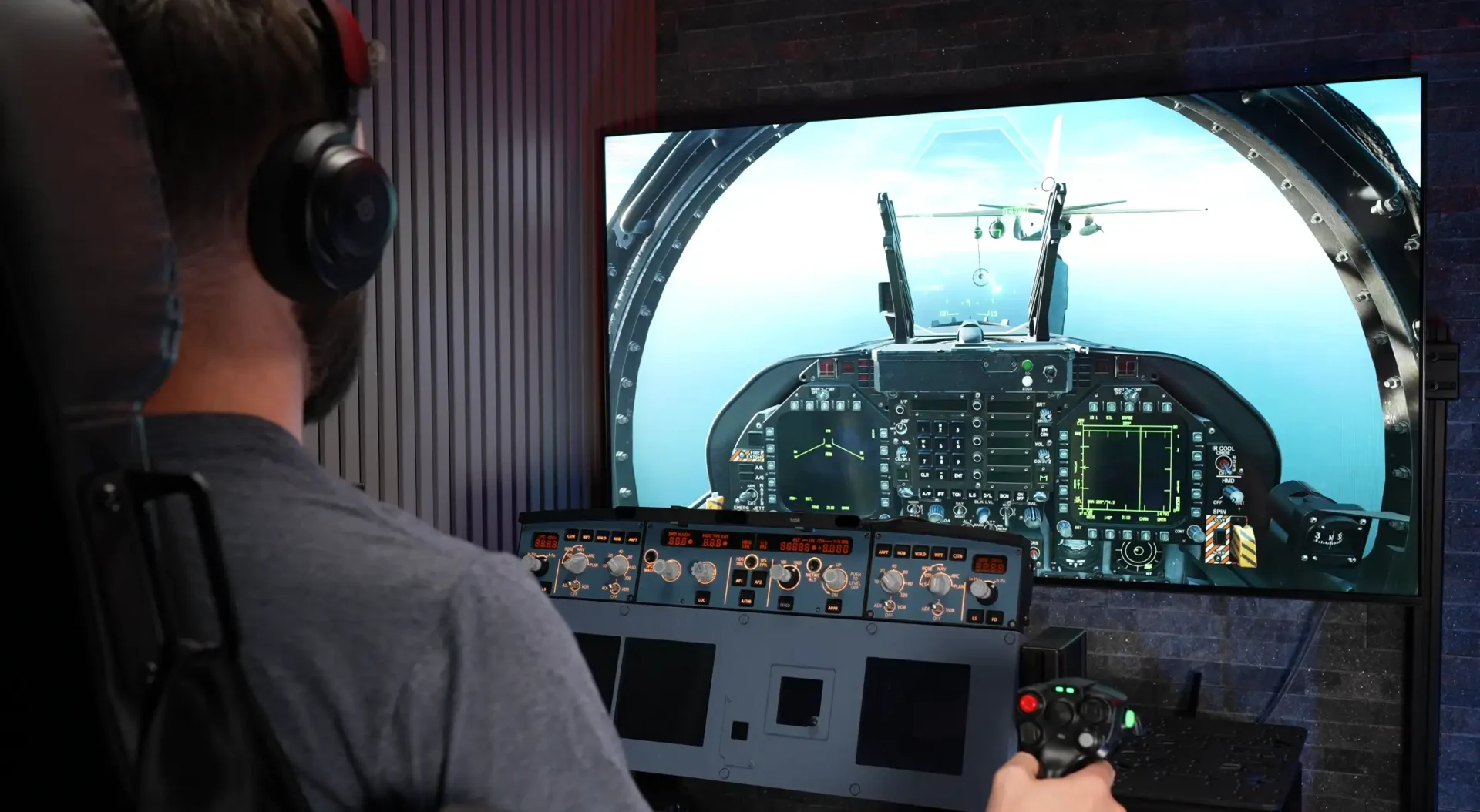
DCS — F/A-18C Hornet, Air-to-Air Refuelling (AB6 then AB9)
The Hornet profile was loaded with engine vibration disabled. Refuelling demands the finest inputs possible — the smallest corrections to maintain position on the basket.
AB6: In this scenario, the AB6 performs admirably. At the micro-input scale of refuelling corrections, cogging is not a meaningful factor — the inputs are so small that the magnetic stepping sensation is below the threshold of notice. What you feel is spring and damping. Clean and functional.
AB9: Smoother, and the spring setting needed to be reduced from the AB6 profile — what felt appropriate on the smaller base was enough to physically shift weight in the seat on the AB9. Once dialled in, it feels easier to manage those fine corrections. Subjectively, the AB9 just makes this task feel more natural.
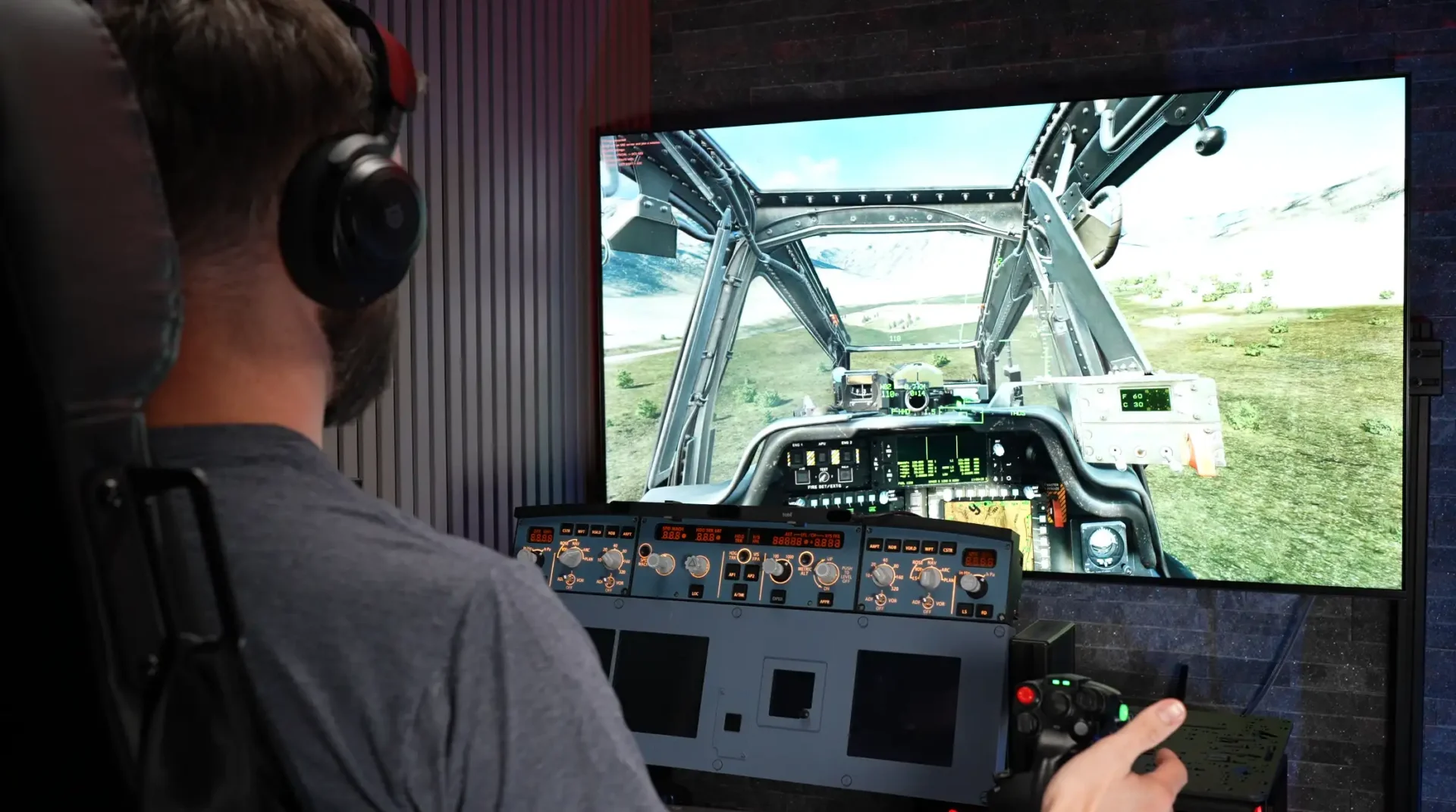
DCS — AH-64 Apache (AB6 then AB9)
A custom Apache profile was built from scratch rather than using the MOZA default (the stock profile felt less suited to rotary-wing nuance). A force trim system was set up to mirror real AH-64 behaviour: press the force trim button to release pressure, the stick holds position; release the trim and pressure returns.
AB6: With a subtle engine vibration added to the profile, any cogging texture becomes completely undetectable — the vibration masks it entirely. The force trim system works well. The AB6 can hold the stick position under most realistic inputs, though under hard lateral loads, the motors can be overwhelmed — something to be aware of if you fly aggressively.
AB9: Immediately feels more suited to helicopter flying. More weight to the stick, more confidence in how it holds position, less reliance on vibration to mask texture. The AB9 simply holds the stick more assertively in demanding rotary-wing scenarios. If helicopters are your primary aircraft — and especially if you’re running an extension or mounting between your legs — the AB9 is the more capable tool.
Table Mounting
AB6 Table Clamp (Included in Bundle)
The AB6 table clamp does a reasonable job of securing the base to a desk edge. There is, however, noticeable flex in the lower arm under load — visible when the base is in shifter mode and you’re applying lateral force. During normal flying this flex is unlikely to be felt, but it’s worth knowing about if you plan to use this as a shifter or fly aggressively.
Cable routing behind the base is tight — the USB cable gets pinched at the rear in the position the manual recommends. Pulling the base further out on the arm creates more cable clearance but introduces more flex into the setup.
AB9 Table Mount (Sold Separately)
The AB9 mounts via T-nuts into the T-slots on the sides of the base, providing a much cleaner installation with excellent cable clearance underneath. The design is noticeably more rigid than the AB6 clamp — appropriate given the AB9 is pushing nearly double the force. Under equivalent loads, the AB9 mount demonstrates far less flex.
NEWSLETTER
Stay up to date with new releases And major updates
Thanks. Please check your email to confirm your subscription.
Sim RACING
Discount Codes
VERDICT
AB6
The AB6 is the right answer for most people entering force feedback flight sim. The bundle gives you everything you need out of the box — base, stick, table mount. 6Nm of peak torque is more than sufficient for light aircraft and fighters alike, and with the MOZA software’s cogging compensation doing its job, the cogging texture fades into background noise the moment you’re actually flying rather than hunting for it.
AB6 in a sentence: Best bang for buck. Great starter kit. You’ll forget the cogging once you’re flying.
AB9
The AB9 costs more — and once you add a stick and a table mount, it costs considerably more. What you get for that money is a genuinely smoother, more mechanically refined experience. The belt drive system does something software compensation cannot: it attenuates cogging at the physics level before it reaches your hand. Combine that with double the peak torque and considerably more headroom in the force settings, and you have a base that runs at 60% output to achieve what the AB6 does at 100% — leaving room to breathe, room to tune, room to grow.
The Force Sensing mode is a genuine differentiator if you fly fly-by-wire aircraft. The software settings are identical across both bases otherwise.
AB9 in a sentence: Smoother, stronger, more headroom, more versatility. Buy once, cry once.
Which Would I Buy?
Start with the AB6 bundle if: you’re new to force feedback, you want the most accessible entry point, or budget is a meaningful constraint. You’ll get a complete setup immediately and you’ll be satisfied.
Go straight to the AB9 if: you’re sensitive to texture through the stick, you fly helicopters seriously, you want force sensing capability, or you simply want the most capable base in this price bracket and you’d rather not upgrade in twelve months.
Related Articles
Trak Racer Flight Simulator Seat Review
A Good Budget Flight Sim Seat? If you’re building a flight simulator cockpit, one of the most overlooked parts of the setup is the seat.
MOZA MRP Rudder Pedals Review
An Adjustable, Heavy-Duty Entry into the Flight & Combat Sim Market MOZA has been making some serious moves in the flight simulation space recently, and
MOZA MTQ Flight Sim Throttle – Detailed Review
The Little Throttle That Could If you’ve ever wished for a throttle setup that can jump from cruising at FL380 in an airliner to yanking
MOZA MTP Throttle – Detailed Review
What is it? The MOZA MTP Throttle, inspired by carrier aircraft, delivers a realistic and immersive experience through authentic styling, finger lift throttles with a
WINWING PAP3 Autopilot Panel – Detailed Review
Ask any simmer what their biggest frustration is when flying without physical controls, and they’ll likely mention the dreaded “mouse dance”. You know the drill:
MOZA MH16 Flight Stick with Z-Axis Module – Detailed Review
What is it? The MOZA MH16 Flight stick is an aluminium alloy fighter jet inspired flight stick featuring plug and play compatibility, detachable expansion module,
MORE REVIEWS and Discounts
If these Sim Racing Reviews have helped you find the best racing simulator gear for your sim rig, please consider using the affiliate links on this website. By purchasing through these links, a small commission will come back to Boosted Media at no additional cost to you. This is how Boosted Media keeps providing content to the Sim Racing community.