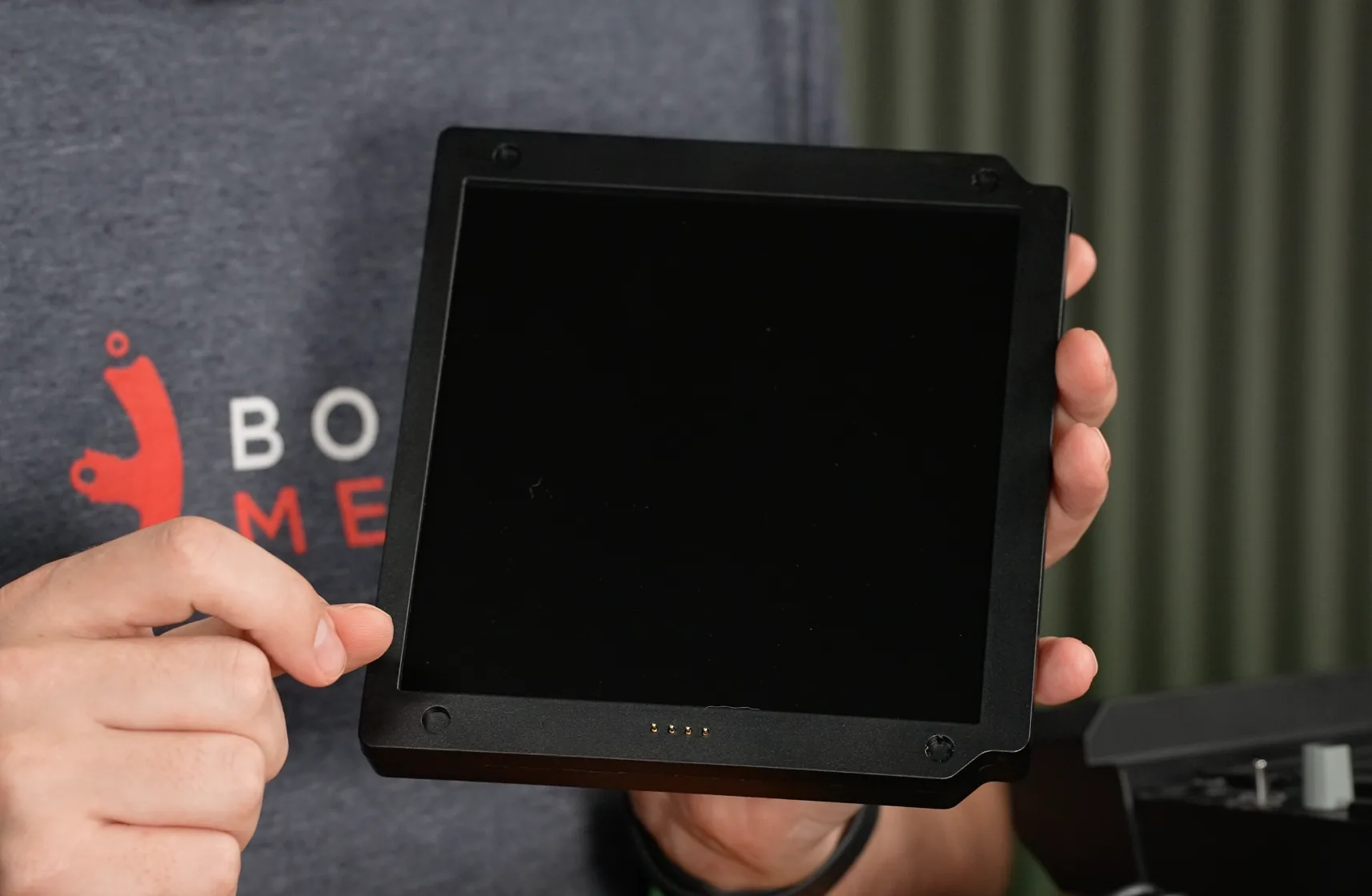
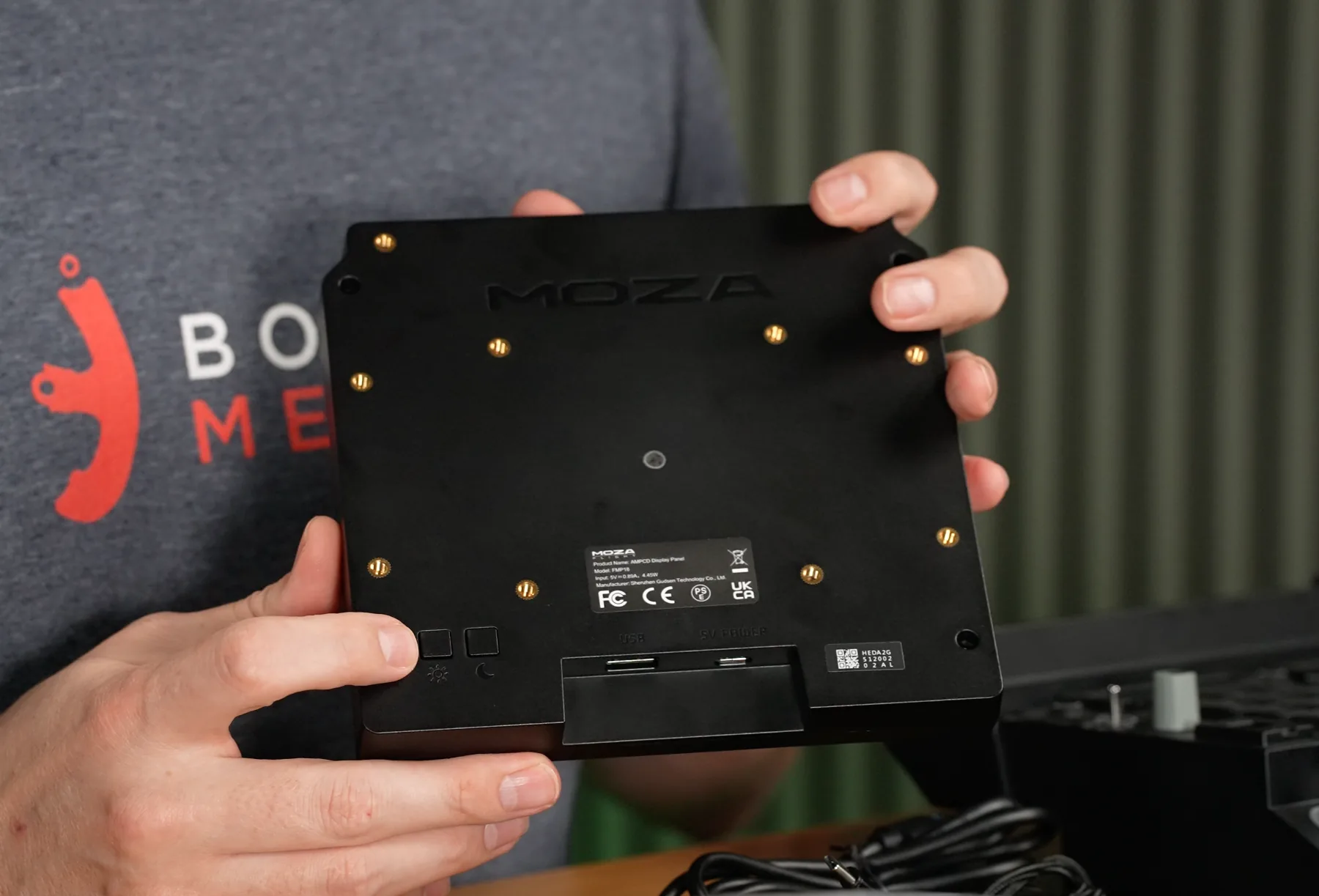
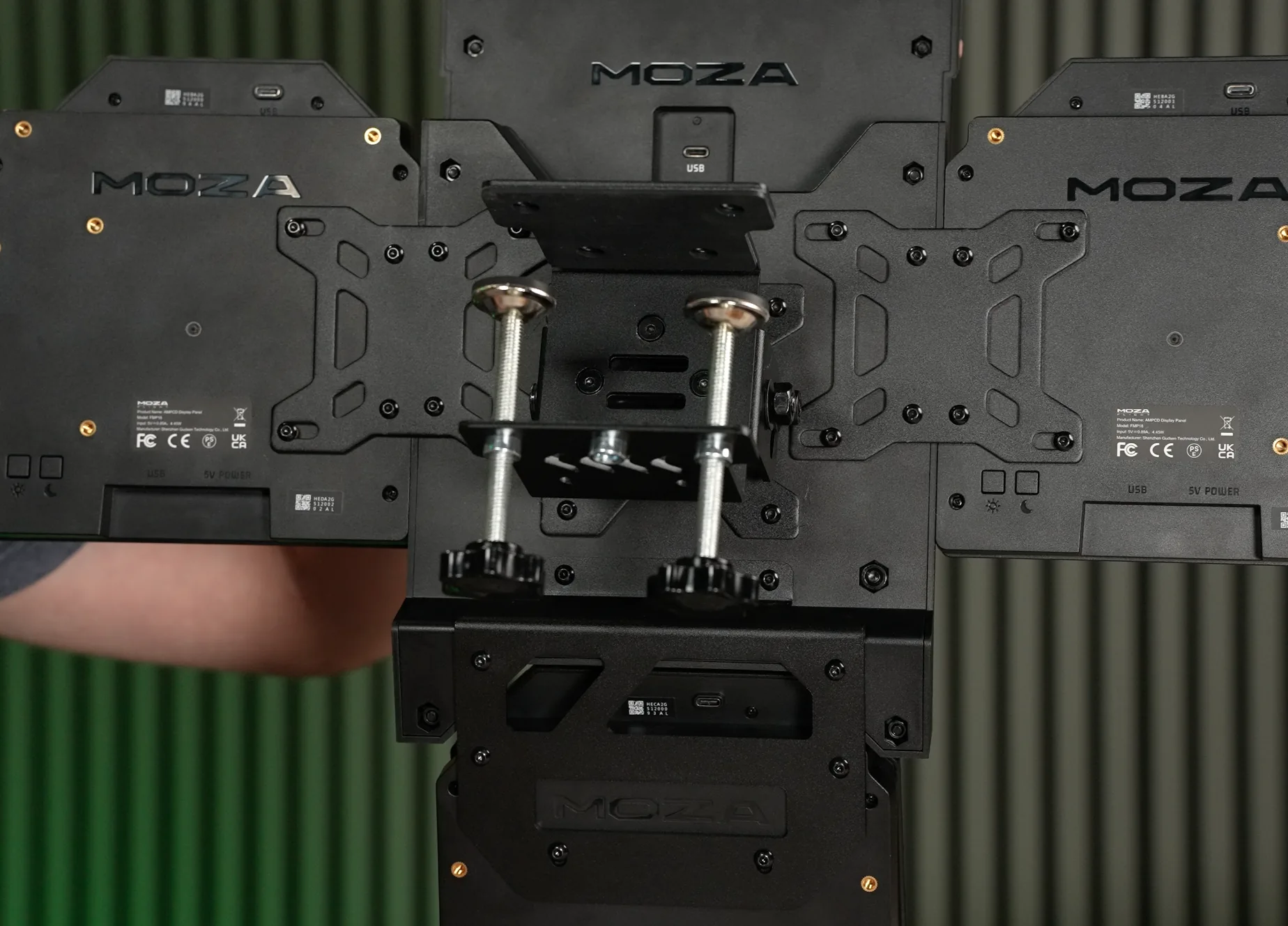
The front of each bare display is deliberately simple. The display itself carries the screen and a series of metal contact pins used to transfer button presses from the removable bezel. On the rear are multiple threaded mounting points for the included brackets or a custom installation, with the central pattern suitable for a standard VESA mount. Physical brightness buttons allow the display level to be adjusted directly at the hardware, while the lower edge provides a USB Type-C 5-volt power input and a USB Type-A data connection.
One of the more useful design choices is that none of the three displays requires HDMI or DisplayPort. Each screen connects over USB, yet Windows still recognises the three panels as individual monitors. From a software perspective they retain the flexibility of separate external displays, while physically avoiding the need to consume three additional outputs on the graphics card. That can be particularly valuable in a flight-sim setup already using multiple monitors, a VR headset or other cockpit displays.
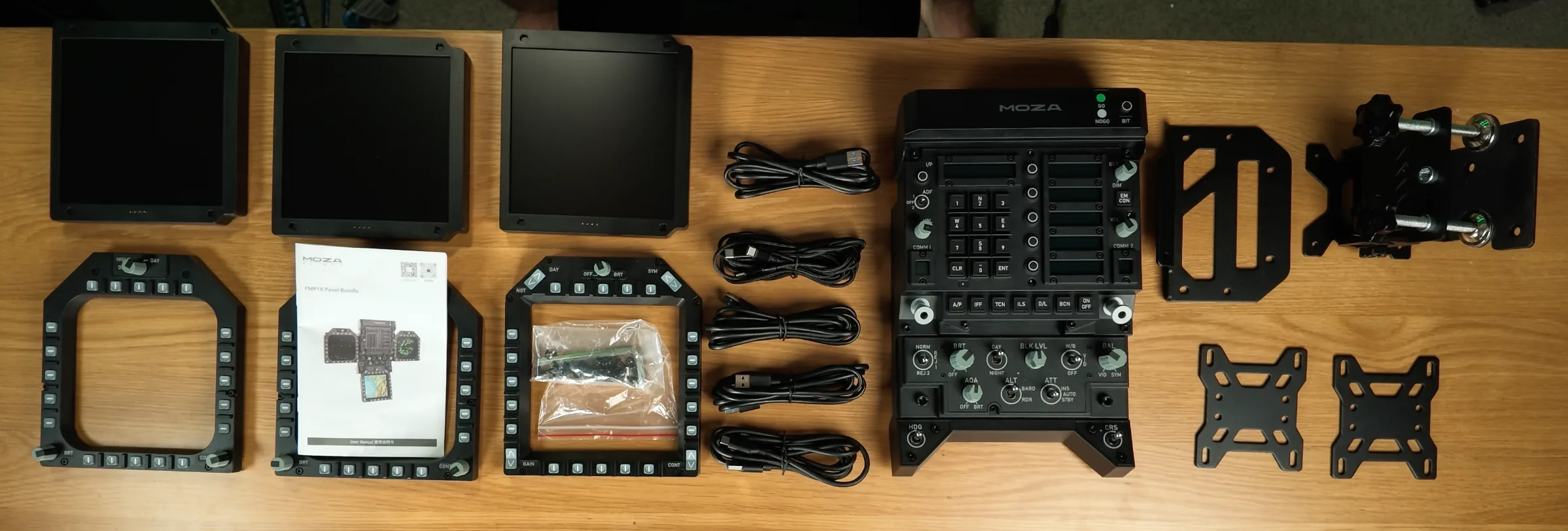
The included cabling reflects that arrangement. Three USB Type-A connections carry display data from the PC, a USB Type-C to Type-A cable connects the Front Panel Module, and a USB Type-A splitter to three USB Type-C leads provides the 5-volt power required by the displays. In total you will need five USB Type-A ports, so for larger simulator installations I would strongly recommend using a good-quality powered USB hub rather than trying to hang everything directly from the motherboard.
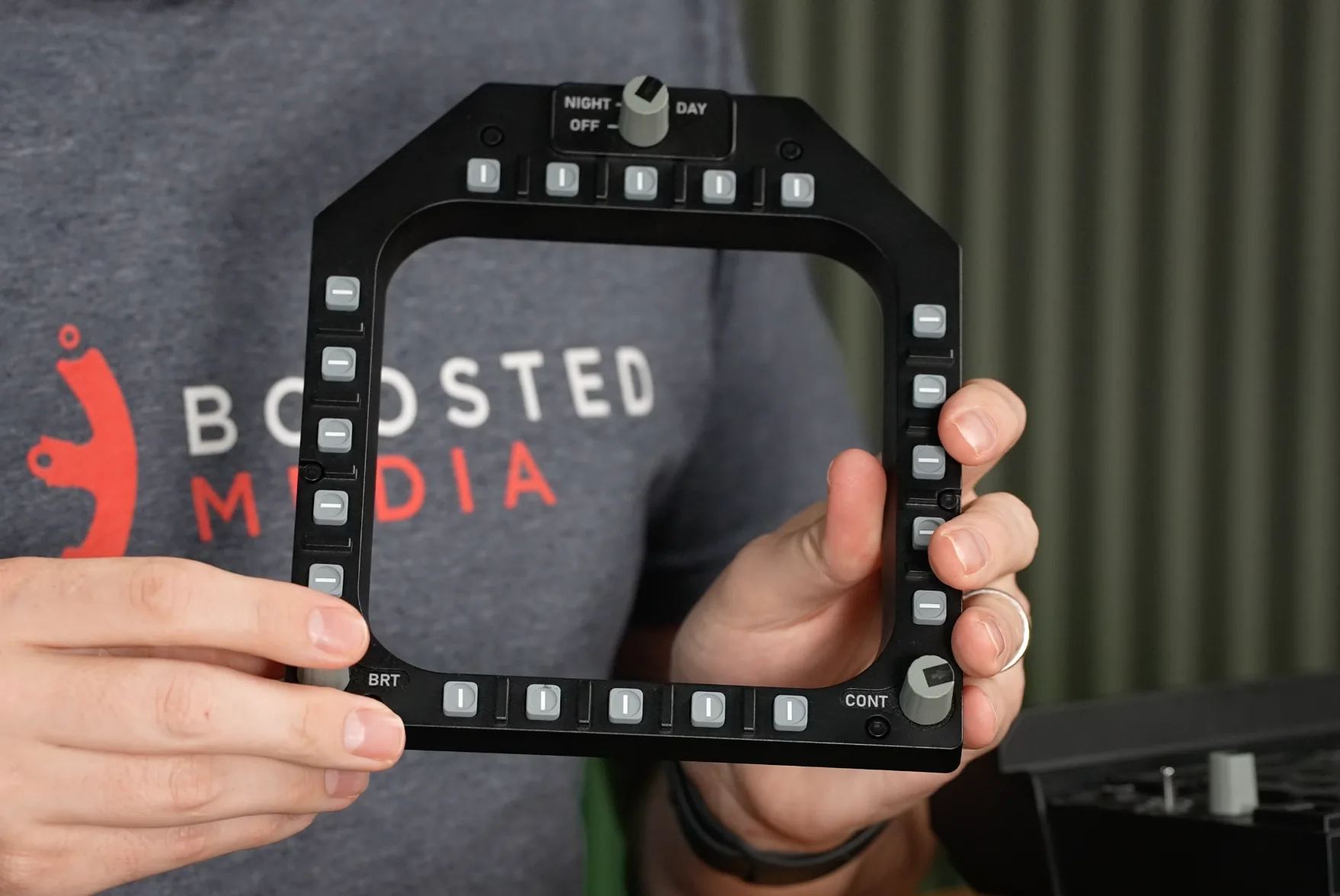
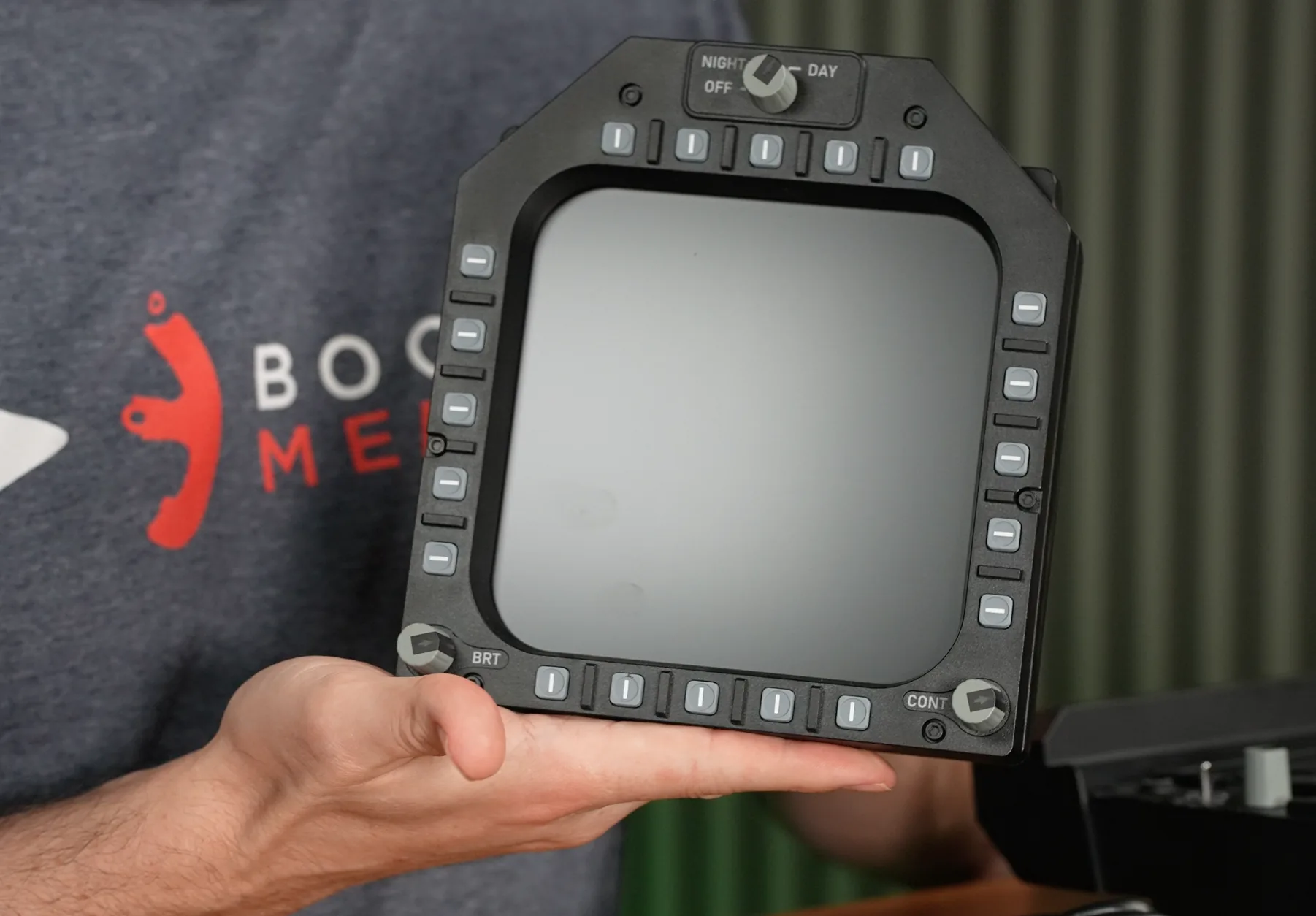
What turns the identical screens into Hornet-specific controls are the snap-on bezels. These composite-plastic frames attach magnetically with a firm, positive snap, while contact pins mate with their corresponding connectors on the display. The connection feels secure in use but remains easy to remove when required, which gives the displays more flexibility than a permanently integrated bezel.
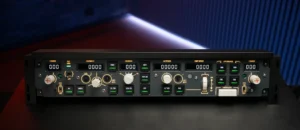
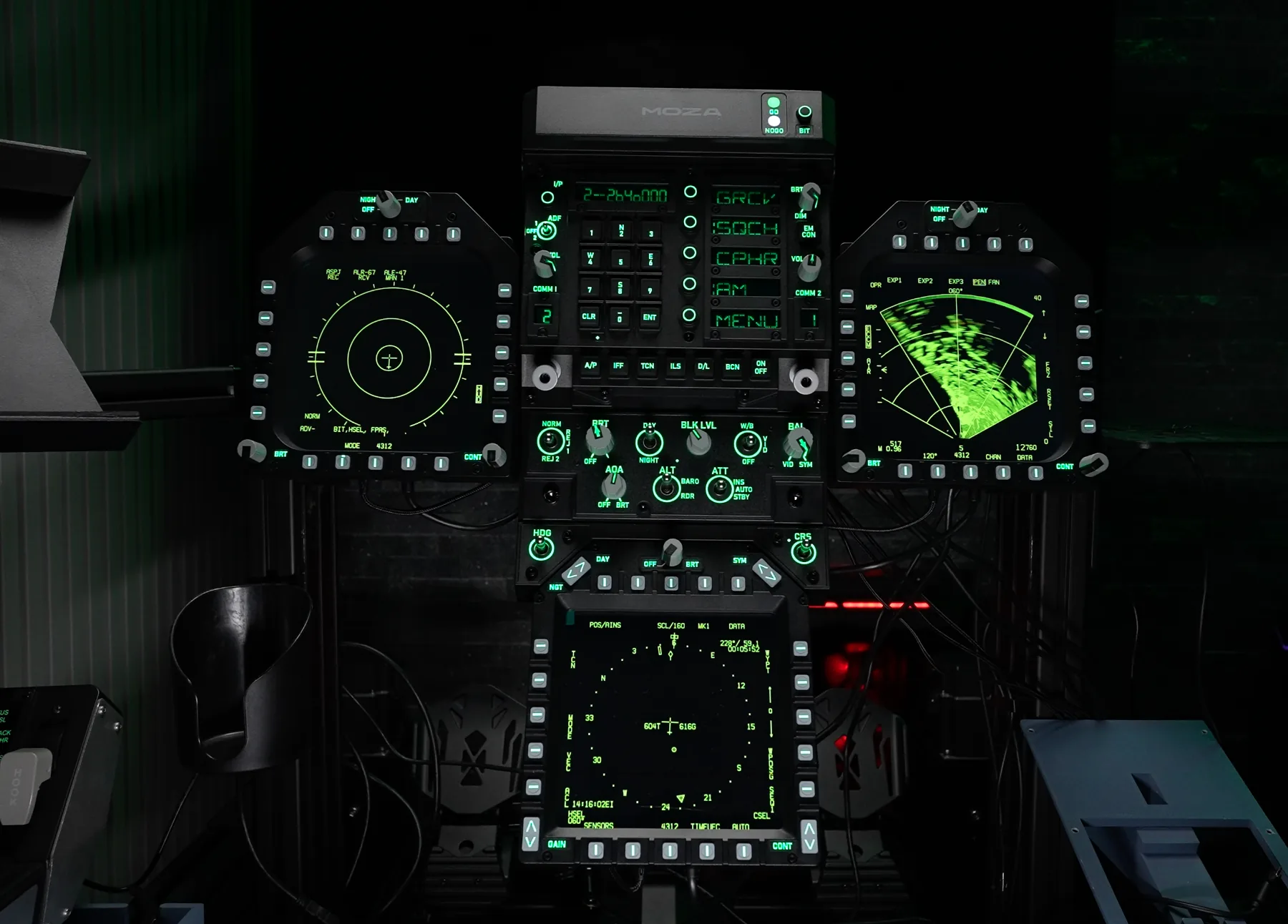
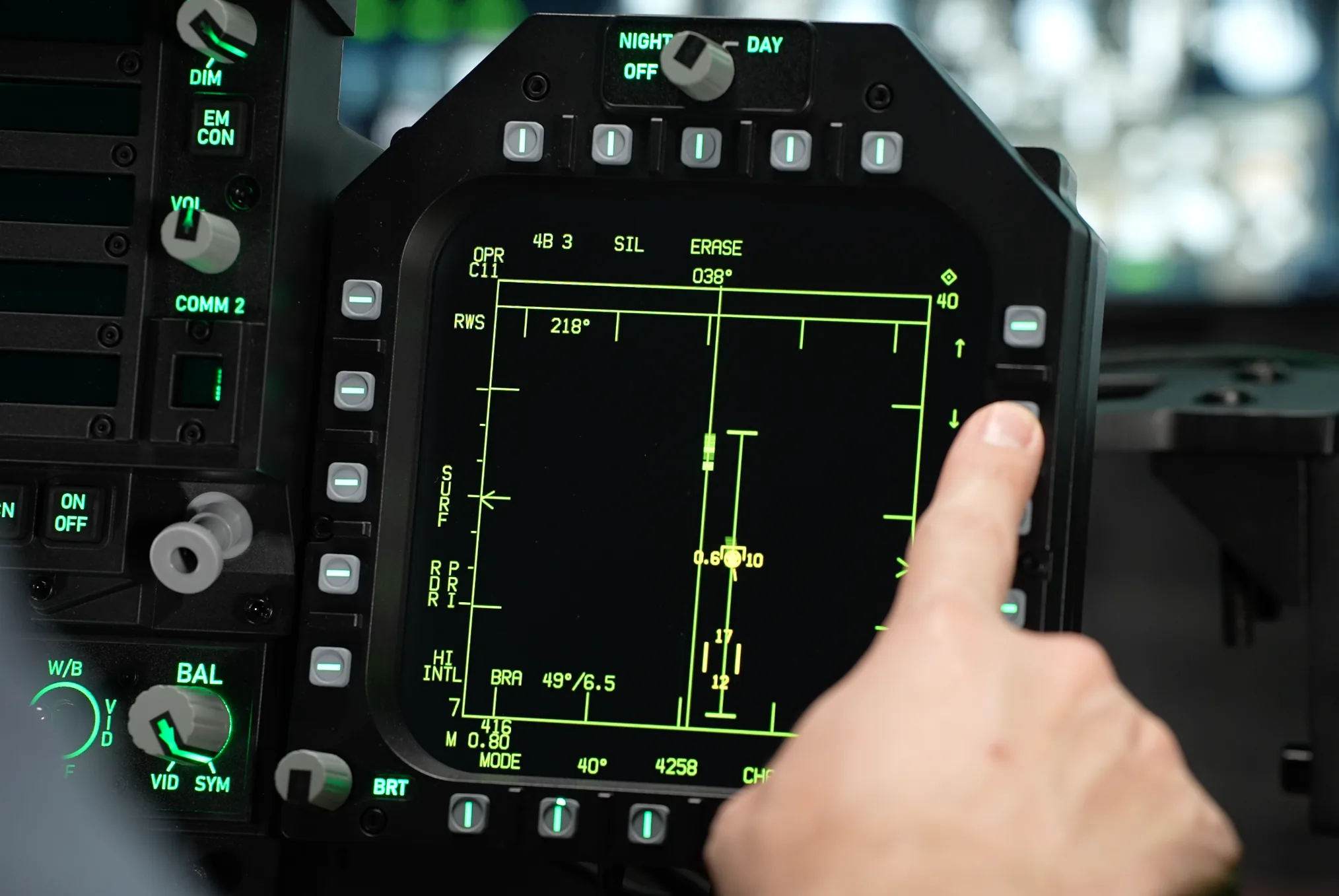
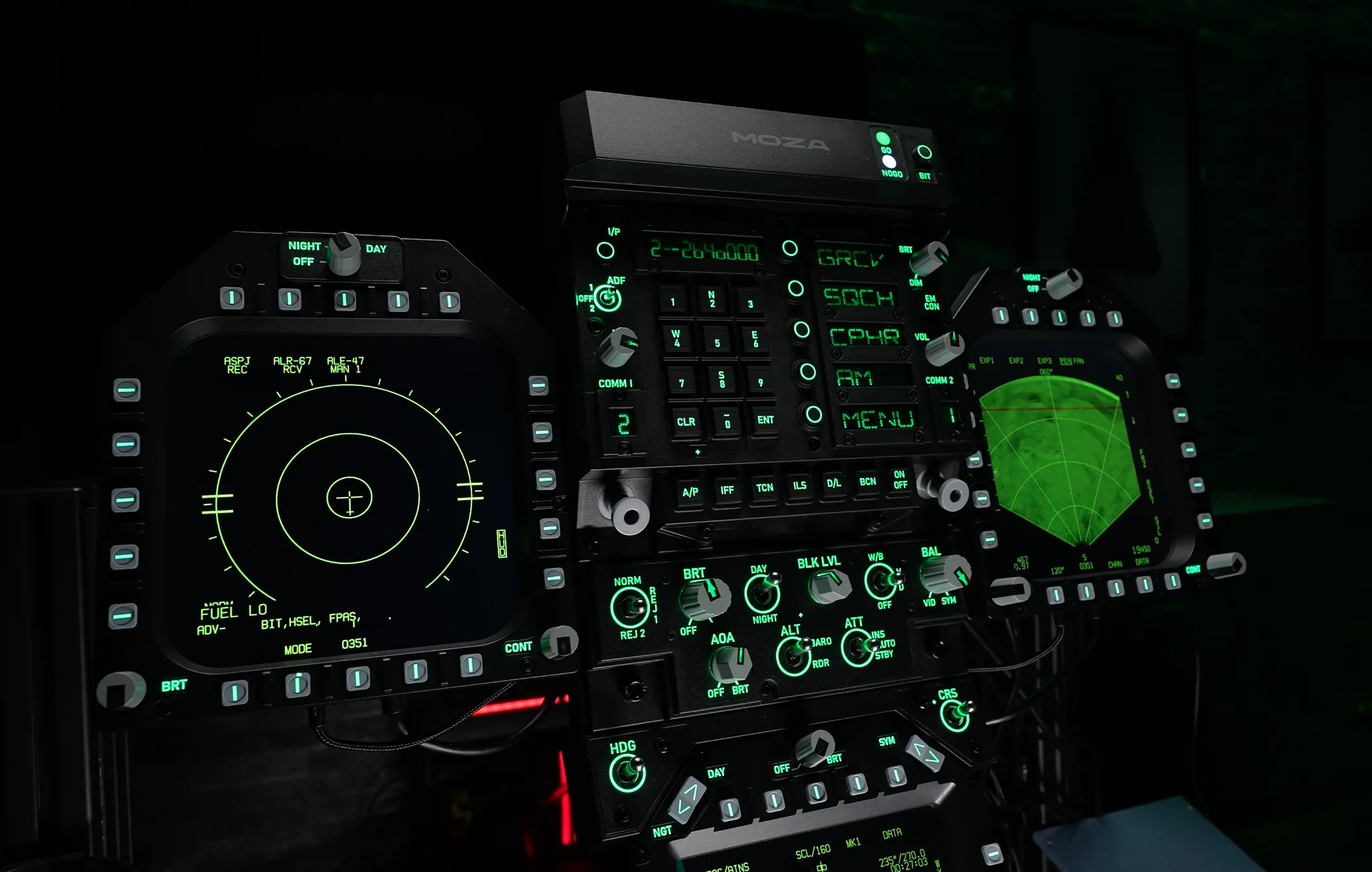
Each DDI bezel provides 20 backlit line-select keys, two rotary encoders with push-button functions for in-sim brightness and contrast, and a three-position control across the top for the different brightness modes. The buttons use a firm rubber construction and provide a clear tactile response when activated.
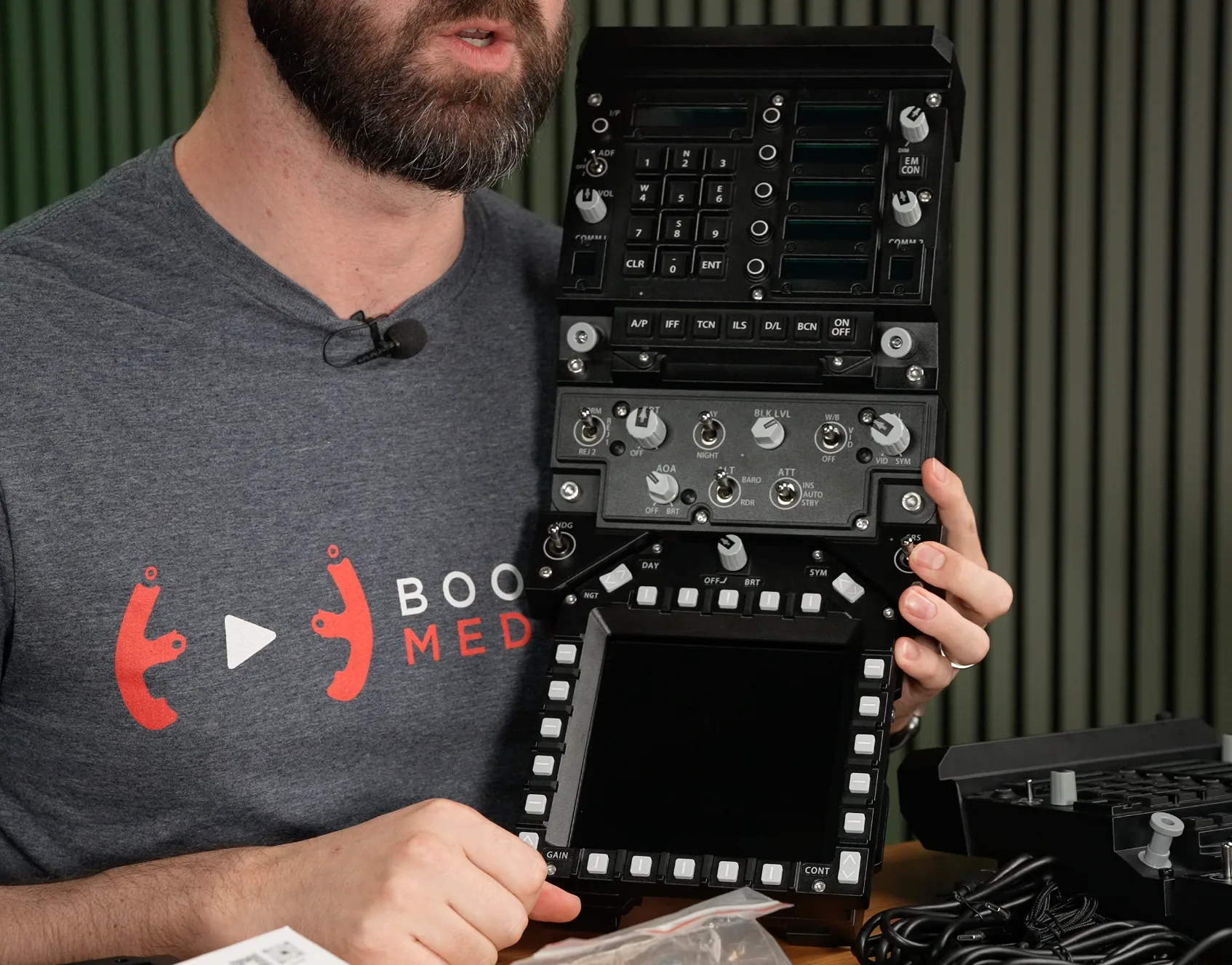
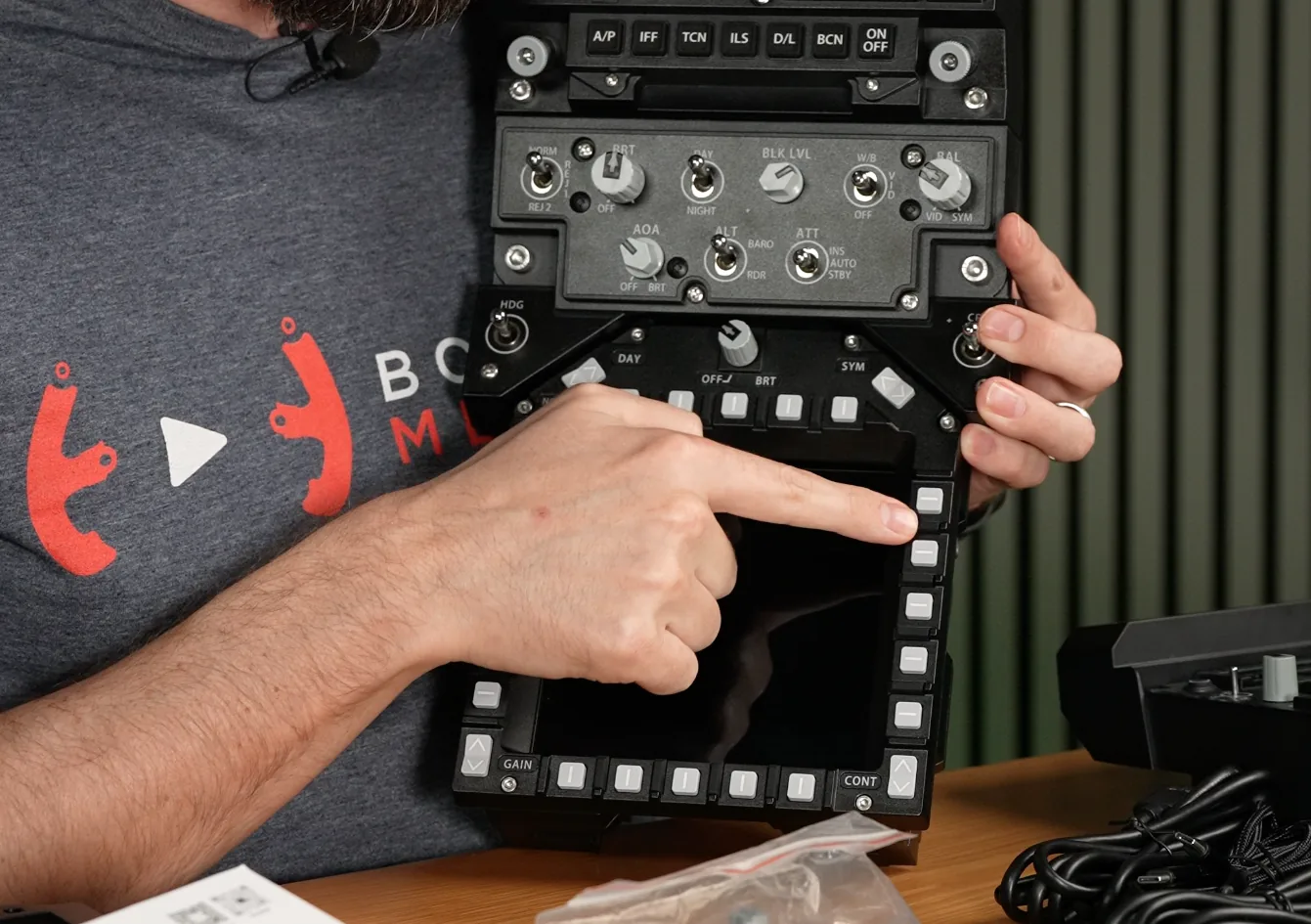
The AMPCD bezel follows the same general approach with another 20 backlit line-select keys, dedicated up/down GAIN and CONTRAST controls, two angled switches across the top and a rotary brightness control. Unlike the lower DDI knobs, the AMPCD brightness control does not include a centre-push function.
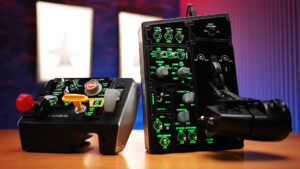
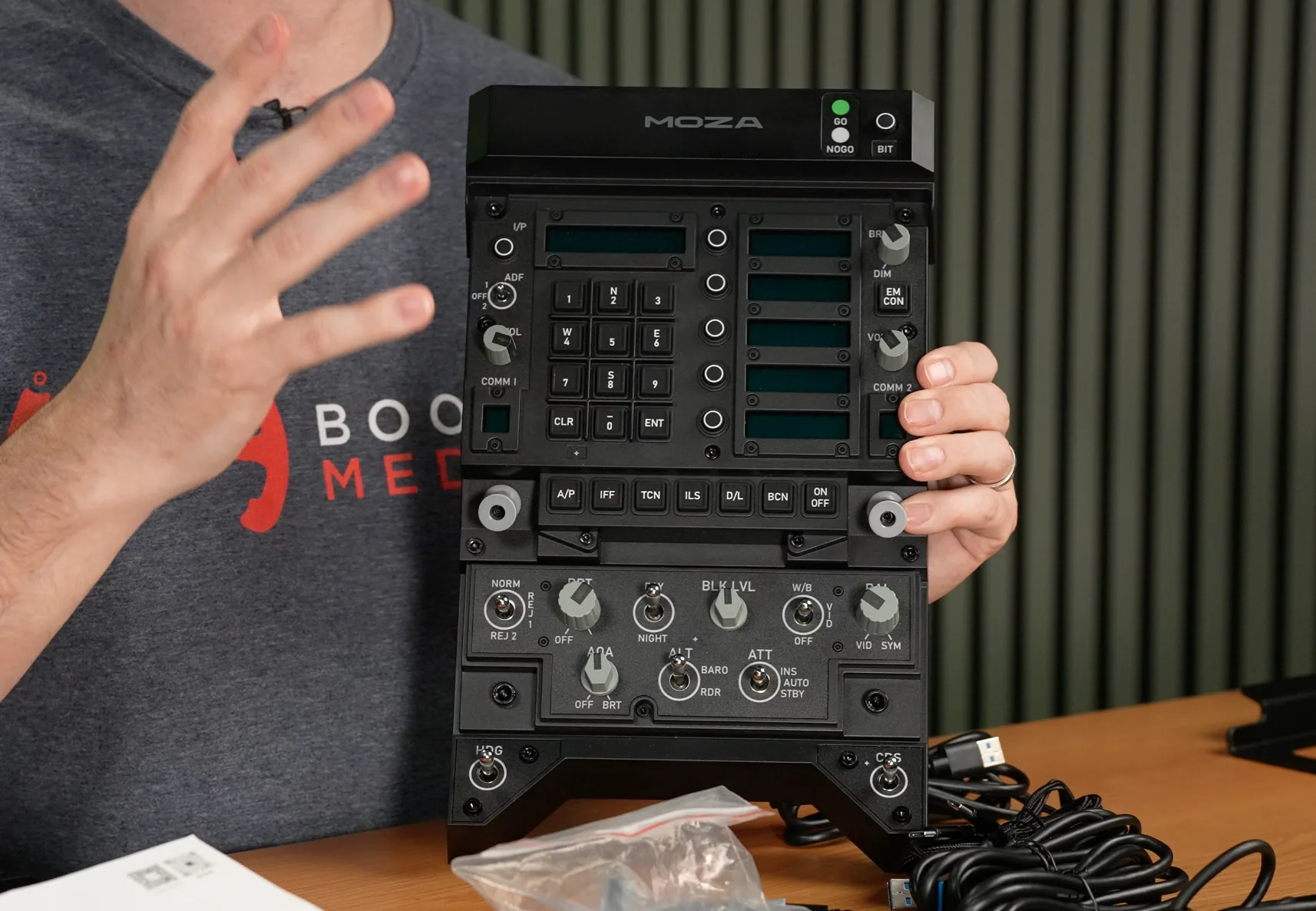
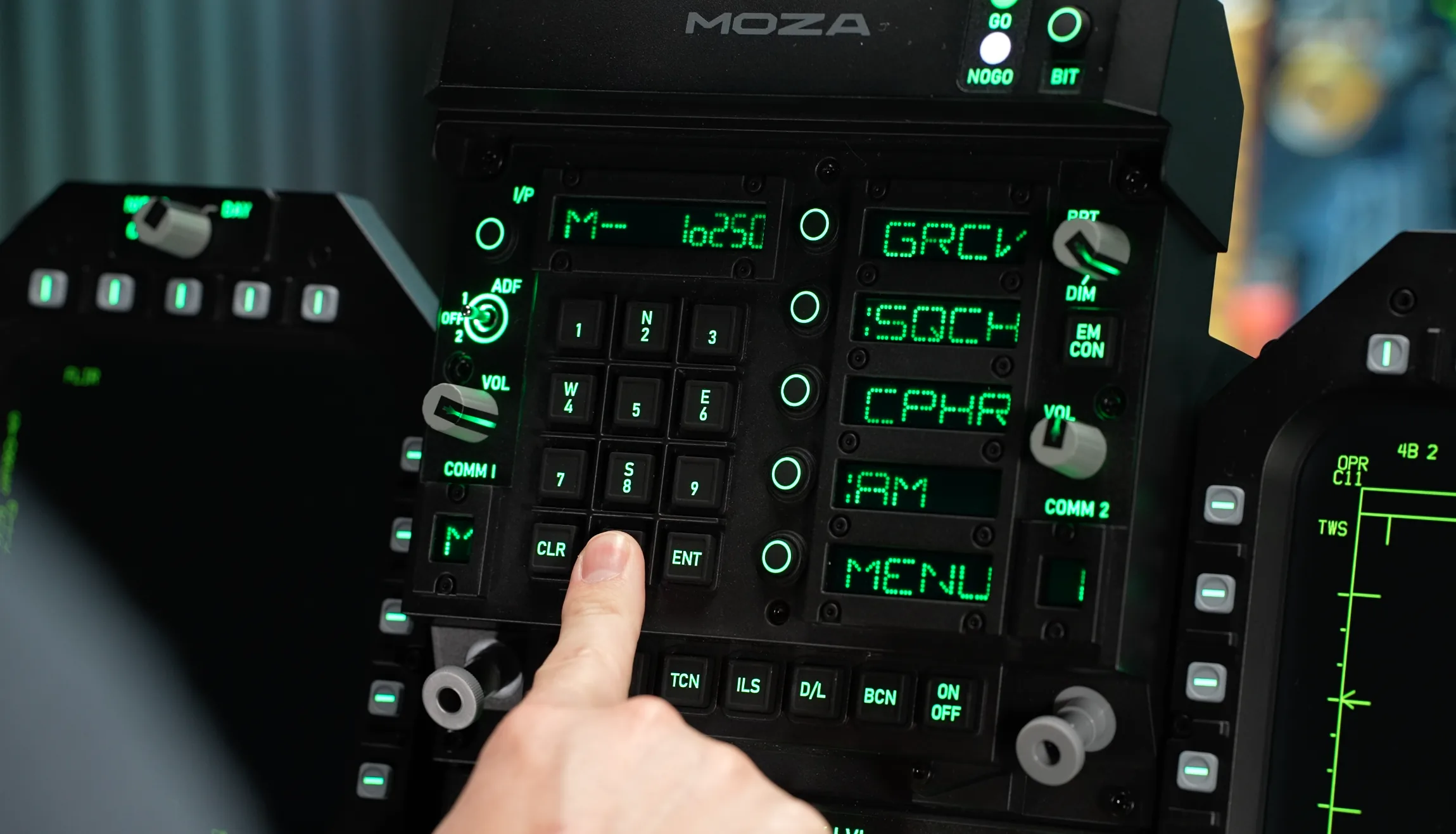
The Front Panel Module recreates the up-front controller and the controls immediately below it. The keypad sits alongside a small LCD window used for information such as radio frequencies, autopilot status, TACAN and ILS channels and datalink information. The surrounding pushbuttons are backlit, there is a three-position ADF switch, and several lightly weighted rotary controls sit across the upper section.
One small quality issue showed up here: some of the rotary knobs on the review unit lightly rubbed against the surrounding plastic fascia. It is both audible and possible to feel through the control when turning the knob. It never stopped the controls working, but it takes a little of the polish away from what is otherwise a solid front panel.
Further down are the COMM1 and COMM2 LCD channel displays with two rotary encoders and pull-button activation, followed by additional autopilot, navigation and datalink controls. Like the line-select keys on the display bezels, the pushbuttons use a firm rubber material with a tactile click. The lower part of the stack adds more heavily weighted controls for functions such as HUD brightness, along with further two- and three-position switches. At the bottom are two three-position, return-to-centre controls for heading and course selection.
WINCTRL COMPARISON
The most obvious alternative in this part of the market is the WINCTRL TOP GUN MIP 2, which was priced at around AUD $1,472.55 during this review period. We have already reviewed the WINCTRL system separately, but having both systems side-by-side makes some of the design differences much easier to appreciate.
The WINCTRL displays run at 1024 × 768 at 60 Hz, compared with the FMP18’s 800 × 800 square displays, although the screen connectivity concept is similar. WINCTRL integrates its bezels more permanently, securing them with hex bolts rather than using MOZA’s removable magnetic frames. WINCTRL also hides additional buttons in the separators around the display controls and includes three extra buttons across the top of its up-front controller.
Control feel is another area where the two products separate themselves. The WINCTRL rotary controls generally feel more heavily weighted and, to my hands, a little more premium. The MOZA controls remain perfectly usable, but the slight rubbing against the plastic surrounds on some knobs is noticeable when the systems are compared directly.
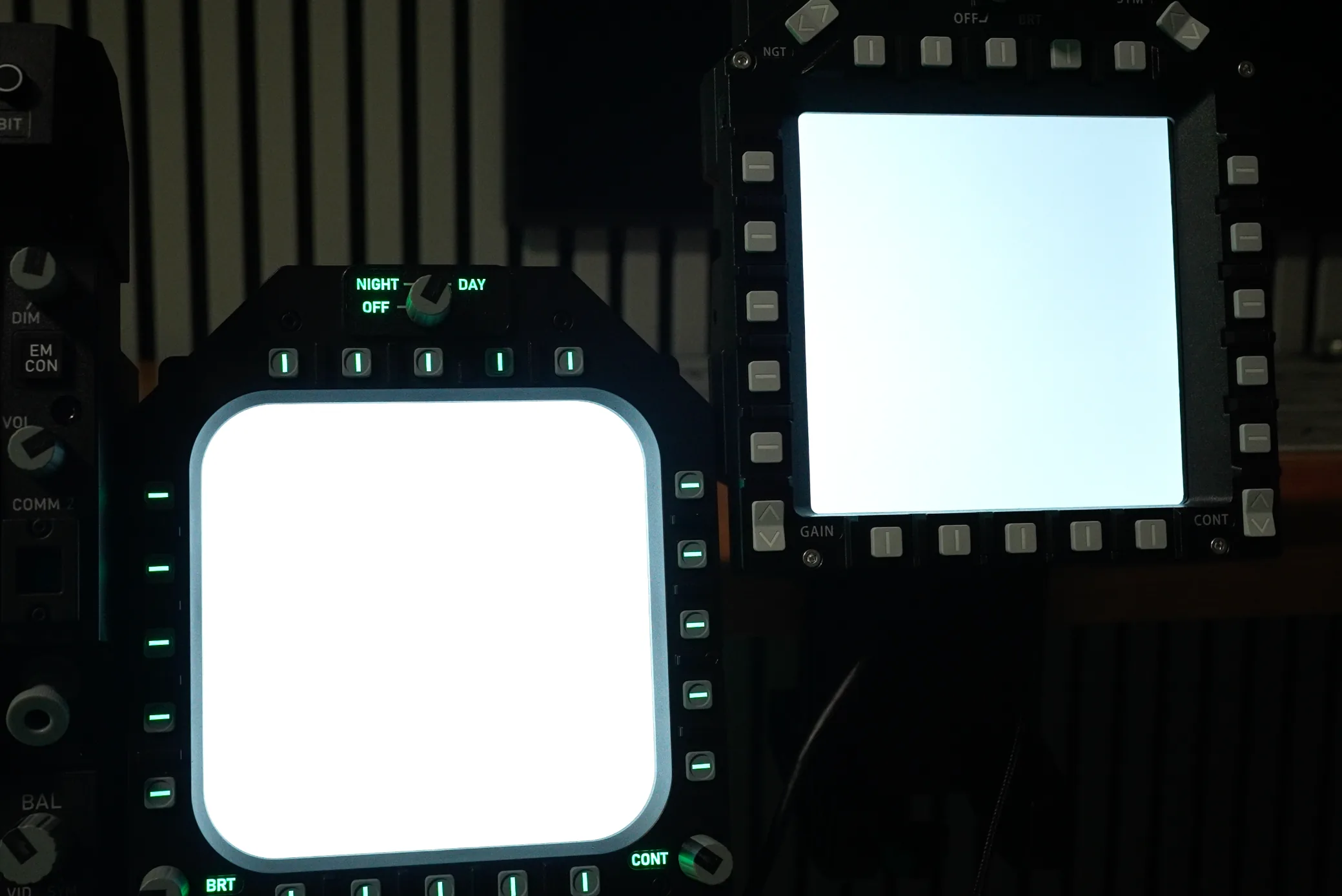
Brightness is also worth mentioning. With both the MOZA and WINCTRL displays set to maximum brightness and showing the same white background, the MOZA screen on my review units appeared slightly brighter. The difference is not dramatic, but it was visible when the two were placed side-by-side.
FRAME / MOUNTING
The FMP18 is brought together using the supplied powder-coated aluminium brackets, hex screws and included hex keys. Assembly is straightforward and the manual walks through the process clearly, although there is one detail worth paying attention to when attaching the left and right displays to the Front Panel Module.
The brackets are close enough to square that they can be installed in the wrong orientation. If that happens, it is possible to miss the additional centre screws that help tie the structure together. The system will still assemble, but the DDIs develop noticeably more movement when the line-select keys are pressed. Ensuring the small detent in the bracket is positioned correctly and installing the centre fasteners makes a significant difference to rigidity.
The AMPCD arrangement is much harder to get wrong, and once the complete panel is assembled the supplied desk mount can secure it to a wide range of desk or extrusion thicknesses. Long threaded clamping screws can wind almost completely through the bracket, allowing the pressure pads to reach both relatively thin and much thicker mounting surfaces.
The mount is also tilt adjustable. The complete panel pivots around a central bolt, which can be tightened once the preferred angle is found. Through the clamp itself and the Front Panel Module there is very little flex. Most of the movement only becomes visible towards the outer edges of the DDIs and the AMPCD.
For me, the amount of movement is right on the edge of what I would ideally like to see from hardware at this price. There is a little more flex than I would prefer, but it never reached the point where I needed to brace the rear of the display with my fingers to activate a button. More importantly, the clamp remained firmly in position throughout weeks of testing and did not sag or slowly droop away from the angle I had set.
WINCTRL MOUNTING
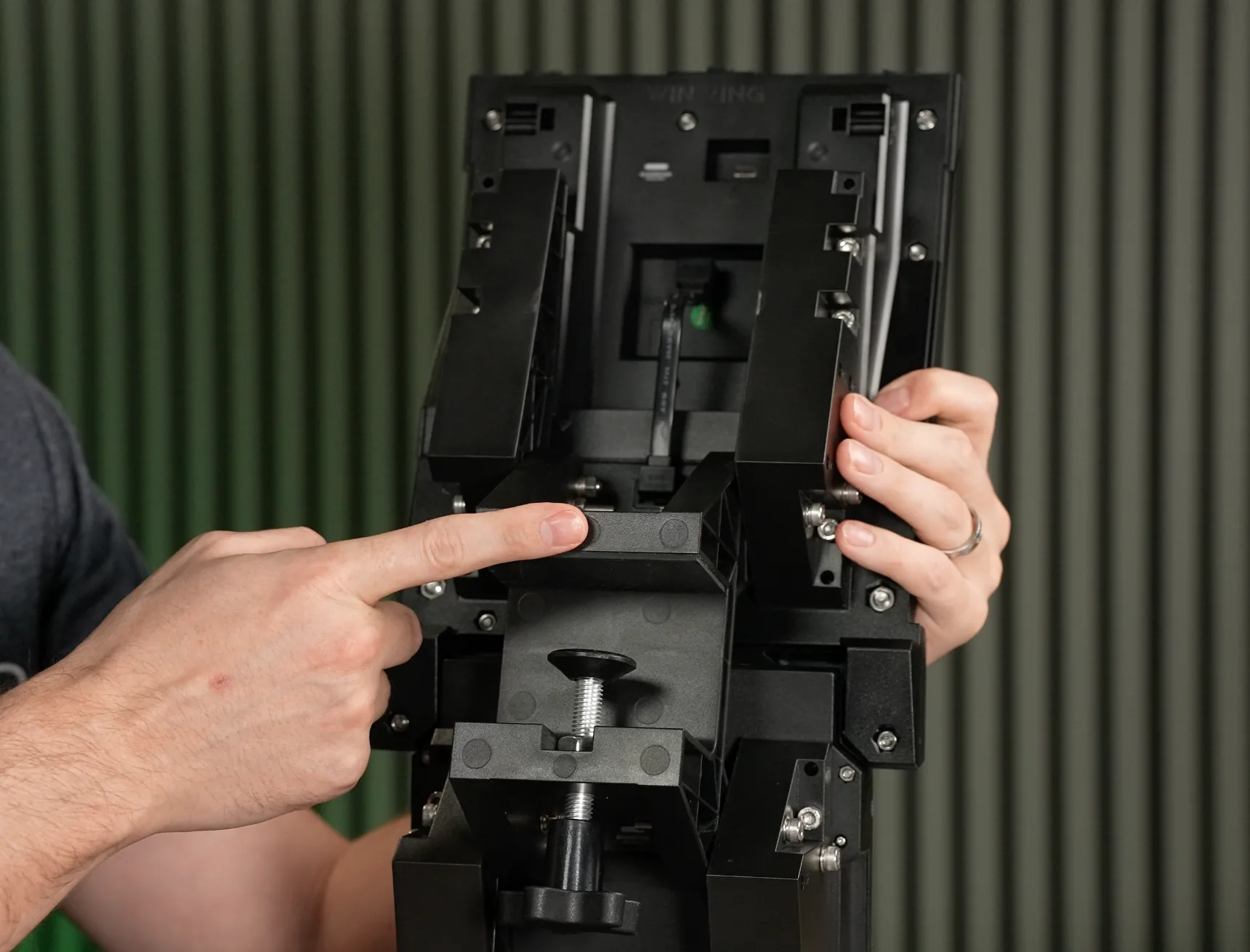
WINCTRL takes a very different approach to mounting. Rather than using aluminium brackets to join the entire assembly into one structure, each major section uses its own thick plastic clamp. The DDIs are mounted independently, while the AMPCD and front-panel section form their own mounted assembly.
Although the materials sound less premium on paper, I actually prefer this approach from a rigidity perspective. Splitting the hardware across multiple clamps reduces the load carried by any one mounting point, and any movement is contained to that specific section rather than being transferred across the whole panel. There is still a small amount of movement at the top of the centre assembly, but the AMPCD is very solid and the DDIs on my WINCTRL setup show essentially no movement during normal button presses.
The trade-off is that individual clamps need suitable surfaces to bite onto. Very thin desktops or narrow pieces of extrusion can make the WINCTRL mounting arrangement more awkward, whereas MOZA’s single central clamp is easier to treat as one complete unit.
SOFTWARE
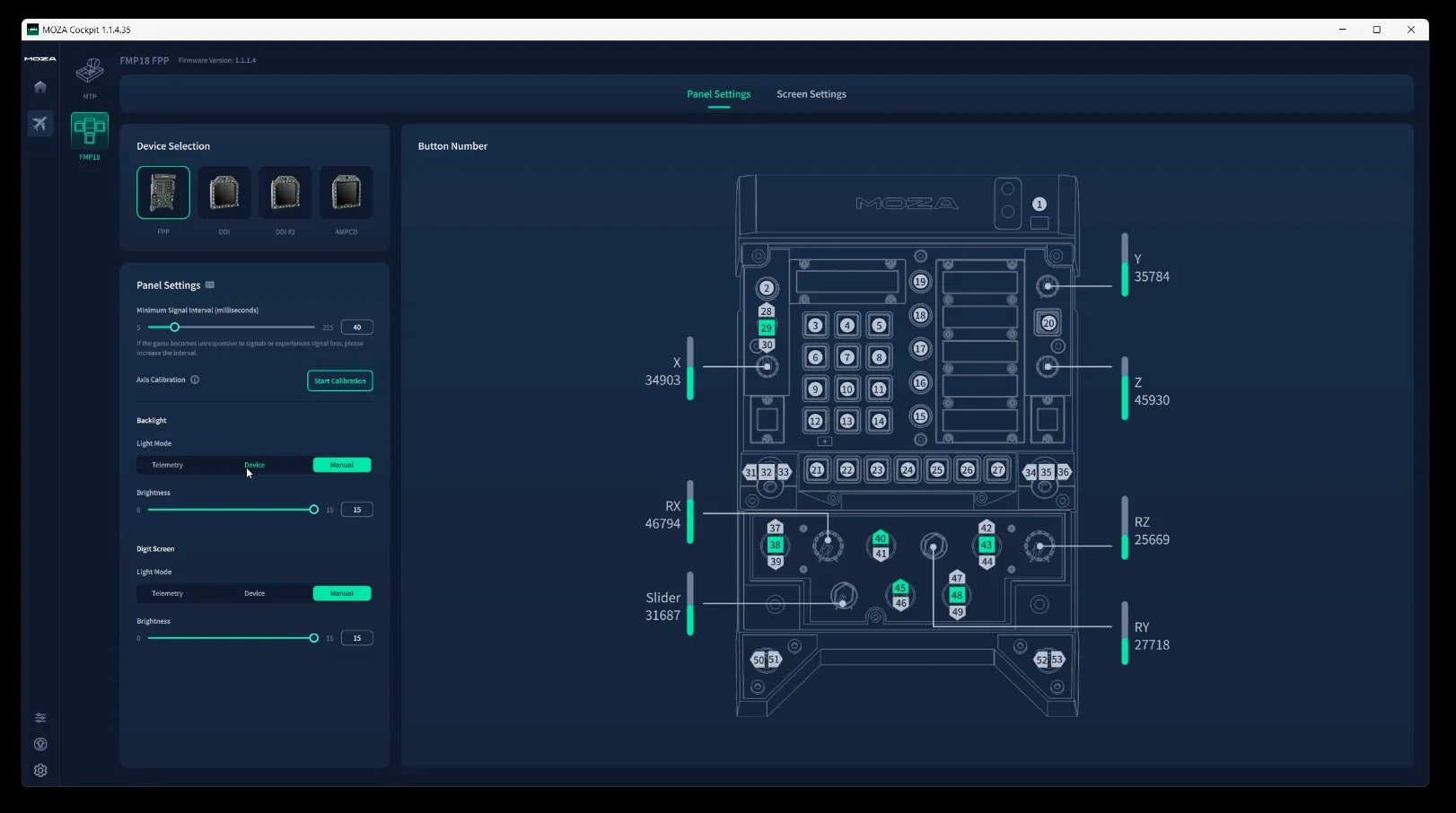
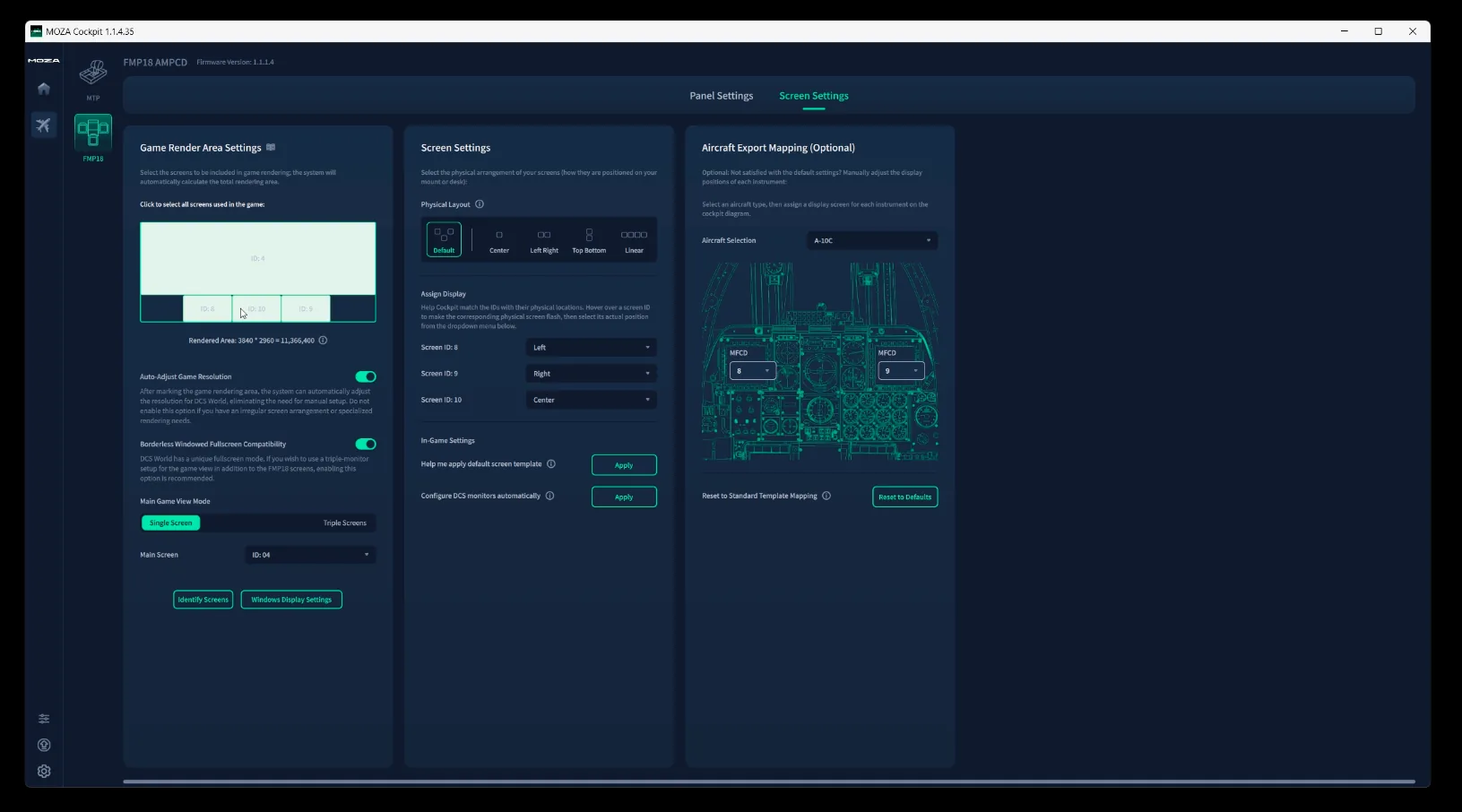
Software setup with the FMP18 is generally straightforward. The displays appear in Windows as separate monitors, and getting the hardware recognised did not present any major problems during testing.
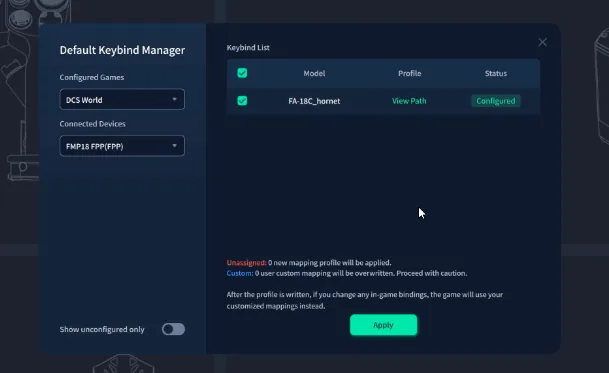
The area that could be clearer is control configuration. Key-binding options feel more hidden away than I would like, particularly when first working through the setup. Once configured, however, the availability of several aircraft presets is useful and makes it easier to repurpose the hardware beyond a single Hornet configuration.
That flexibility is helped considerably by the removable bezels and standard Windows display behaviour. The panels are clearly designed around the F/A-18, but the underlying screens are not locked to it. Compatible exported displays from other aircraft can be moved onto the panels, and the monitors can also be used outside DCS in other simulators such as Microsoft Flight Simulator or X-Plane.
FLYING EXPERIENCE
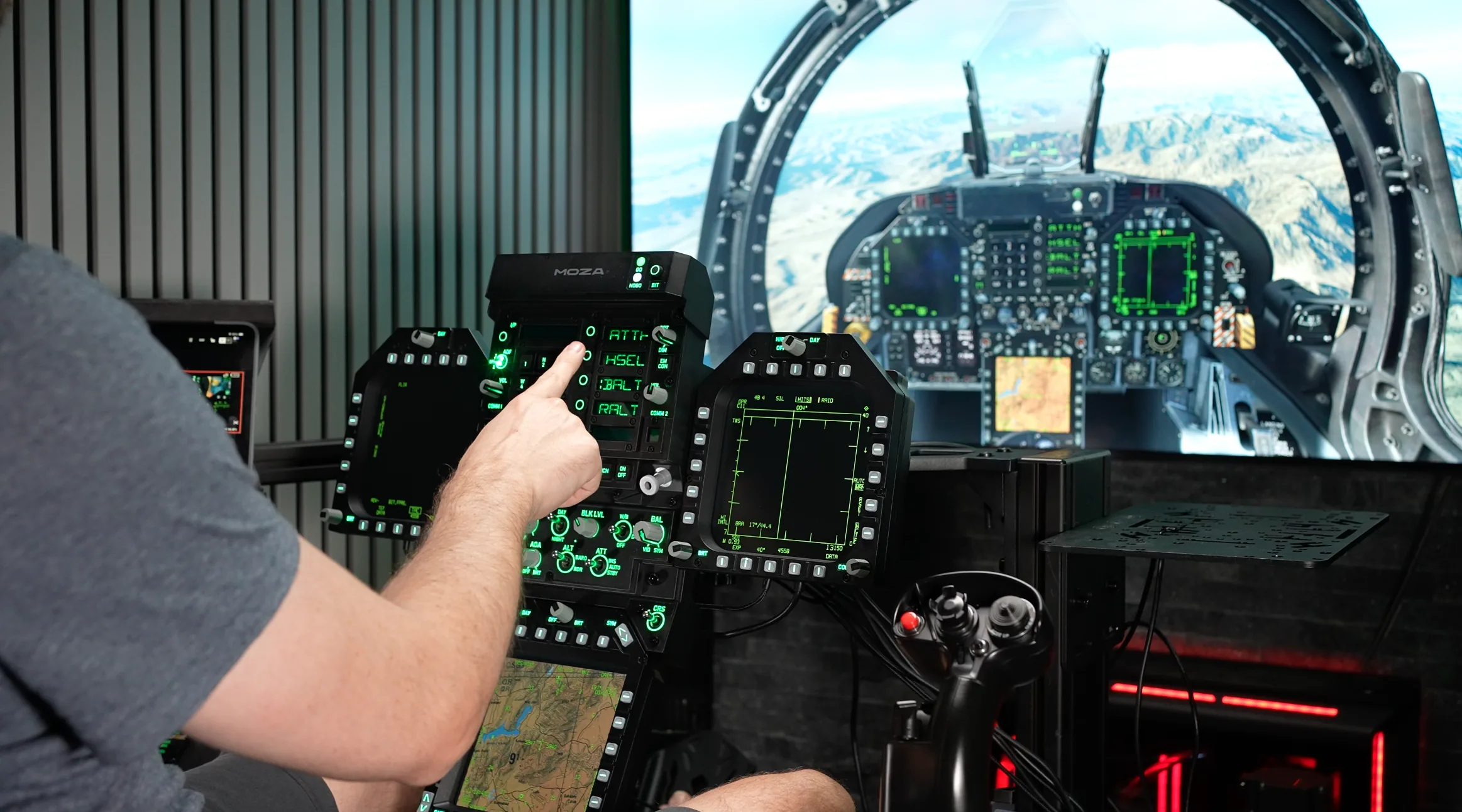
Flying with dedicated cockpit panels like these can be transformative. If you are not using VR, having physical screens and controls for systems that are central to operating the Hornet adds enormously to immersion and removes a lot of the friction involved in manipulating the virtual cockpit with a mouse.
The benefit is particularly obvious when working with systems such as the targeting pod. Searching for a concealed vehicle, managing sensor pages and then setting up a GBU attack becomes far more engaging when the relevant controls are under your fingers rather than behind a mouse cursor. The line-select keys on the FMP18 are especially satisfying to use, with the firm rubber providing a clear and unmistakable response each time a button is pressed.
The rotary knobs still carry the slight rubbing mentioned earlier, but once there is even a modest amount of engine and cockpit noise it becomes virtually impossible to hear. In practical flying, the issue becomes more of a tactile refinement than something that interferes with operation.
The same is true of the small amount of movement around the outer displays. It is visible when deliberately looking for it, but not severe enough to compromise normal button presses. The table mount also held up very well throughout testing, remaining firmly locked at the chosen angle without sagging or drooping over time.
Because Windows recognises the three screens as standard external monitors, the FMP18 is not limited to displaying Hornet pages. That opens the door to exporting compatible displays from other aircraft or even using the screens in a different simulator. MOZA’s easy-to-remove magnetic bezels make that flexibility particularly useful: after enough unsuccessful Hornet sorties, it is very easy to pop the frames off and use the displays for something else.
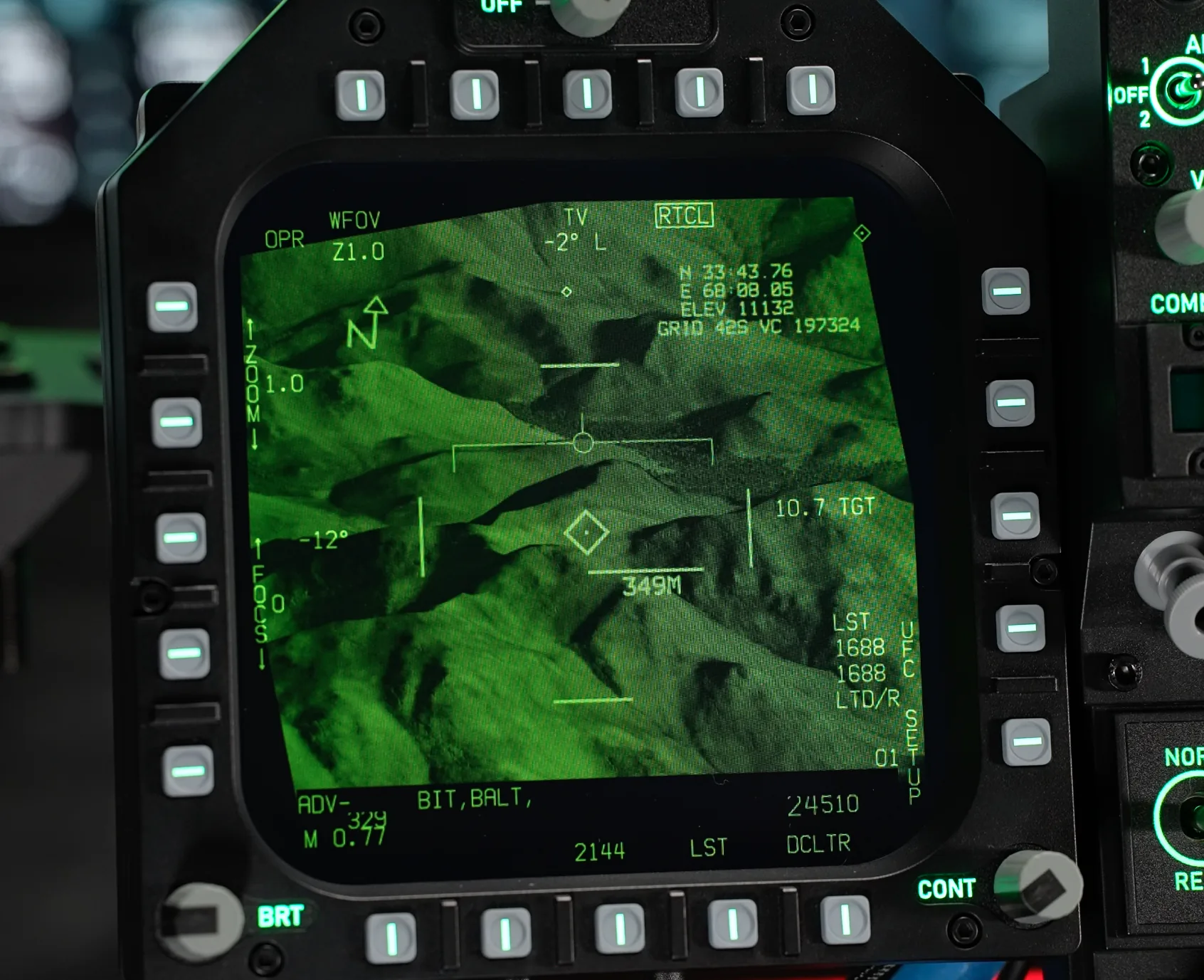
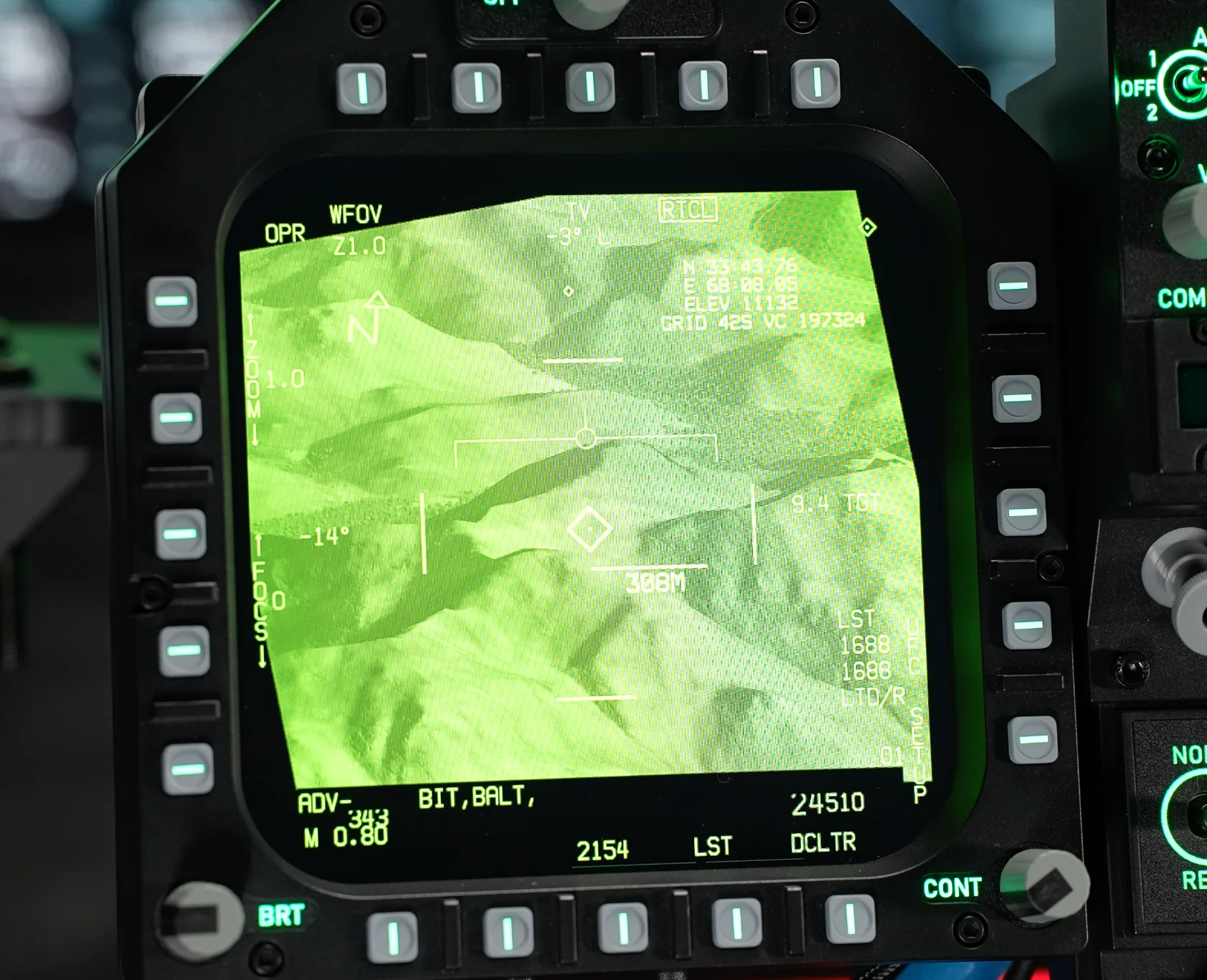
One challenge that affects hardware like this is the relatively dull appearance of DCS exported displays. Fine details can be difficult to pick out, especially when using sensors such as the targeting pod. Each MOZA display has its own physical brightness controls, but even at maximum brightness the exported image can still look subdued.
Importantly, this does not appear to be a specific weakness of the FMP18. I see the same behaviour on the WINCTRL displays, pointing to the way DCS handles exported displays rather than a limitation unique to either piece of hardware. We have a separate tutorial on boostedmedia.net/flight showing how ReShade can be used to increase the apparent brightness and contrast of exported displays. The difference can be substantial, although as with any third-party modification, install and use it at your own risk.