The Little Throttle That Could
If you’ve ever wished for a throttle setup that can jump from cruising at FL380 in an airliner to yanking high-G turns in a fighter jet, MOZA’s MTQ Throttle Quadrant might be the versatile all-rounder you’re looking for. Compact, modular, feature-packed, and surprisingly capable, it aims to punch well above its tiny footprint. Let’s take a deep dive into what this small but ambitious unit brings to the cockpit.Have our MOZA reviews helped you decide what the best sim racing gear is for you?

Please consider using the links on this page to make your purchase.
By doing so you’ll be supporting Boosted Media at no additional cost to you! This option is available for a huge range of Sim Racing gear.


Pricing
Before falling in love, let’s see what the damage is to the ol’ hip pocket.
- MTQ Throttle Unit (with fighter-style handles):
$369 AUD / $199 USD - Optional TQA & TQB Handle Sets (Airbus & Boeing):
$73 AUD / $39 USD each
Even with all modules added, the MTQ still sits well below the price of many full-size throttle systems—though you’ll soon see where those savings show up.
What’s in the Box
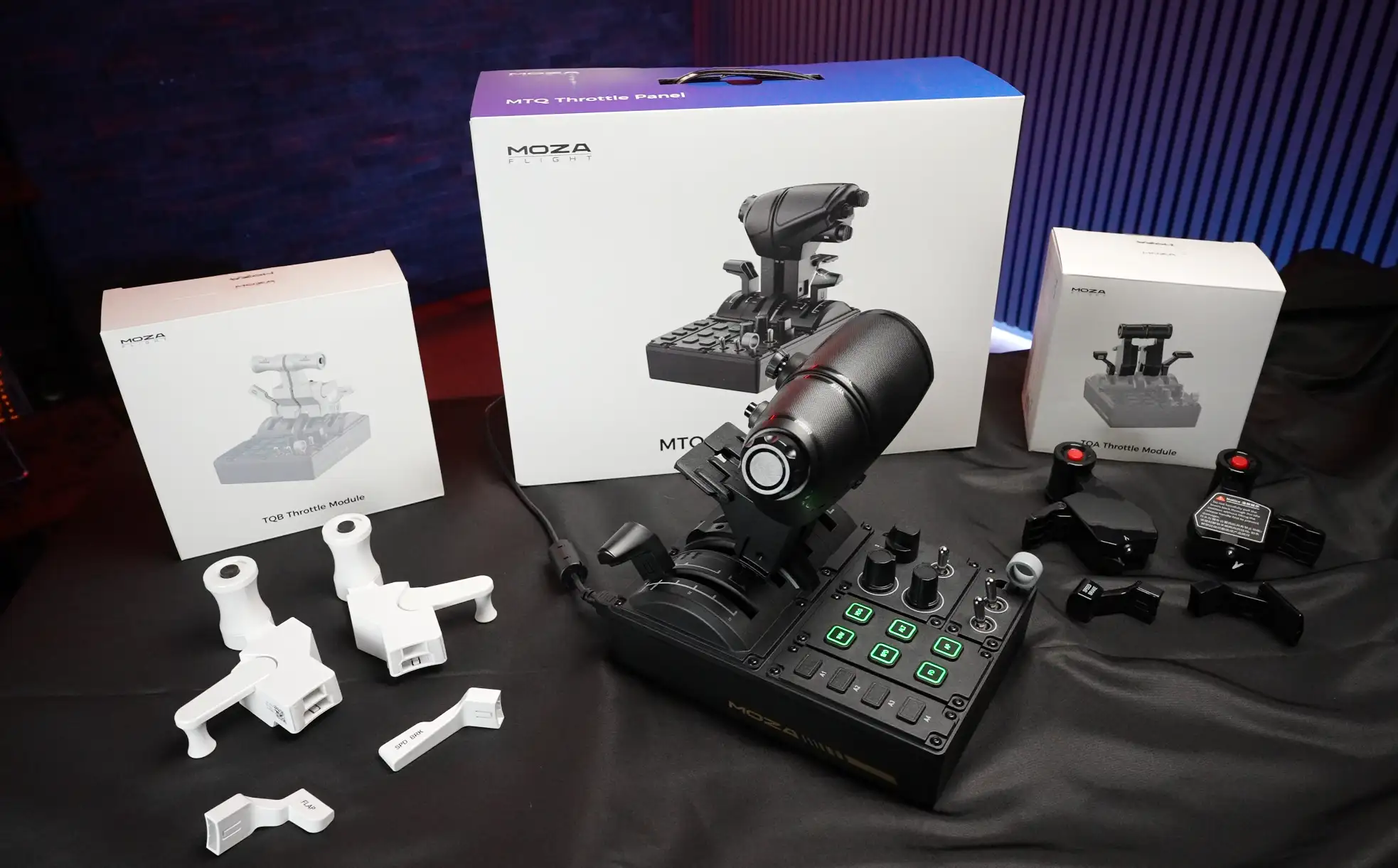
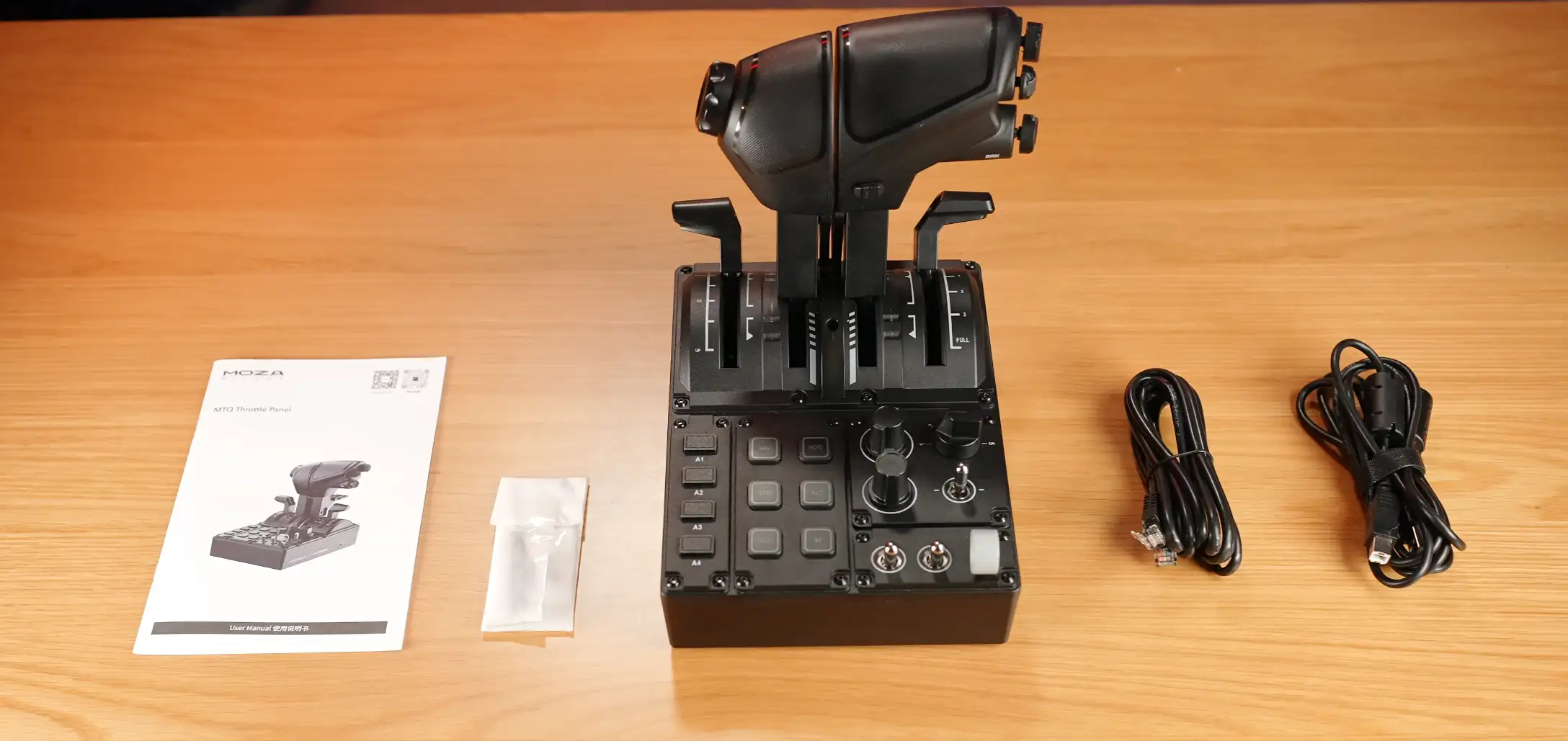
Inside the box, you’ll find:
- 1.8m USB-A to USB-B cable
- Colour manual (connectivity basics, mounting dimensions, and software overview)
- Accessory bag containing:
- A small Philips screwdriver
- Hex key for axis tension adjustments
- Screws for securing the combat-style handles
And of course, the throttle unit itself. For its class, it’s small:
- Length: 198 mm (7.8″)
- Width: 166 mm (6.54″)
- Height: 216 mm (8.5″)
- Weight: Just over 1.2 kg (2.65 lb)
Build & Design
Compact, Functional, Plastic
The MTQ is an all-plastic construction, unlike MOZA’s higher-tier MTP throttle (which features a decorative metal top plate). Instead, you get a clean plastic shell with a printed MOZA logo—nothing flashy, but tidy enough.
Around the back you’ll find the familiar USB-B port and RJ11 daisy-chain port, now appearing across MOZA’s flight ecosystem. This lets you connect multiple MOZA devices through a hub instead of gobbling up USB ports.
Underneath are soft rubber feet plus mounting points for cockpit installation. Flip it back over and the top starts to get busy.
Axes, Detents & Controls
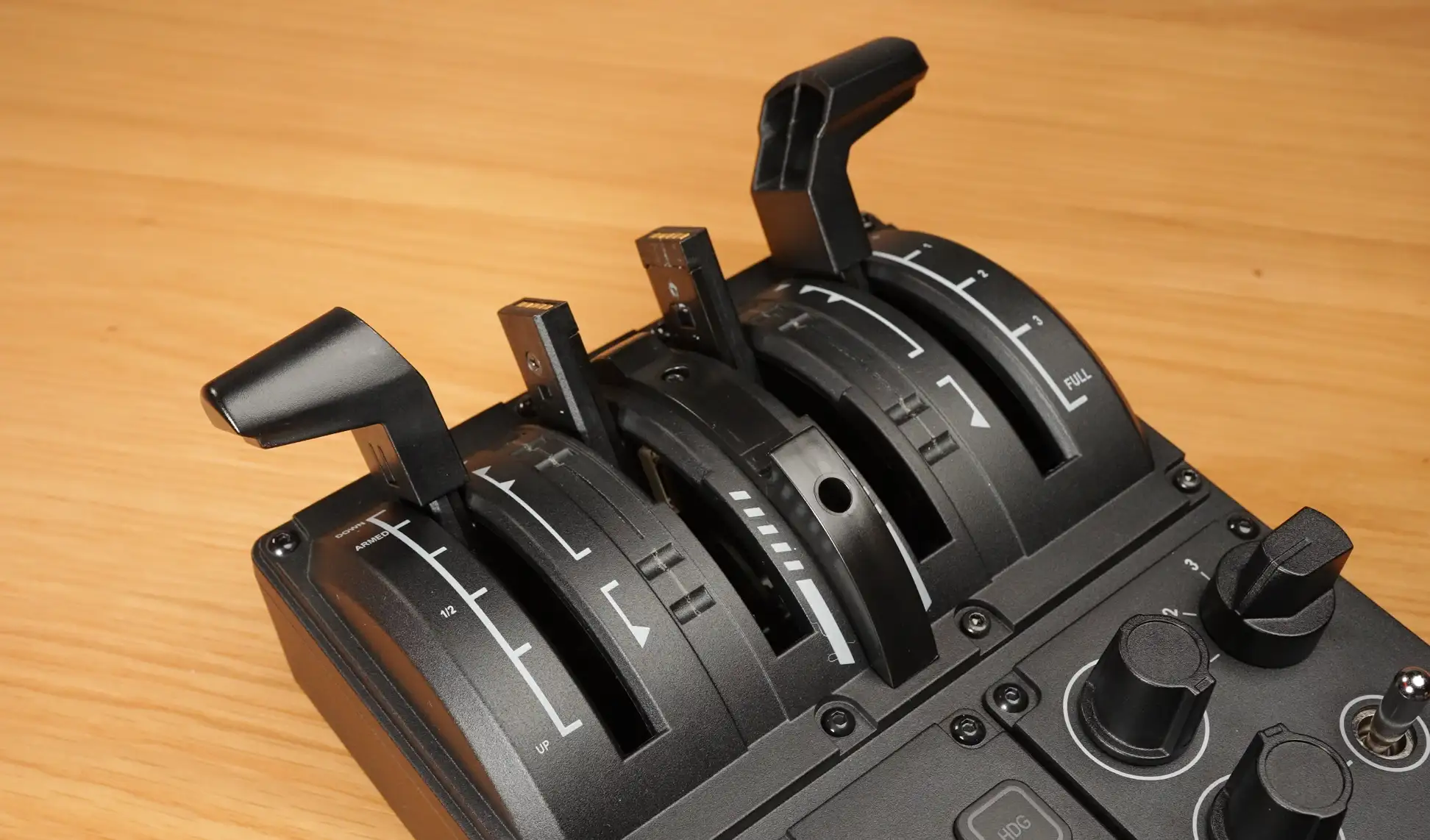
Across the top you’ll see four axes laid out in a traditional twin-engine style:
- Left: Speedbrake/Spoilers (with arm detent)
- Middle: Engine 1 & Engine 2
- Right: Flaps (with multiple Airbus-style detents)
These detents are hardware-built and cannot be removed—a pro for Airbus simmers, and a potential con for everyone else.
A removable afterburner / finger-lift bracket sits above the throttle levers, held in place with the included screwdriver.
You’ll also notice notches for Airbus-style thrust positions: IDLE, CL, FLEX/MCT, TOGA. They work—but the plastic-on-plastic contact does leave visible wear marks over time.
Buttons & Switches — Busy, Compact, Functional
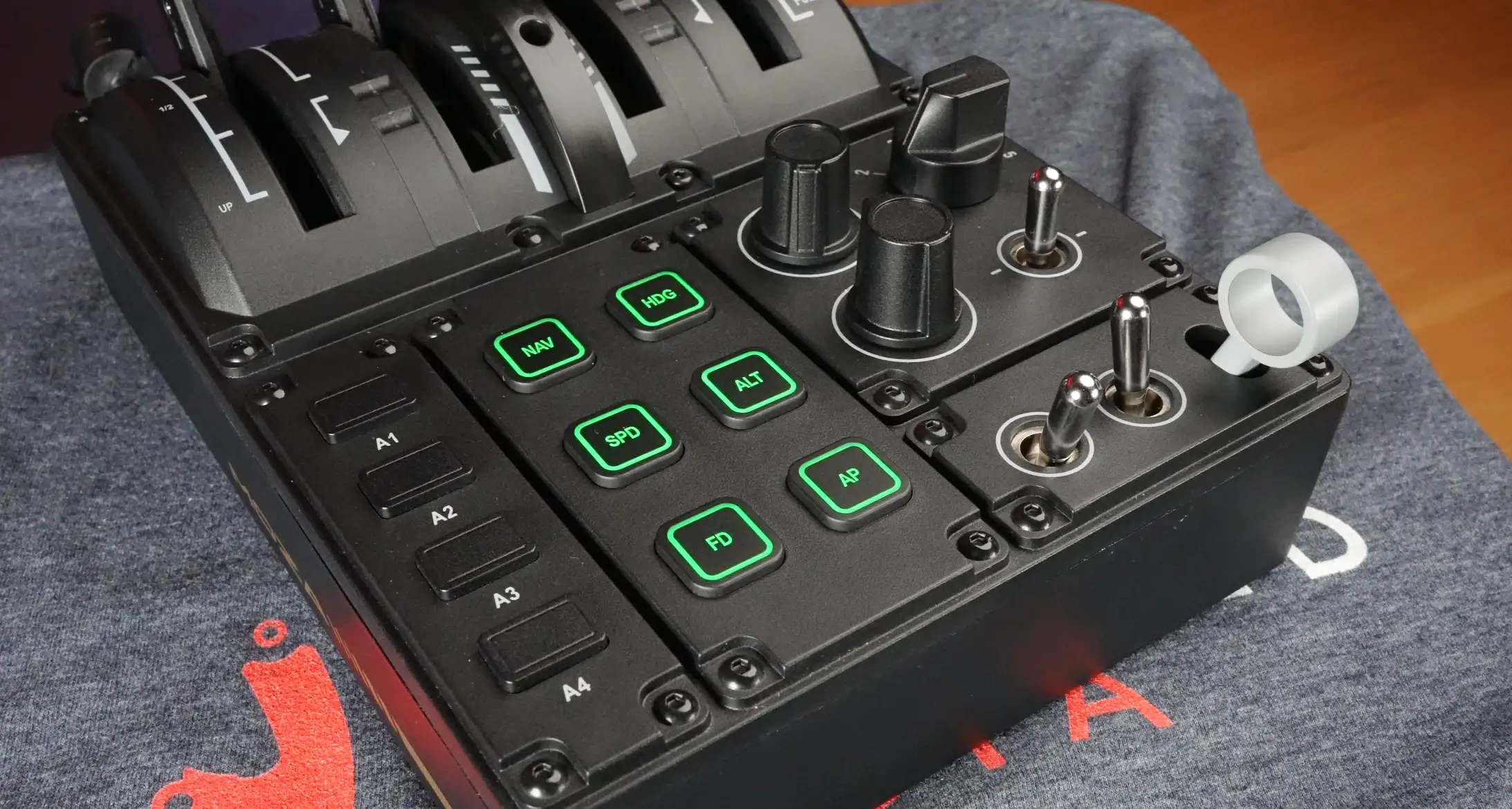
The bottom half of the top panel packs in a surprising amount of functionality:
- 4 non-lit push buttons
- 6 RGB-backlit autopilot buttons
- Endless dual rotaries with center push (functional but tight spacing—bigger fingers beware)
- 5-position Boeing-style autobrake knob
- Self-centering 3-position switch
- Two 2-position toggles
- The tiniest gear handle you’ve ever seen
Overall, it’s functional and laid out logically—but undeniably compact. At times, too compact.
Combat-Style Handles (Included)
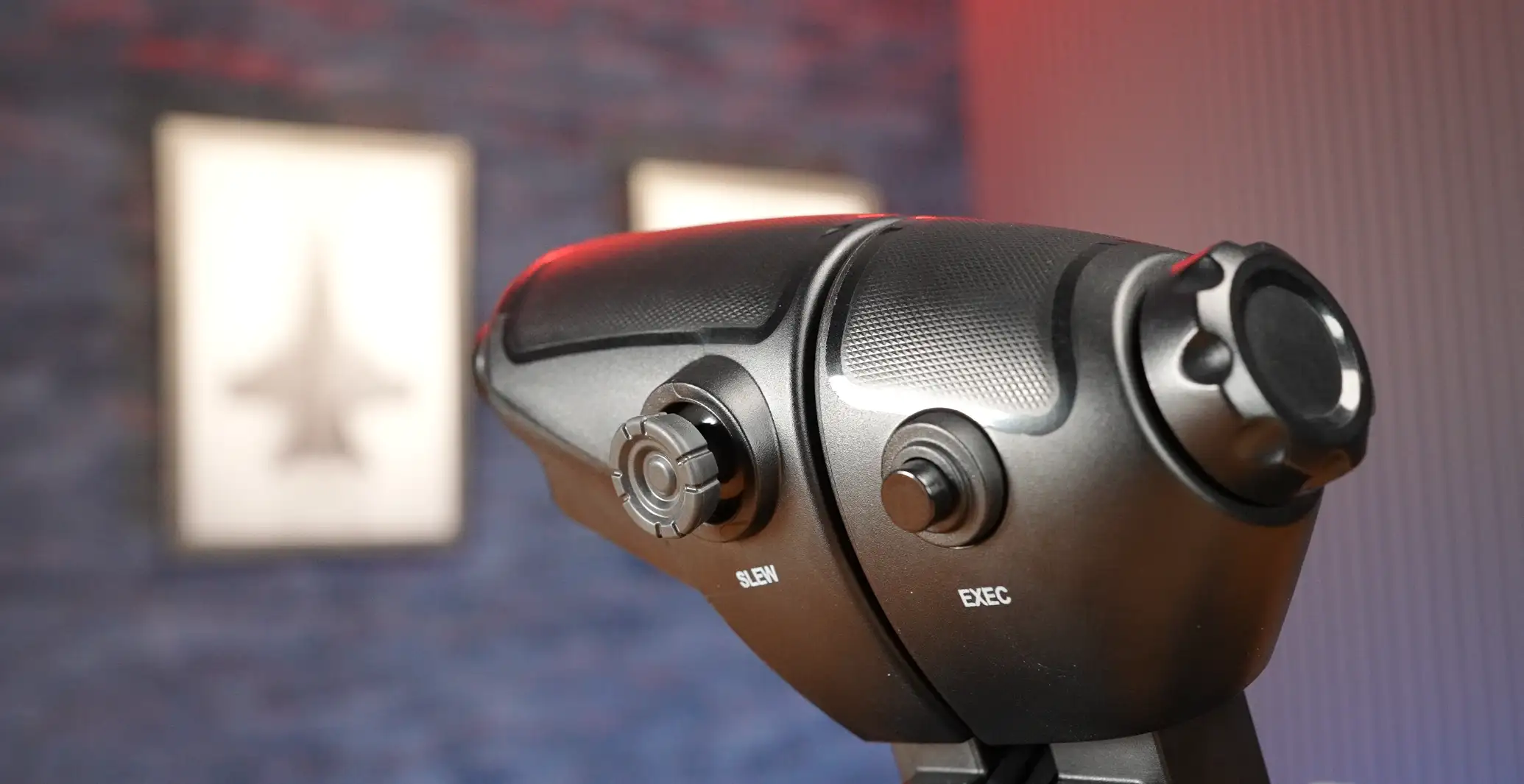
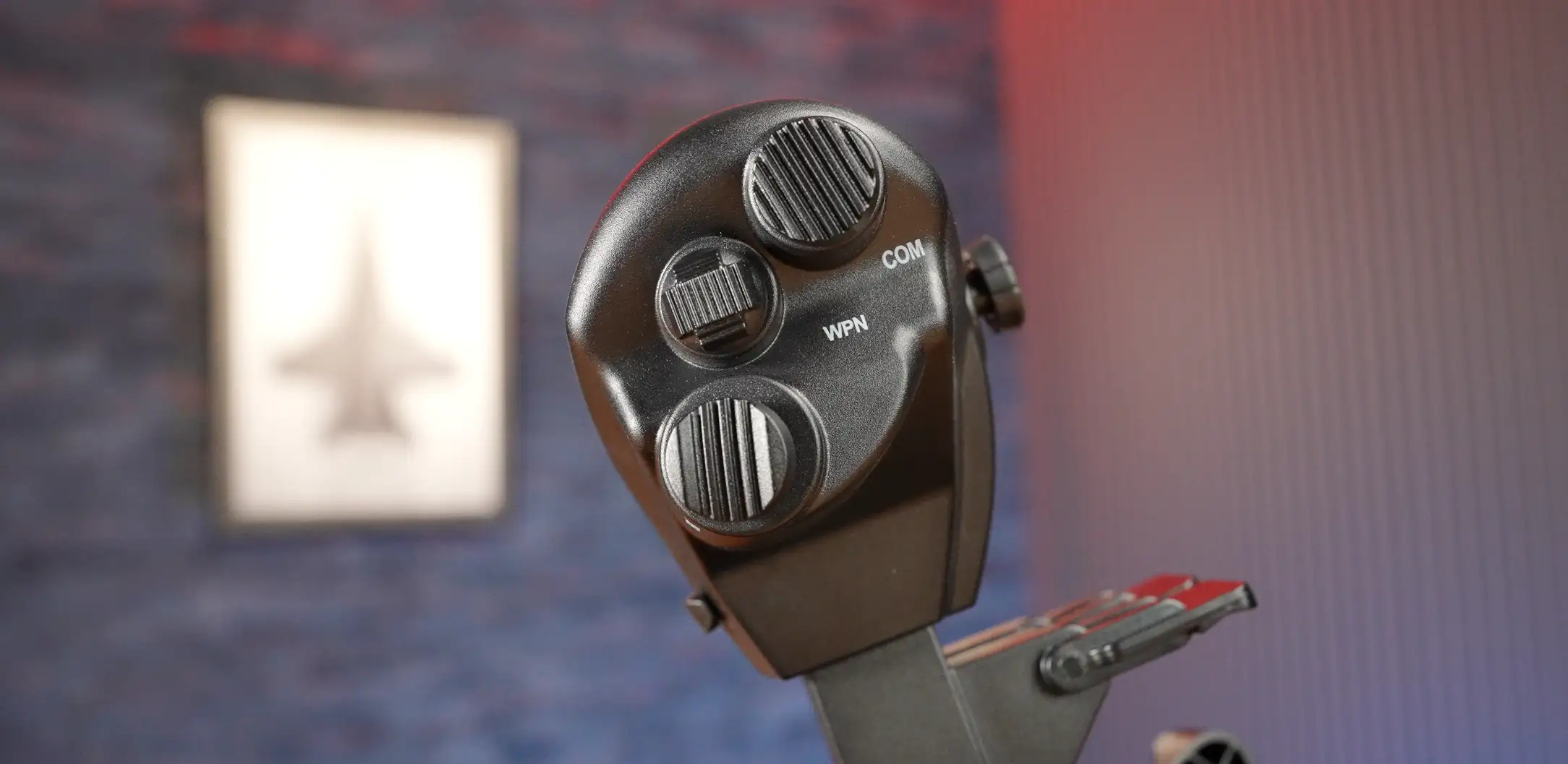
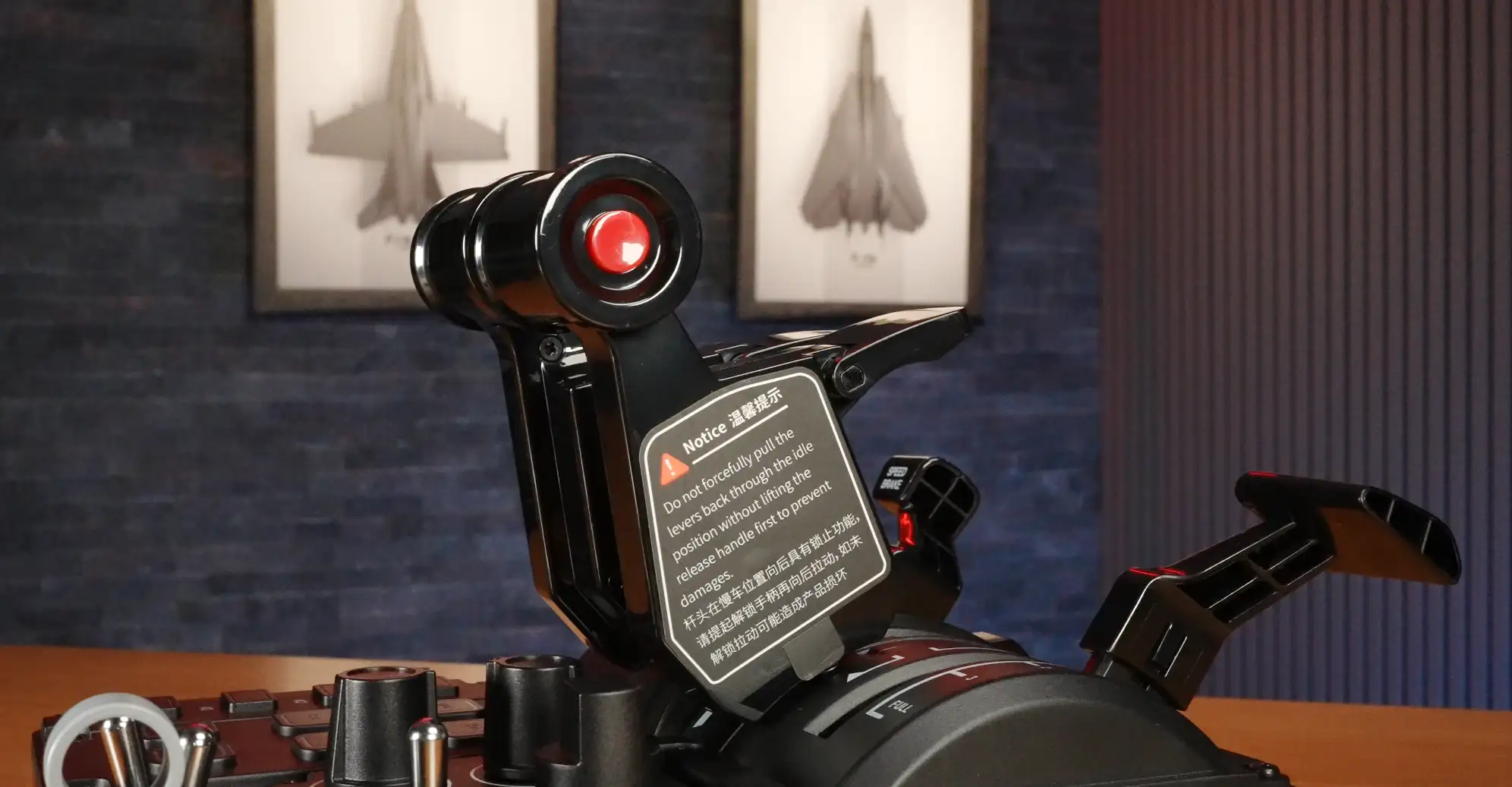
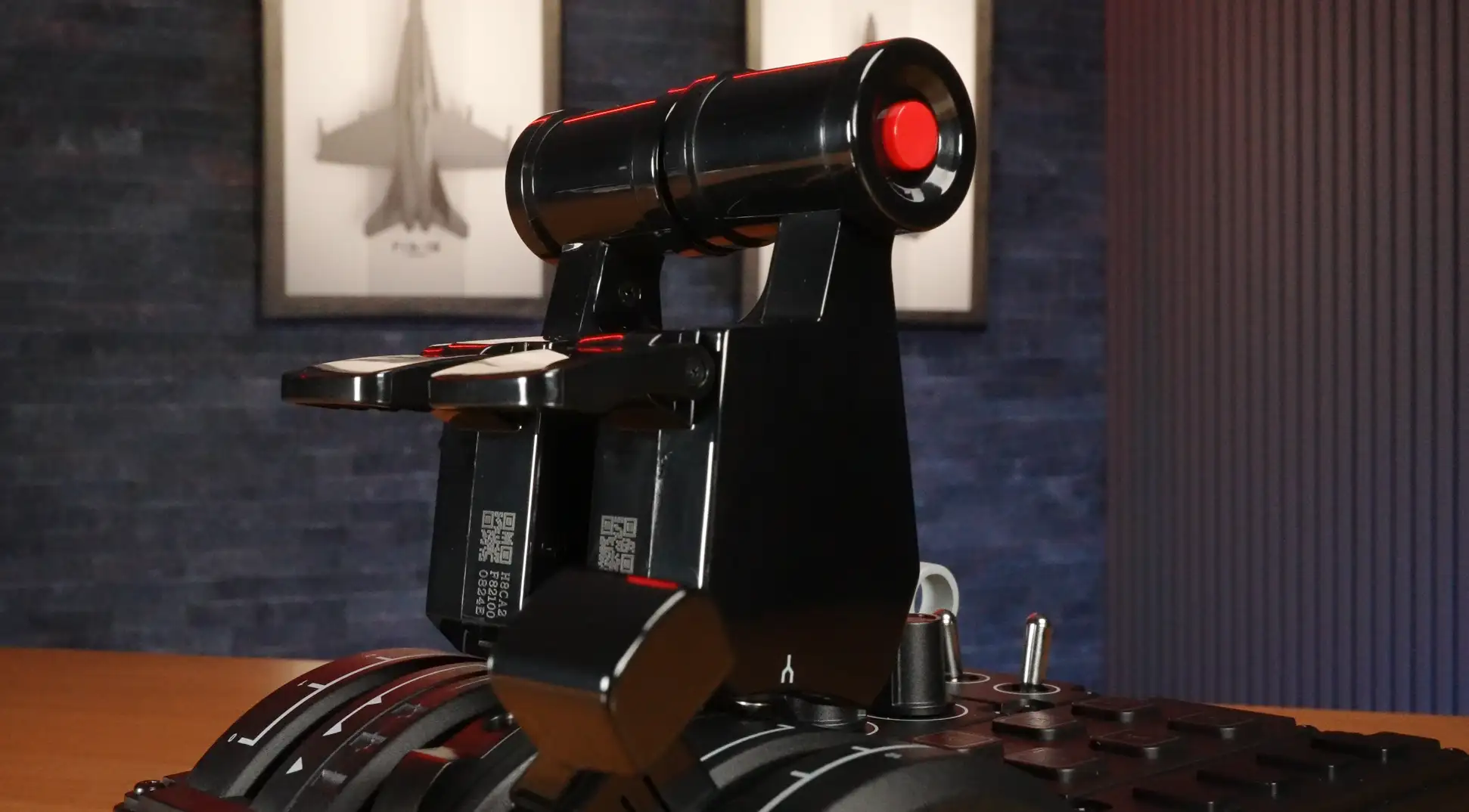
The MTQ ships with military-style throttle grips featuring:
- Finger-lift mechanism for engine cutoff
- Endless rotary on the tip
- Push button under your index/rude finger
- Mini-stick with pushbutton
- Two 4-way hats, each with center-push
- F/A-18-style speedbrake switch (spring-loaded return to centre)
- Handle-lock for dual-lever operation
They feel serviceable, functional, and surprisingly capable—but noticeably less premium than the MTP throttle handles. Given the price difference, that’s completely expected.
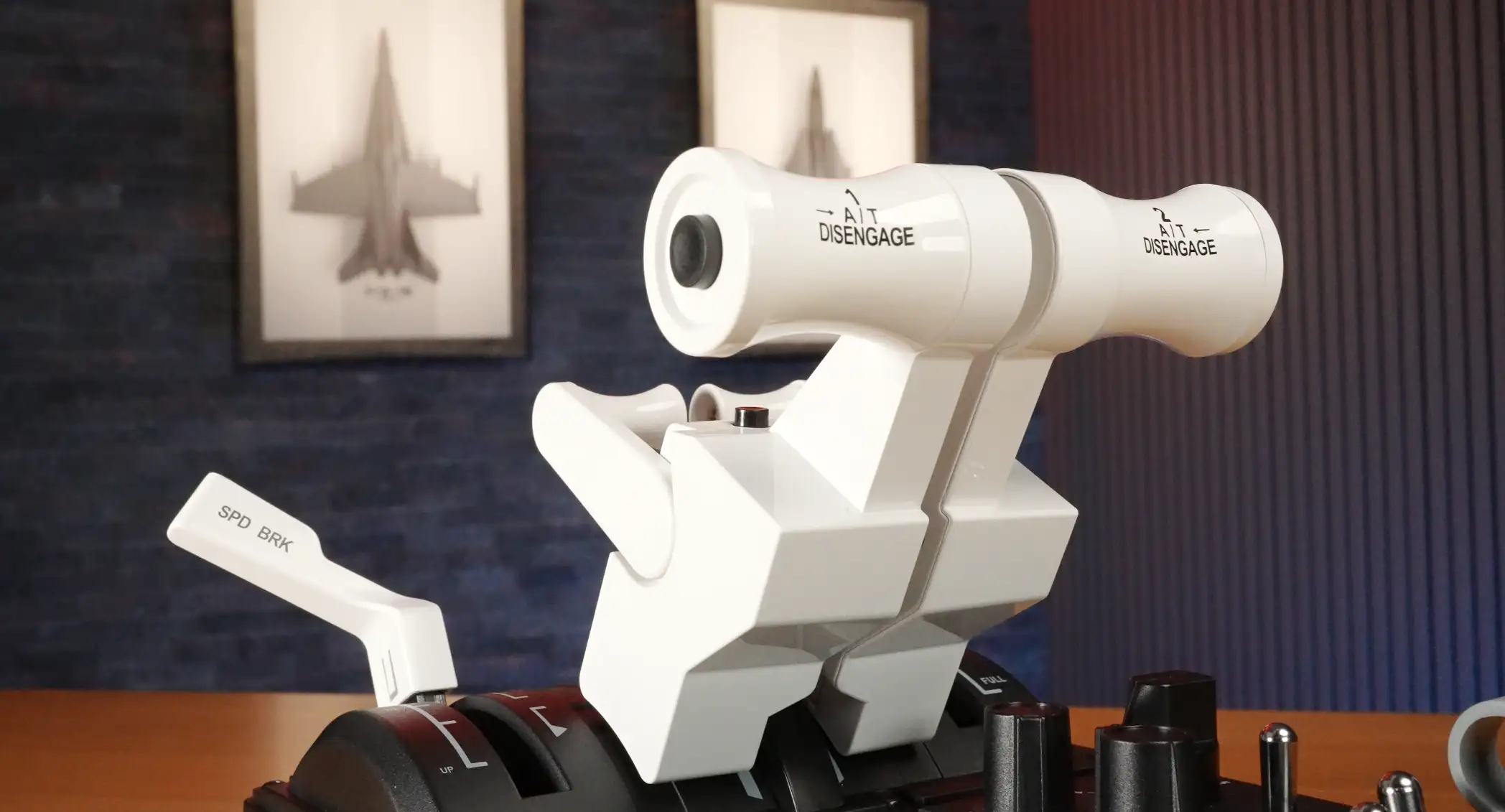
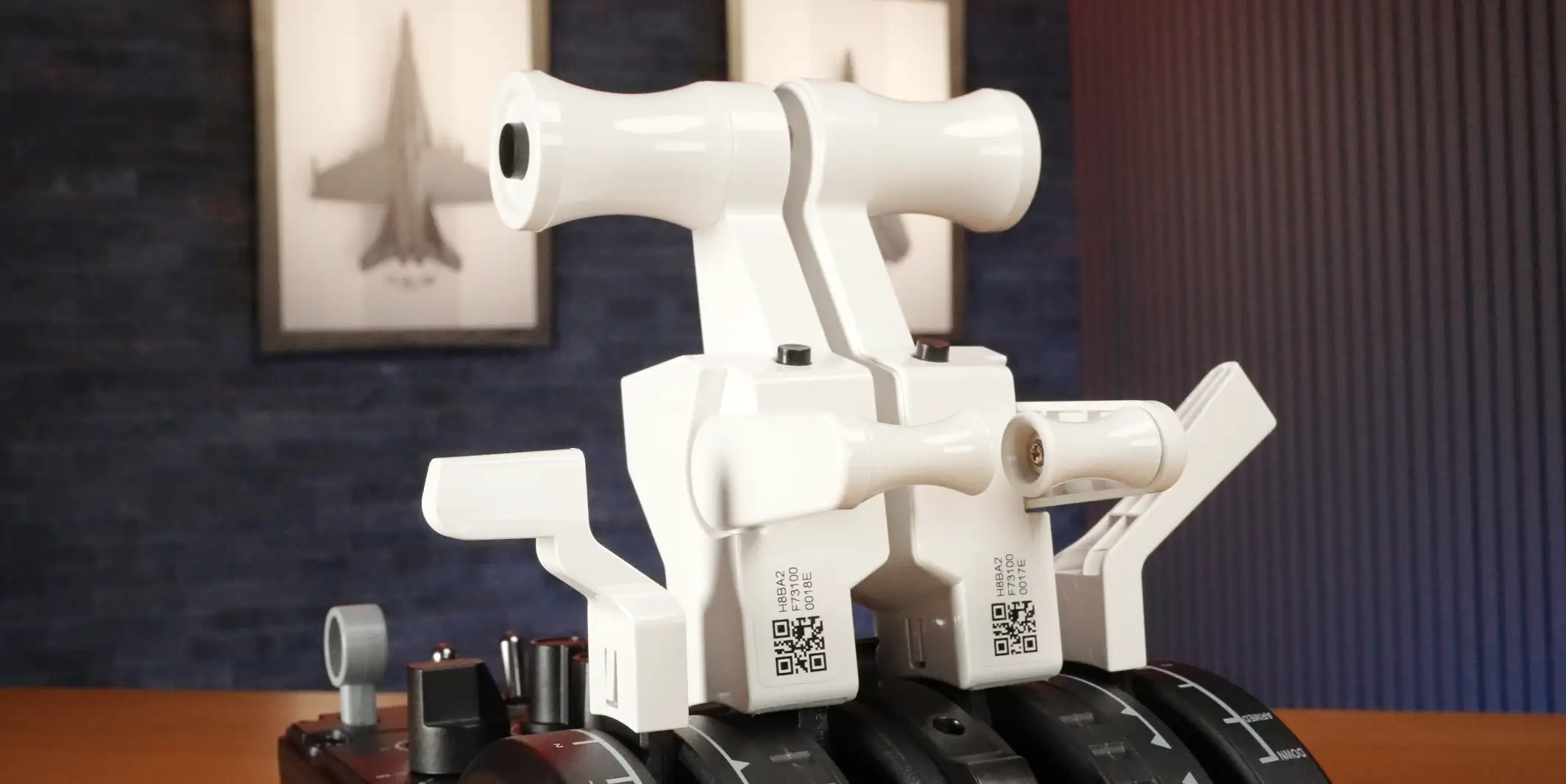
TQB Boeing-Inspired Handles
The optional Boeing kit includes:
- Left & right throttle handles
- Spoiler handle
- Flap handle
The white-on-black look is extremely striking—Stormtrooper-flies-a-737 energy.
Each throttle handle features:
- A/T disconnect
- TOGA button
- Reverse thrust paddle (button-based, not axis-based)
The flap handle is where things get… interesting. Because the MTQ’s flap axis only has five hardware detents, matching a 737’s nine flap positions is tricky. You end up relying on partial detents, careful placement, and some luck on final approach.
TQA Airbus-Inspired Handles
The Airbus kit transforms the MTQ into a very capable A320-style throttle.
The piano black finish looks great until you touch it—then it looks like a crime scene of fingerprints. Still, build quality is solid.
The detents for IDLE, CL, MCT/FLEX, TOGA feel excellent and very Airbus-authentic thanks to a spring-loaded metal nipple under each handle.
Reverse thrust works beautifully here:
- Pull back to IDLE
- Raise the finger lift
- Engage idle reverse
- Keep pulling to modulate reverse thrust with full axis control
This is a big win over the Boeing configuration, where reverse is simply a button.
Flaps? Perfect. The MTQ’s baked-in Airbus detents finally feel “at home” here.
Software
Mature, Clean, Familiar
MOZA’s flight software continues to evolve, adopting the same clean layout and design language as their racing ecosystem.
Inside the MTQ configuration page you’ll find:
Calibration
- Mini-stick calibration
- Engine 1 & 2 axis calibration (Neither were required out of the box.)
Detent Configuration
- Adjust idle/afterburner locations
- Set virtual button activation points
- Fine-tune afterburner gates for DCS

Flap & Speedbrake Modes
Each axis can operate in:
- Button Mode
- Axis-Only Mode
- Mixed Mode (the best of both worlds)
RGB Lighting
- Telemetry-based lighting (continually expanding options)
- Physical lever-state lighting
- Manual RGB with brightness control
- Effects such as flash or breathing
Device Status Panel
Live readouts for axes, toggles, buttons—great for troubleshooting.
Overall, the software is a major strength of the MOZA ecosystem.

Flying the MTQ
Combat (DCS)
In fighters like the F/A-18, the MTQ feels smooth, precise, and very usable.
You will miss a few of the extra buttons from the pricier MTP throttle—particularly in helicopters like the Apache, where you crave controls everywhere—but in jets, the MTQ keeps you in the fight.
Airbus (MSFS — Fenix A320)
This is where the MTQ truly shines.
- Fantastic detent feel
- Perfect flap detents
- Reverse thrust axis control
- Robust, comfortable handles
The spoiler arm detent didn’t behave quite how I expected (or I couldn’t work it out), but everything else worked beautifully.
Boeing (Boeing 737 MAX / MSFS 2024)
A few quirks arise:
- Tall handles = long throw (not bad, just noticeable)
- Spoiler detent again a little unintuitive
- Flap axis is the weakest point
- It tends to “drop” into detents
- Hard to reliably select Flaps 5 vs 10
- Airbus detents simply don’t translate well to Boeing flap logic
Visually though? Chef’s kiss.

Sim RACING
Discount Codes
Overall Rating: 7/10
Versatile, Capable, With a Clear Favourite Configuration
If you’re mostly an Airbus simmer, the MTQ offers excellent feel, excellent detents, and genuinely immersive reverse-thrust operation. If you bounce between airliners and fighters, it gives you the flexibility to do both without buying two separate throttle systems. If you’re hardcore Boeing-only, you can make it work—but you’ll be fighting those flap detents more often than you’d like.
A mixed bag? Sure. A unique, affordable, surprisingly capable throttle for its size? Absolutely.
Pros
- Compact & modular
- Smooth, precise axes
- Very good Airbus detent feel
- Surprisingly capable combat setup
- Great lighting & impressive software
- Versatile: one base → three throttle identities
Cons
- The whole unit feels about 20% too small
- Tight spacing around dual rotaries
- The world’s tiniest gear handle (my pinky is still scared)
- Purely Airbus-style flap detents limit Boeing immersion
- Light weight means it can tilt and move unless secured
Related Articles

MOZA MRP Rudder Pedals Review
An Adjustable, Heavy-Duty Entry into the Flight & Combat Sim Market MOZA has been making some serious moves in the flight simulation space recently, and

MOZA MTP Throttle – Detailed Review
What is it? The MOZA MTP Throttle, inspired by carrier aircraft, delivers a realistic and immersive experience through authentic styling, finger lift throttles with a

WINWING PAP3 Autopilot Panel – Detailed Review
Ask any simmer what their biggest frustration is when flying without physical controls, and they’ll likely mention the dreaded “mouse dance”. You know the drill:

MOZA MH16 Flight Stick with Z-Axis Module – Detailed Review
What is it? The MOZA MH16 Flight stick is an aluminium alloy fighter jet inspired flight stick featuring plug and play compatibility, detachable expansion module,

Thrustmaster TCA Yoke Pack Boeing Edition – Detailed Review
What is it? The Thrustmaster TPR Pendular Rudder is a suspended high quality pendular mechanical rudder system for flight simulation. Featuring Hall Effect magnetic sensors

Thrustmaster TPR Pendular Rudder Pedals – DETAILED REVIEW
What is it? The Thrustmaster TPR Pendular Rudder is a suspended high quality pendular mechanical rudder system for flight simulation. Featuring Hall Effect magnetic sensors
MORE REVIEWS and Discounts


If these Sim Racing Reviews have helped you find the best racing simulator gear for your sim rig, please consider using the affiliate links on this website. By purchasing through these links, a small commission will come back to Boosted Media at no additional cost to you. This is how Boosted Media keeps providing content to the Sim Racing community.