What is ReShade?
ReShade is a post-processing injector of effects for video games and has been around since 2017 with a highly active community of shader and preset developers.
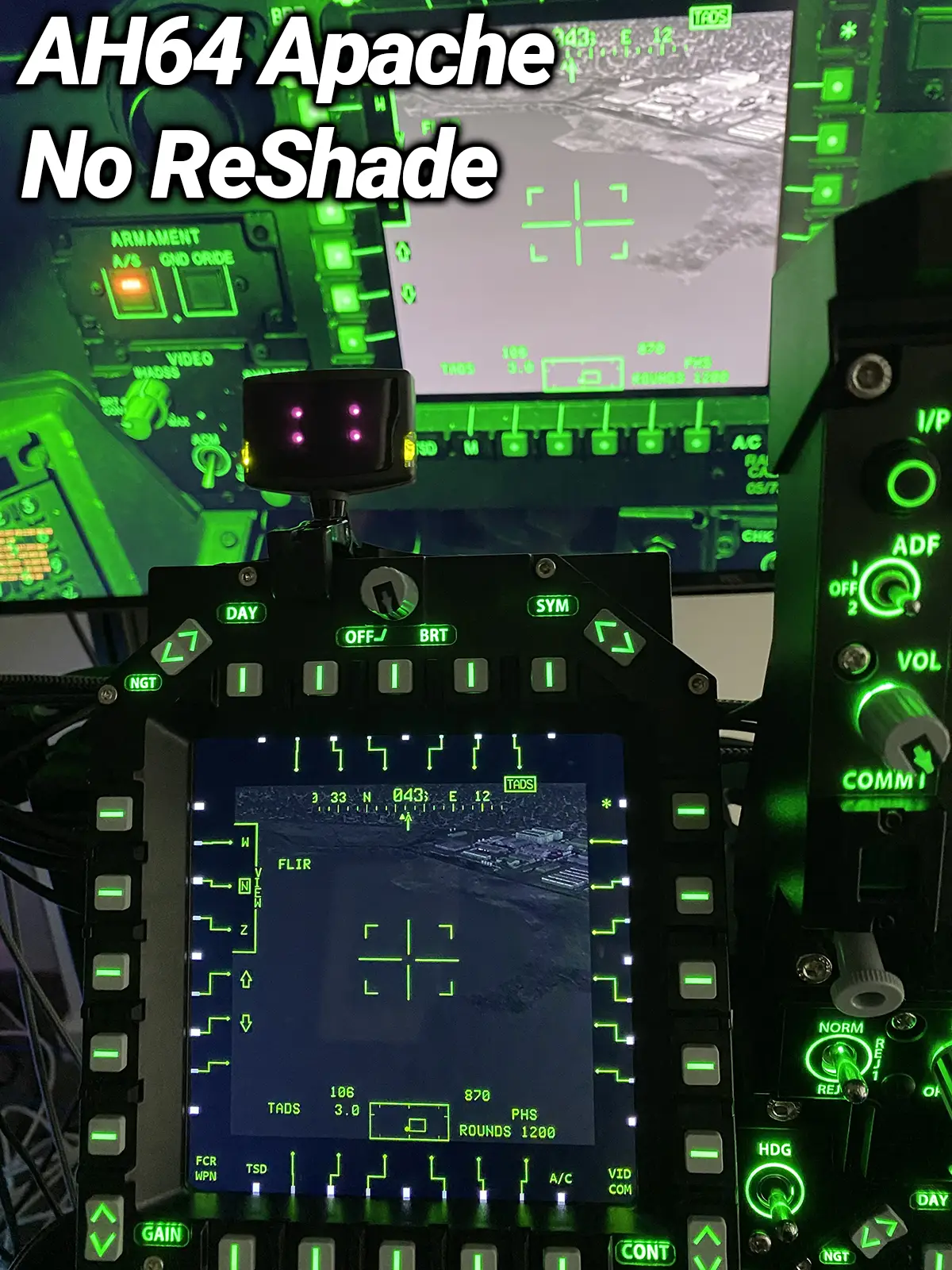
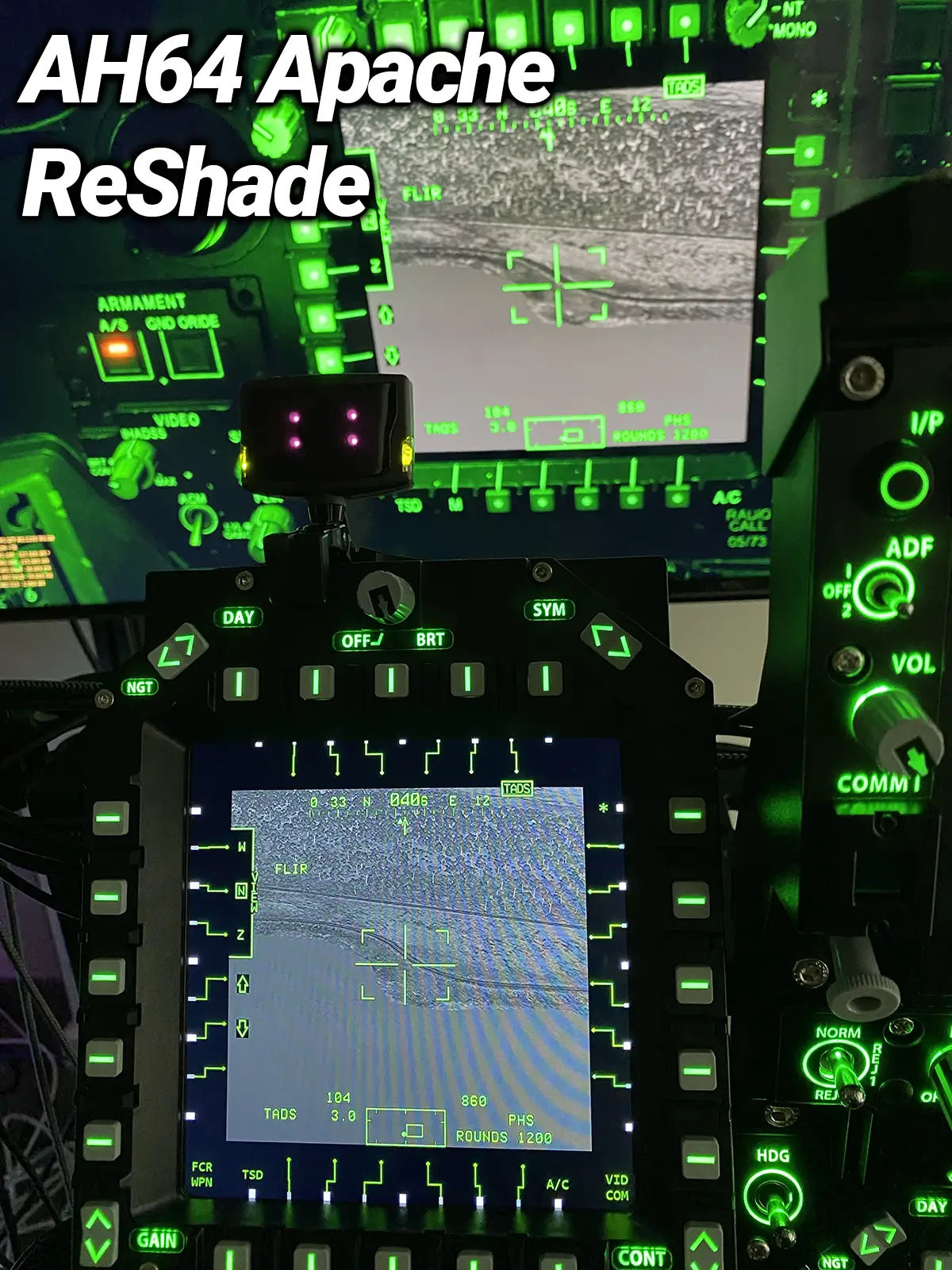
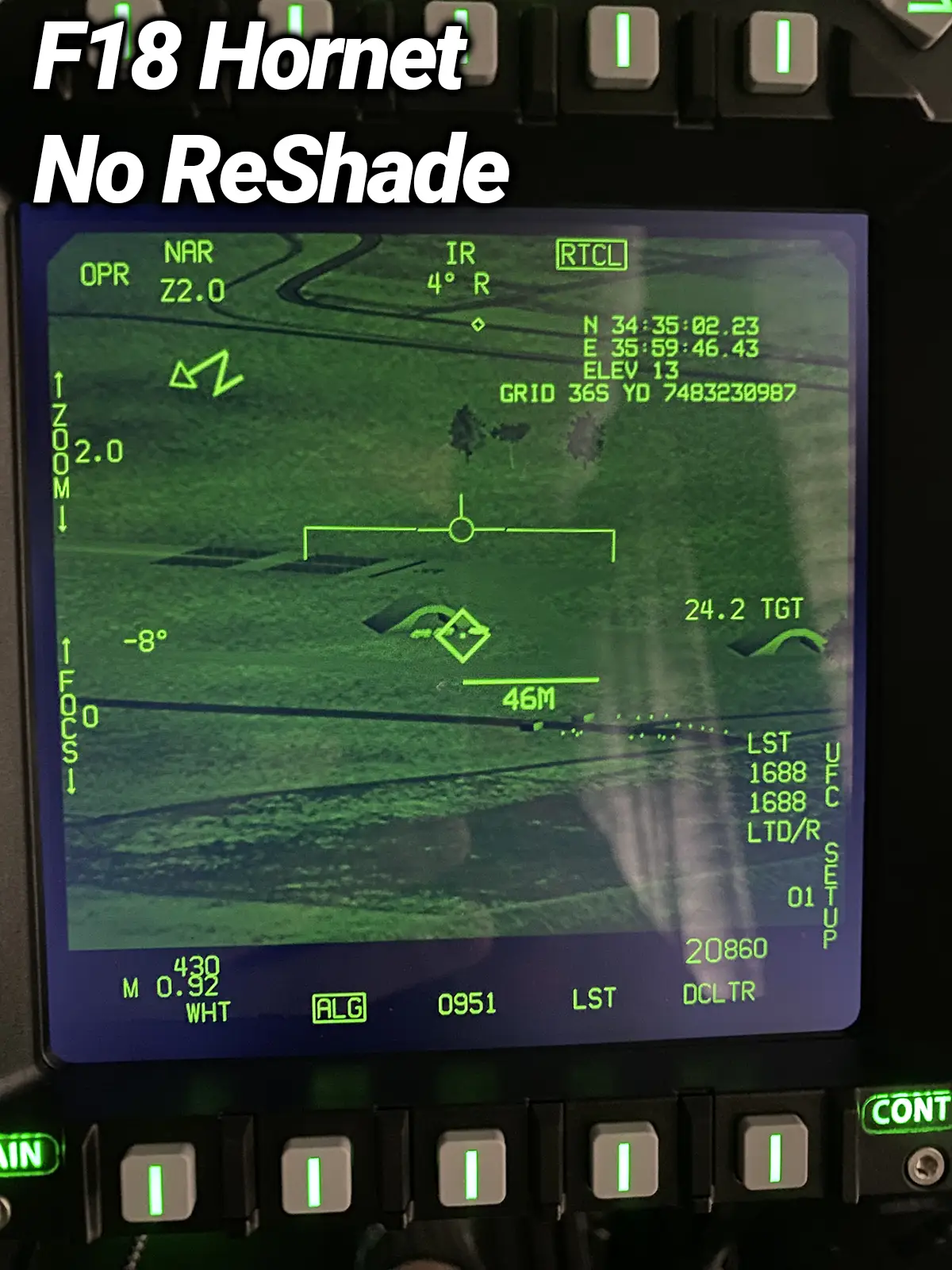
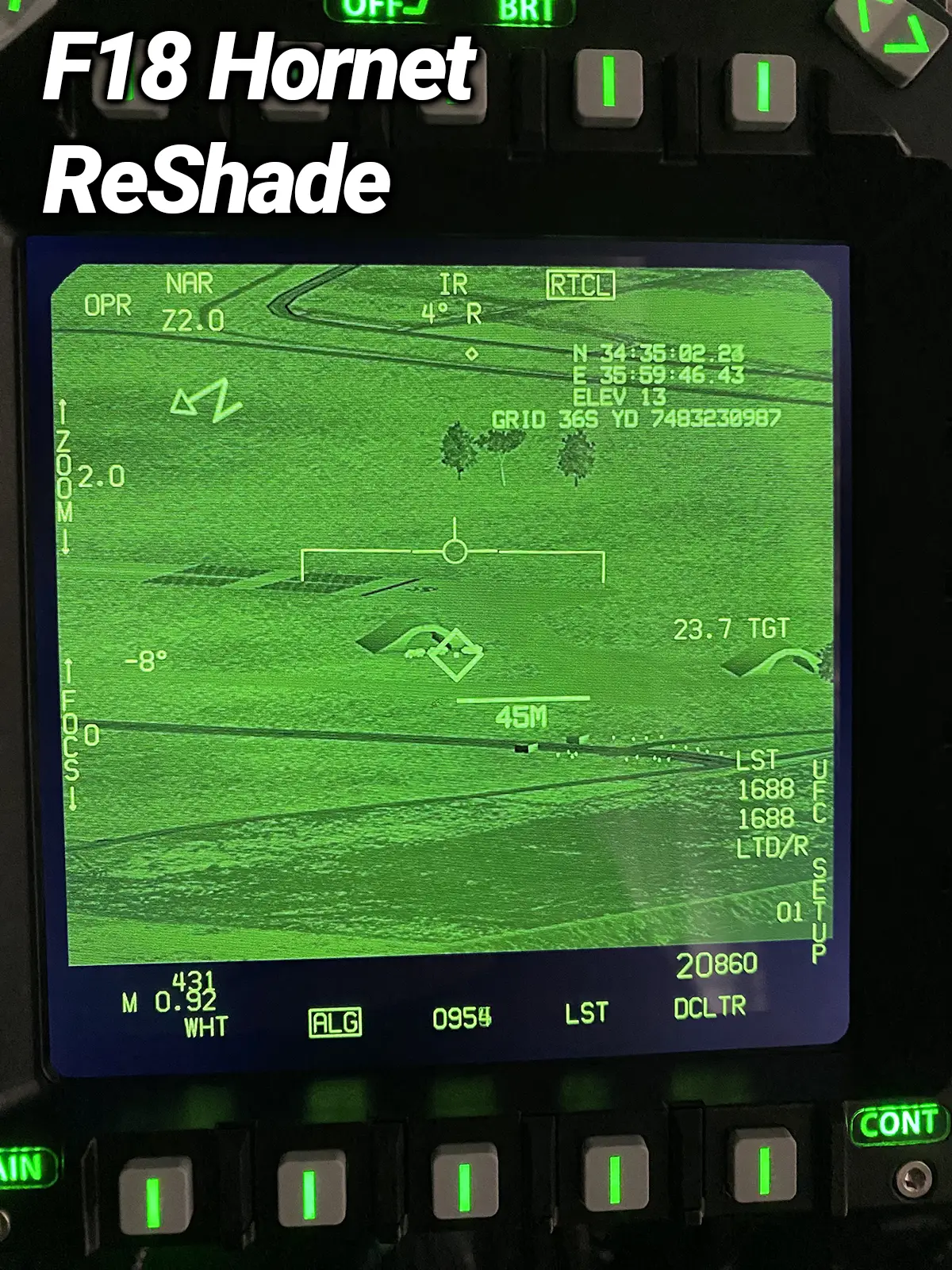
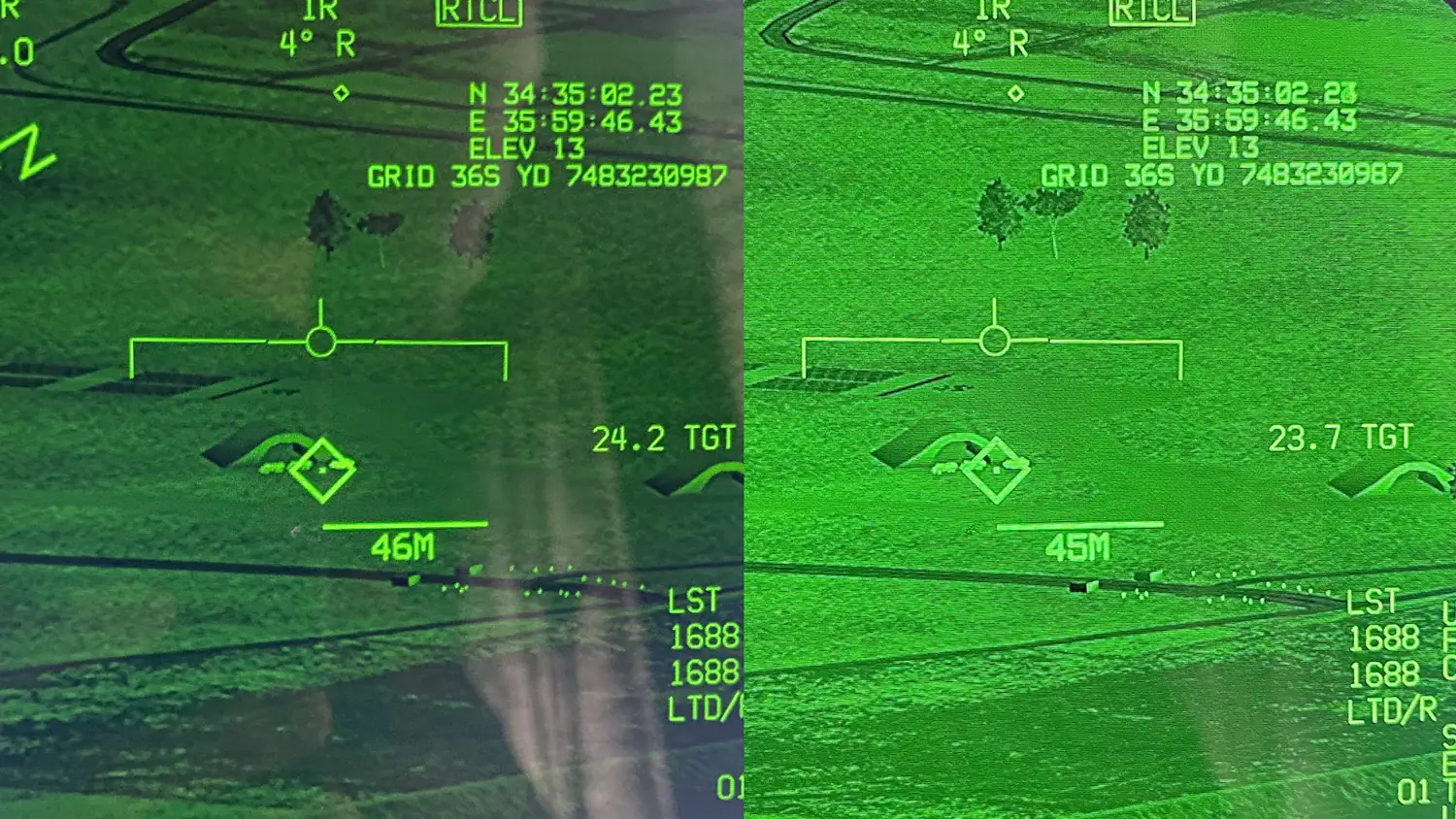
As usual, I suggest following this guide at your own risk. Below I’ve taken photos of the difference in running with no ReShade (Stock) and ReShade configured.
As you can see, it’s literally night and day for the Apache, for the Hornet it also greatly helps. Excuse the moire effect both of the right images caused by my camera taking a photo, this isn’t visible with the naked eye.
Steps:
- Download and run ReShade
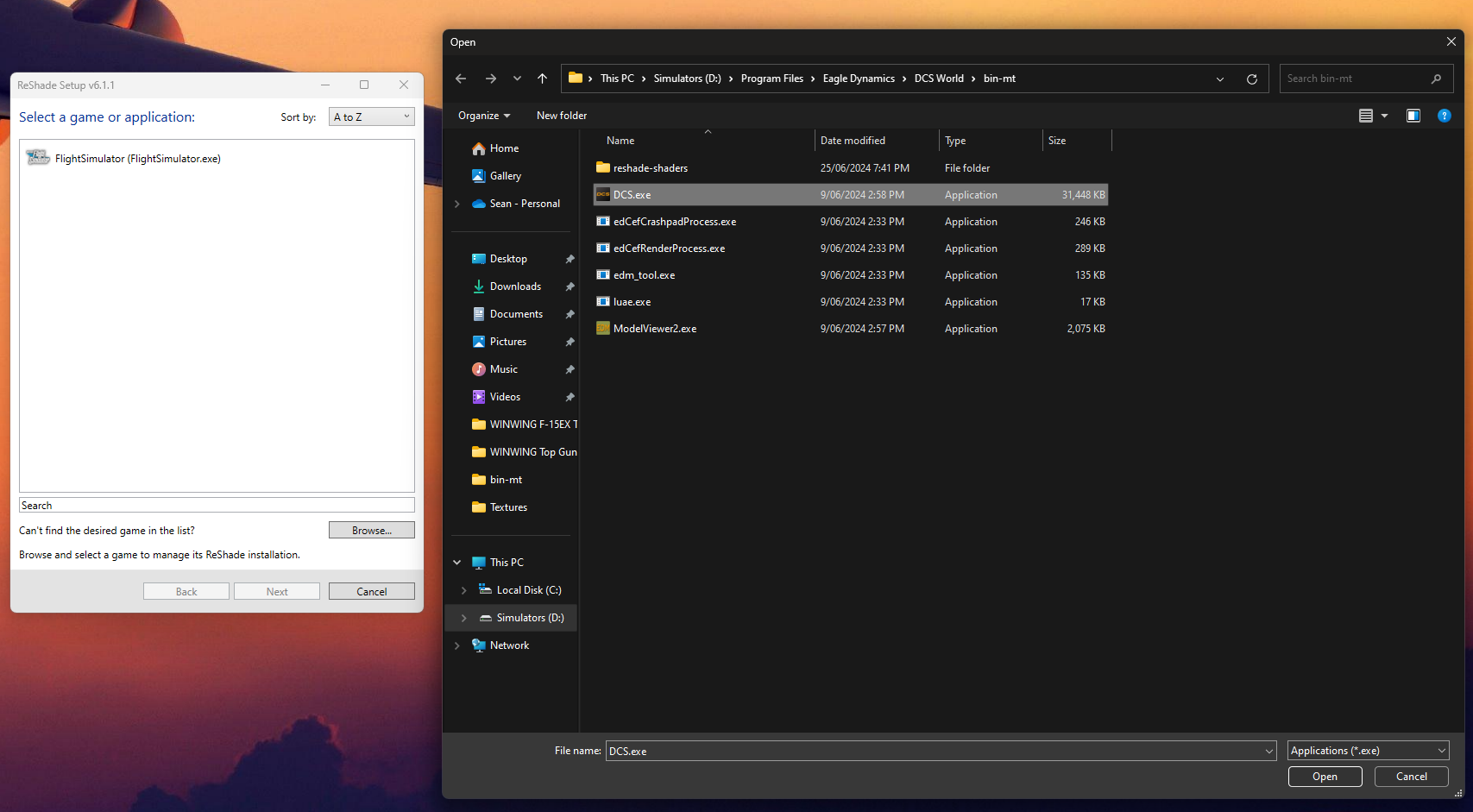
- Once open, ReShade won’t find DCS so click the Browse button and navigate to where your DCS.exe is located. Note if you use the multi-threaded version of DCS, ensure you locate the DCS.exe within the bin-mt folder, once selected click next
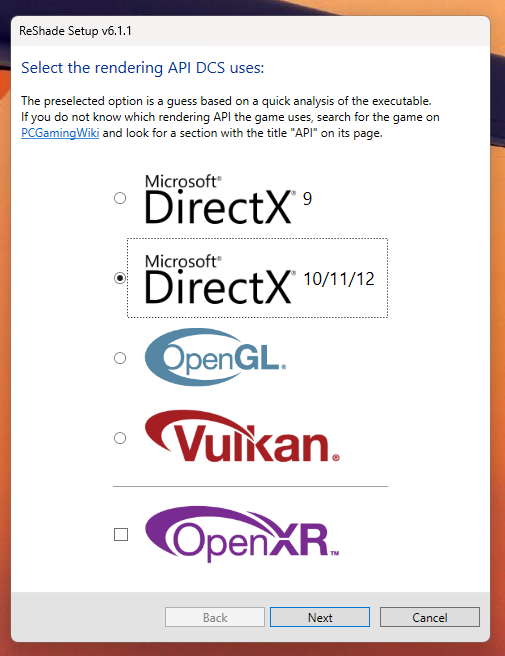
Select Direct X 10/11/12 and click next
4. Leave all the default effects unchanged, I added no additional effects, finish the install.
5. Start DCS as you would normally, ready to use your TOPGUN MIP
6. Once started you should see a bar across the top indicated ReShade is running click HOME to open up ReShade and start the tutorial, once the tutorial has started, exit out of the tutorial.
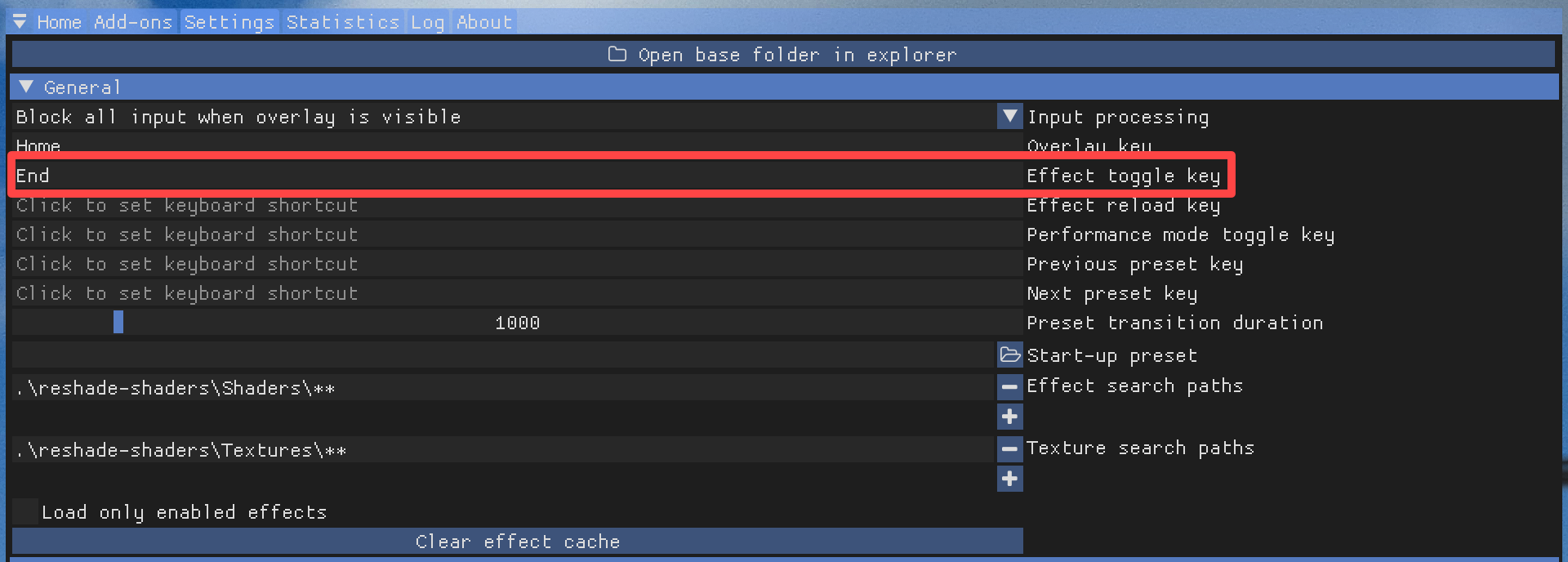
7. Once out of the tutorial, along the top of the ReShade window, click Settings
8. Set an “Effect Toggle Key” I chose END (above your arrow keys)
9. Located along the top of the ReShade window, click HOME. You should now be presented with a list of effects to choose from.
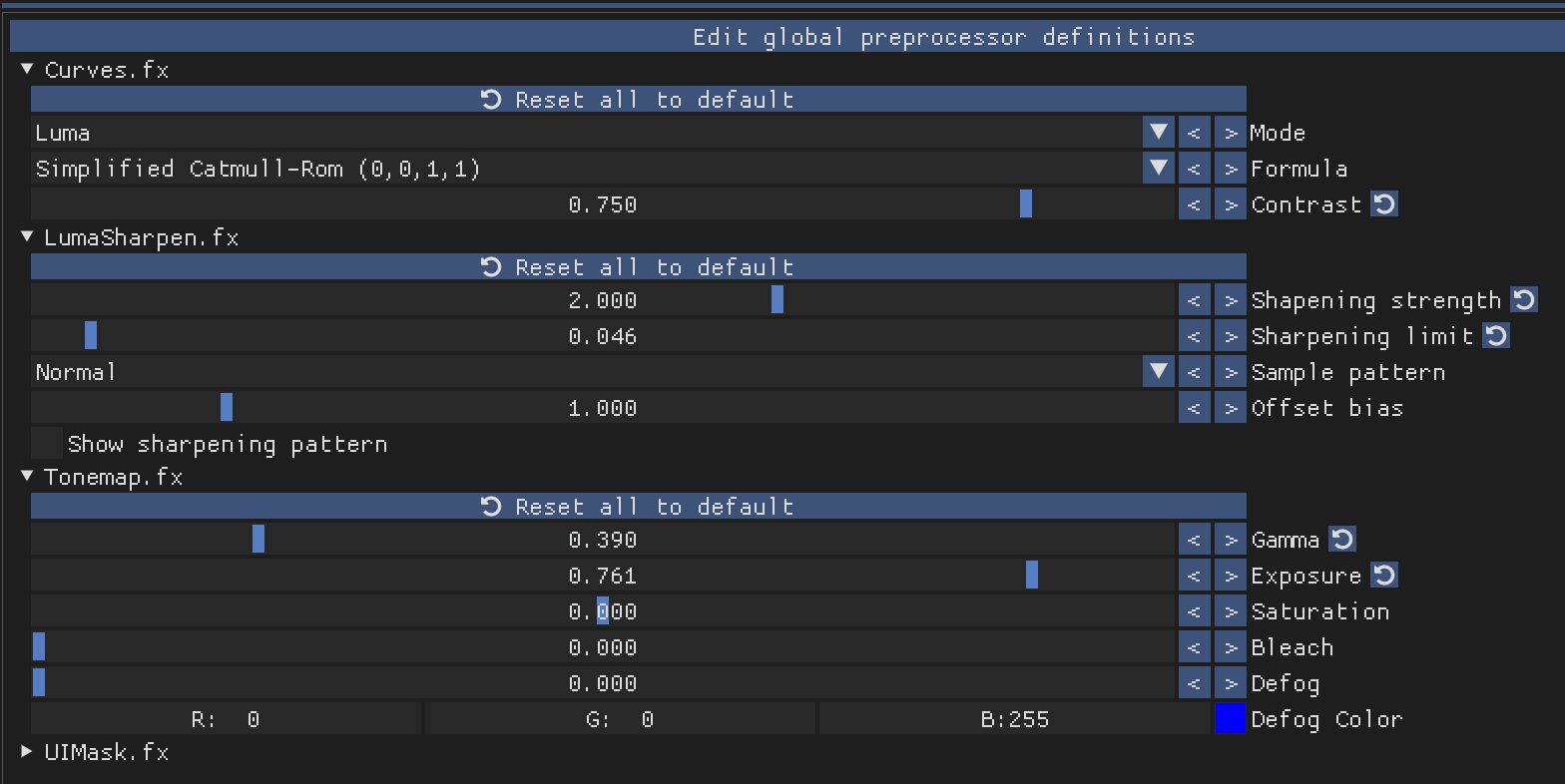
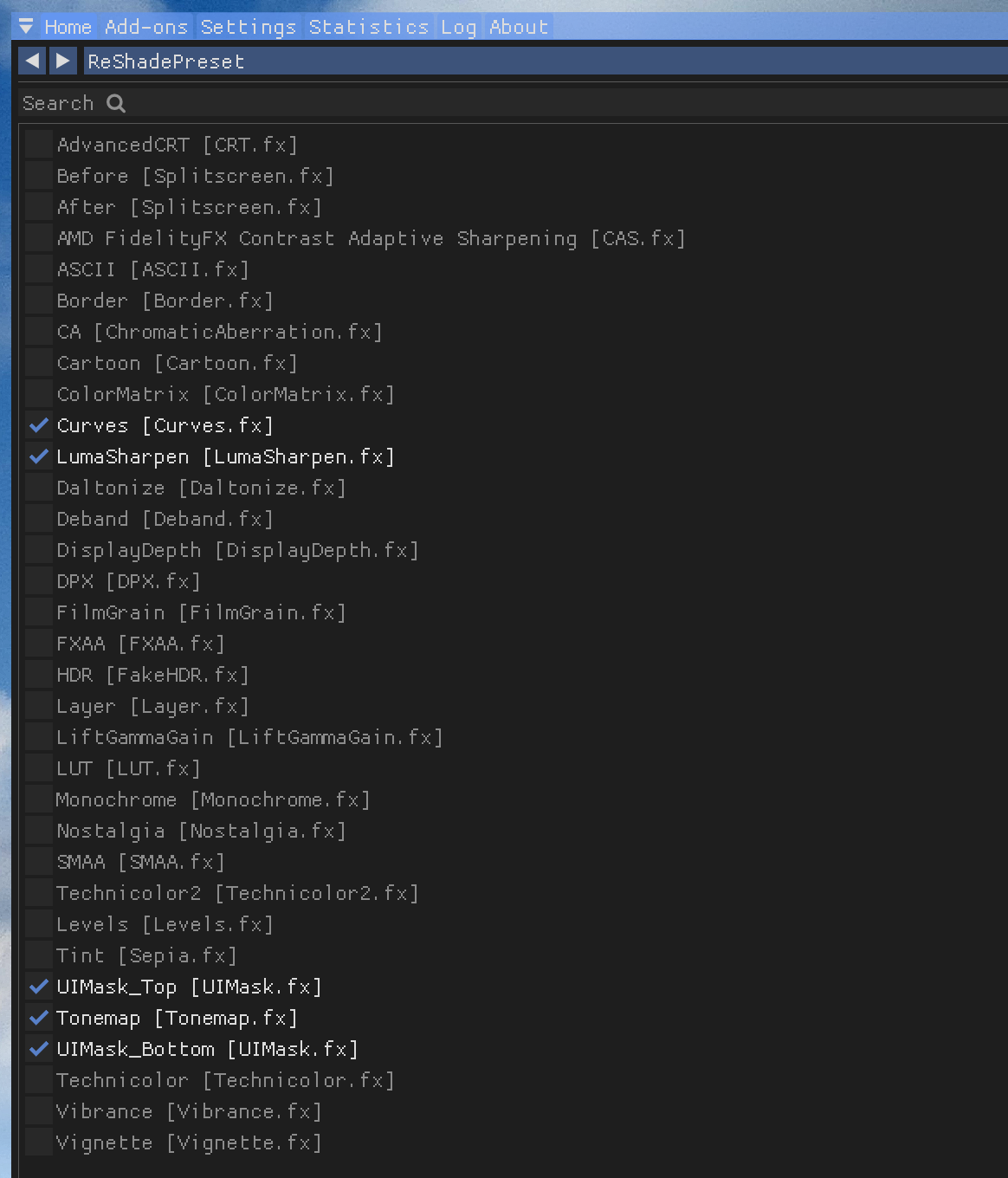
10. Tick the following and in the window that’s below the, adjust to the following settingsCurves.fx
- LumaSharpen.fx
- Tonemap.fx
- UIMaskTop.fx – no configuration needed
- UIMarskBottom.fx – no configuration needed
11. Next, we need to click and drag the effects up and down so they match the order below. What this order does is say that across the entire game we want effects Curves and LumaSharpen to run, but when we create a mask (think of it as an exclusion zone using UIMask for our WINWING screens) we only want Tonemap to run on the screens.
12. Once done, press the PrtScn (Print Screen) button on your keyboard (lives up near scroll lock). You should see a notice across the top with the path it has saved the screenshot in. It’s where you pointed ReShade to initially. So for me its located in my bin-mt folder where the DCS.exe is.
13. Locate the file and open it, you should see your DCS game window and a black bar along the bottom. That black bar is the WINWING monitors. What we’re going to do is create a UI Mask which is as simple as turning the entire Game screen (not the black bar) white. Complete this with your favorite imaging editing tool, Windows paint can do it.
14. Once done, save it as UIMask.png in ReShade’s texture folder, which is created off that initial DCS.exe selection when you installed ReShade. So for me it lives in “bin-mt\reshade-shaders\Textures”
15. Your sim should still be running, simply return to the sim and along the bottom of ReShade click “Reload” your sim should look sharper with slightly more contrast, if this has happened everything should have worked and you’re ready to go test out your brightened displays. Remember pressing the END key will turn OFF/ON the effects.
Related Articles
MOZA FMP18 Panel Bundle Review
Dual DDIs, a centre AMPCD and the Hornet’s up-front controls on your desk. We test MOZA’s FMP18 Panel Bundle in DCS and compare it against the WINCTRL TOP GUN MIP 2.
MOZA MGX1000 Review
The G1000 is one of the most recognisable glass-cockpit systems in general aviation, and for many flight simmers it is also one of the most
MOZA MA3F Electronic Flight Control Modules Review 2026
Completing MOZA’s Airbus Cockpit The Flight Control Unit is arguably one of the busiest areas of an Airbus cockpit. Long before the aircraft reaches cruise,
MOZA MA3F Flight Computer Display Review 2026
A Premium Airbus MCDU That Keeps Getting Better The MCDU is arguably the heart of any Airbus cockpit. Before the engines are even started it’s
Thrustmaster HOTAS Warthog Review (2026): Revisiting a Flight Sim Legend
Few flight simulation products have achieved the legendary status of the Thrustmaster HOTAS Warthog. Released in 2010, it arrived at a time when most simmers
MOZA AB6 vs AB9 – FLIGHT Force Feedback Base Review
If your desk is held together with hope, hot glue, and a dream — this might be a difficult read. On one side we have
MORE REVIEWS and Discounts
If these Sim Racing Reviews have helped you find the best racing simulator gear for your sim rig, please consider using the affiliate links on this website. By purchasing through these links, a small commission will come back to Boosted Media at no additional cost to you. This is how Boosted Media keeps providing content to the Sim Racing community.
NEWSLETTER
Stay up to date with new releases And major updates
Thanks. Please check your email to confirm your subscription.
Sim RACING
Discount Codes
Also Sells
Ascher Racing, Gomez Sim IndustriesAlso Sells
Ascher Racing, Base Performance Simulators, BDH Race Sim Hardware, ButtKicker, Cube Controls, D-BOX, Delta Sim-Tech, Gomez Sim Industries, Heusinkveld, ignitiON Controls, Max Papis Innovations, MME Motorsport, Moza, P1Sim, PlaySeat, Precision Sim Engineering, Qubic System, Simucube, Sparco, Thrustmaster, VNM Simulation, VPG SimAlso Sells
Alien Mods, Asetek, ButtKicker, CAMMUS, Conspit, Cube Controls, D-BOX, Heusinkveld, LeoXZ, Moza, Racebox, Simagic, Simnet, Unreal Racing, VNM SimulationAlso Sells
3DRAP, ANOTHER WAY, Ascher Racing, Asetek, BavarianSimTec, BDH Race Sim Hardware, ButtKicker, Conspit, Cooler Master, Cube Controls, D-BOX, Dayton Audio, Delta Sim-Tech, DOF Reality, Elgato, ESPORTSIM SRL, Fanatec, Gomez Sim Industries, Heusinkveld, HORI, KGL Creation Lab, LeoXZ, MME Motorsport, Moza, Next Level Racing, Nitro Concepts, NOVUS, O-ROUGE, P1Sim, Pimax, PlaySeat, Prosimu, PXN, Qubic System, Raslution, ResTech, Rexing, Sabelt Sim Racing, SG Racing, SIM FACTORY, Sim Racing Studio, Sim-Lab, Simagic, SIMFORGE, SIMGRADE, SimRep Engineering, SIMTRECS, Simucube, Simufy, SIMXPRO, SOELPEC, Sparco, Thrustmaster, VIRPIL, VNM Simulation, VPG Sim, VRSAlso Sells
BavarianSimTec, MME Motorsport, Qubic System, Sabelt Sim RacingAlso Sells
Ascher Racing, Asetek, BDH Race Sim Hardware, ButtKicker, Conspit, D-BOX, Dayton Audio, Fanatec, Heusinkveld, Moza, Nitro Concepts, Pimax, PlaySeat, Qubic System, Rexing, Sabelt Sim Racing, Sim-Lab, Simagic, Simucube, VNM Simulation, VPGAlso Sells
Cobra, PRO SIMRIG, Qubic System, Simagic, SparcoAlso Sells
Asetek, BJR, ButtKicker, Cube Controls, Fanatec, Moza, Next Level Racing, Thrustmaster, Turtle BeachAlso Sells
Asetek, Conspit, Cube Controls, SIMGRADEAlso Sells
BavarianSimTec, Conspit, Cooler Master, Cube Controls, DOF Reality, Moza, Pimax, Qubic System, Racebox, ResTech, Sigma Integrale Motion Systems, SimucubeAlso Sells
Conspit, Cube Controls, D-BOX, Elgato, Moza, Pimax, PlaySeat, Sigma Integrale Motion Systems, Simagic, SimucubeAbout The Author
-
Sean is a pilot with over two decades of experience in aviation and senior technology roles within Airlines and Non-Profit sectors. He's a lifelong flight simmer and avid VR user, blending his passion for flying with cutting-edge technology. From cockpit to virtual skies, Sean loves all things Tech and Aviation.