MOZA MA3F Flight Computer Display Review 2026

A Premium Airbus MCDU That Keeps Getting Better

The MCDU is arguably the heart of any Airbus cockpit. Before the engines are even started it’s where you build the flight, initialise the aircraft, enter performance data and manage almost every stage of the journey. It’s also one of the few pieces of flight simulation hardware you’ll interact with constantly throughout a flight, which means button feel, screen quality and software can have a surprisingly large impact on the overall experience.

That’s exactly what makes the MOZA MA3F Flight Computer Display interesting. Rather than simply recreating the Airbus MCDU, MOZA has added several utility features of its own including integrated checklists, an ATIS page and a scratchpad for recording clearances. On paper those additions look genuinely useful, but the real question is whether they improve the experience or simply add complexity.

For this review I tested the MA3F across Microsoft Flight Simulator 2020/2024 and X‑Plane while comparing it directly against my long-term WINCTRL MCDU. That comparison is particularly important because the WINCTRL unit has been my daily driver for a long time, including countless Airbus flights and WorldFlight events. As always, every opinion below is based solely on my own testing.

By purchasing through links on this page you’ll be supporting Boosted Media at no additional cost to you!  This option is available for a huge range of Sim Racing gear.

Discount Code: BOOSTED
Ships from
California
Discount Code: BOOSTED26
Ships from
Spokane, WA
Discount Code: BOOSTED5
Ships from
Gold Coast
Discount Code: BOOSTED
Ships from
Slovakia
Discount Code: BOOSTED
Ships from
East-Sussex
Discount Code: BOOSTED
Ships from
AUKLAND, NZ
Discount Code: BOOSTED
Ships Globally from Spain
Ships from
New Jersey, USA
Ships from
Montreal, CA
Ships from
Global Partners
Availability
may vary

Pricing

At the time of review the MA3F retails for AUD $369, USD $199 or EUR €209. Boosted Media readers can also save a little by using the code BOOSTED on the MOZA website. Three percent isn’t life changing, but if you were already planning on buying one there’s no reason not to keep a few extra dollars in your pocket.

Hardware Overview

The MA3F arrives with everything required to get up and running including the Flight Computer Display, USB Type‑C cable, desktop stand, mounting hardware, rubber feet, screwdriver and quick-start guide that covers off the basics of the hardware and desktop stand along with an introduction to the software.

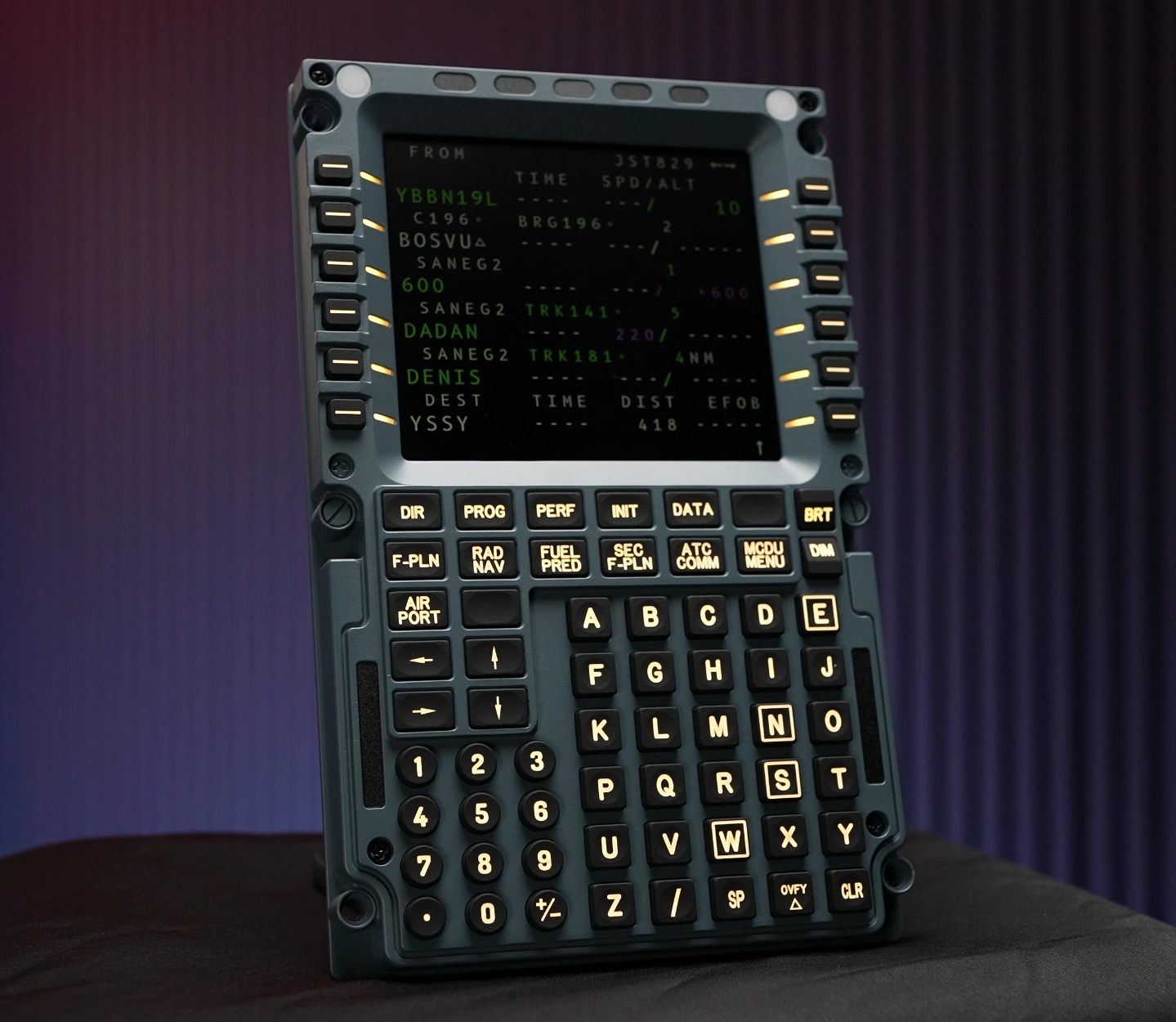
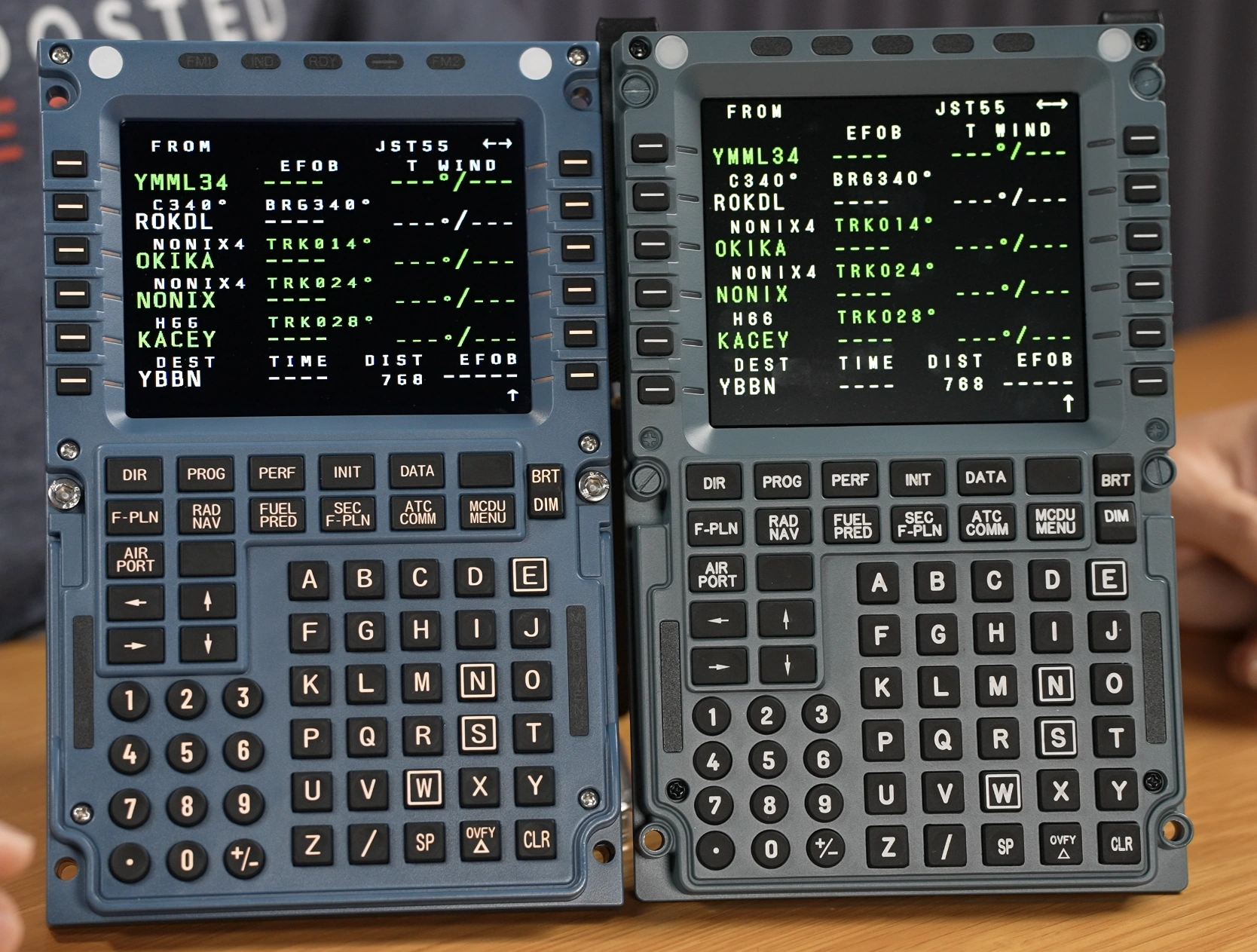
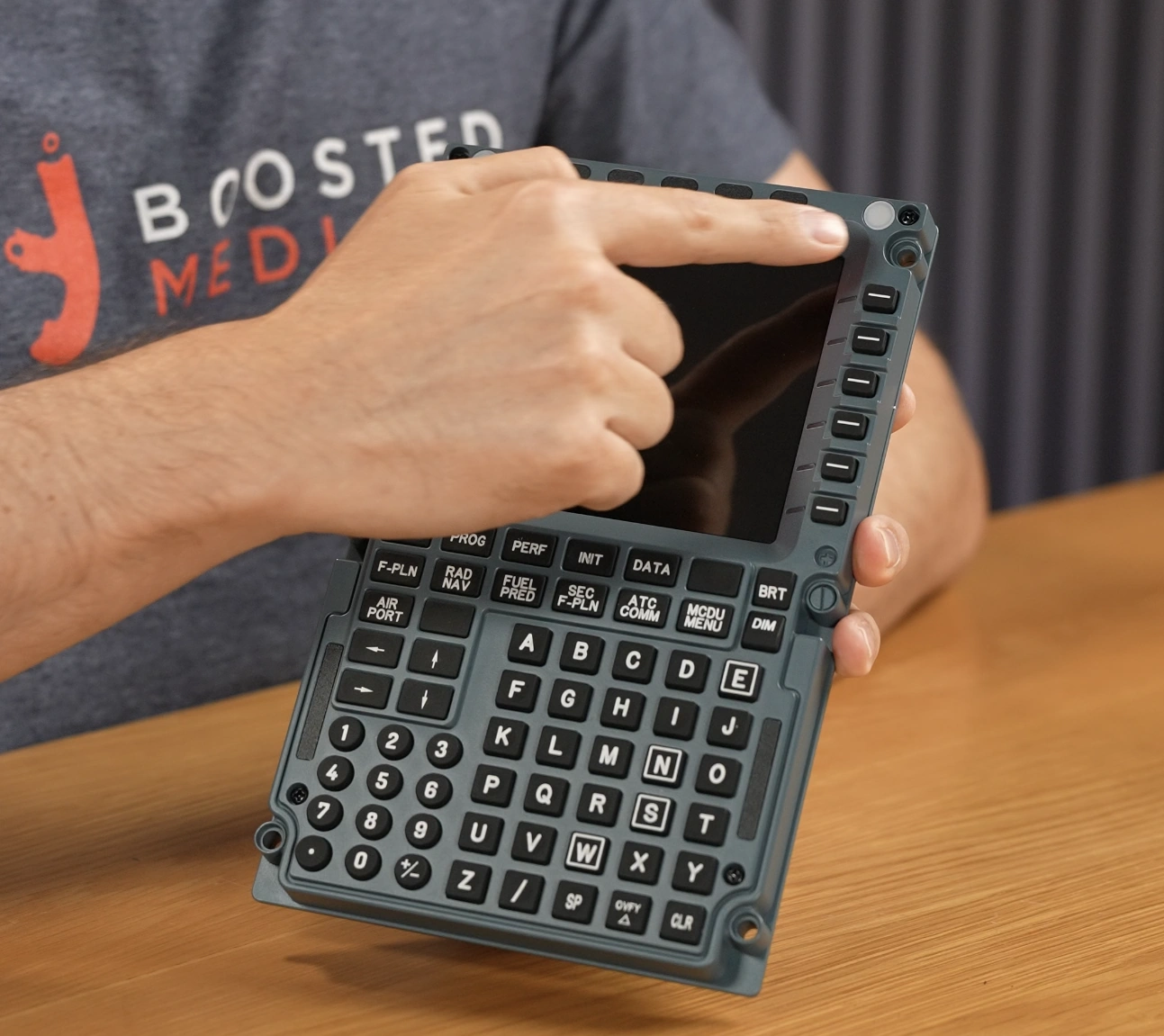
Measuring 277.9 × 145.5 × 29.6 mm (10.94 × 5.73 × 1.17 in) and weighing 588 g (1.30 lb), the MA3F is extremely close to the dimensions of the real Airbus unit. Sitting beside my WINCTRL MCDU, the two are almost indistinguishable in overall size.

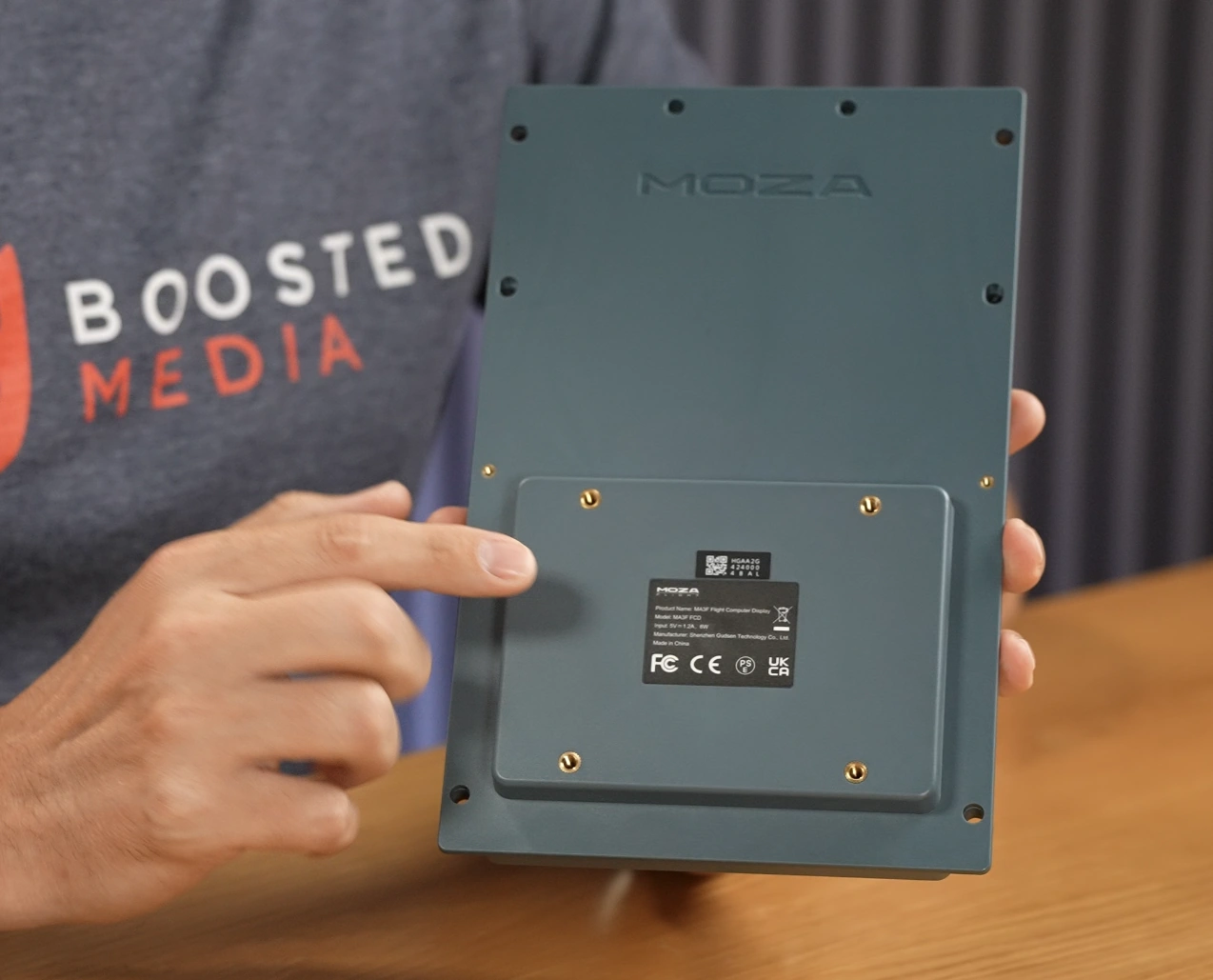
The first thing that struck me was the quality of the construction. The die-cast aluminium front plate gives the MA3F a premium feel the moment you pick it up, while the ABS/polycarbonate rear housing keeps weight down in an area you’ll never look at again.

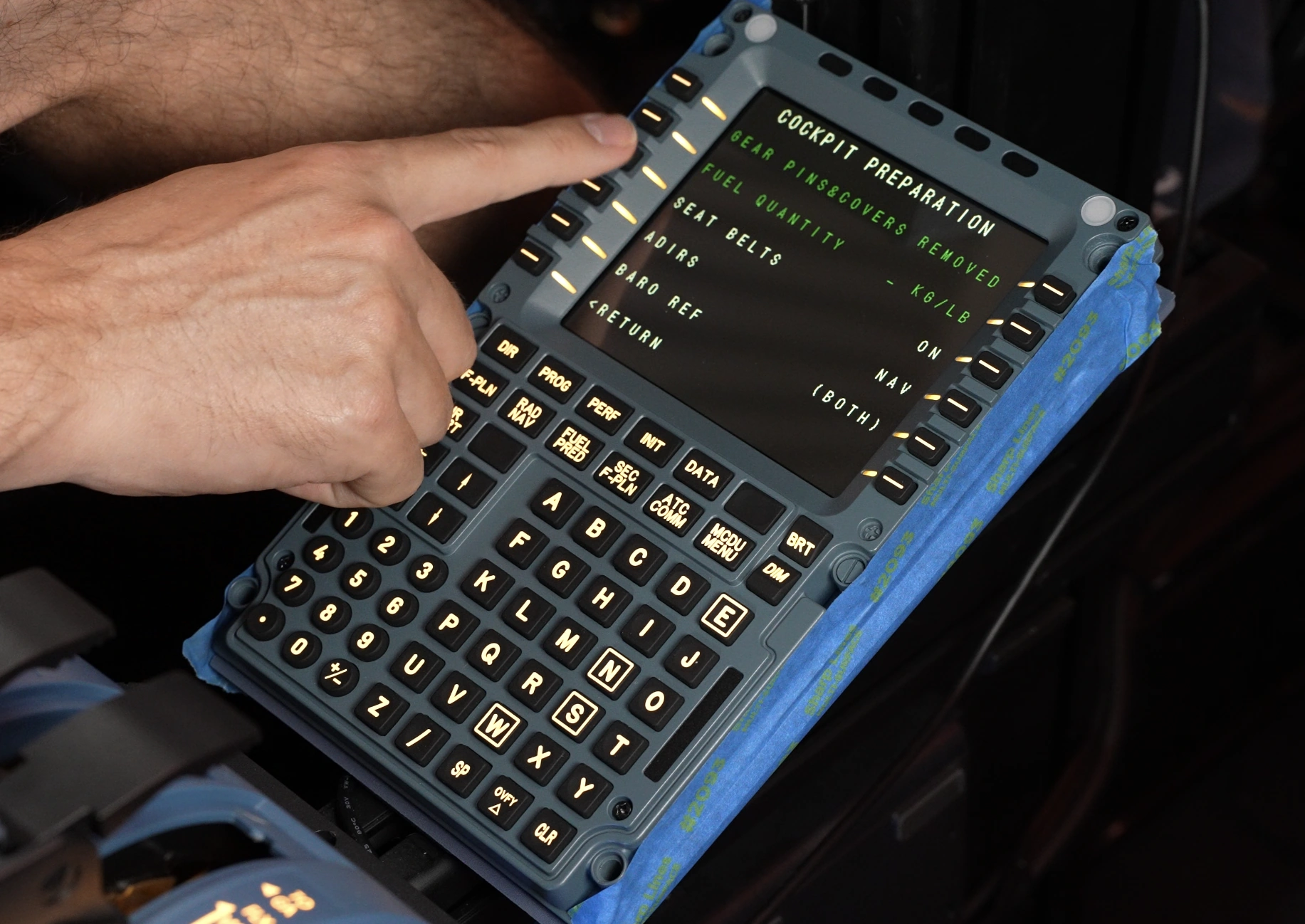
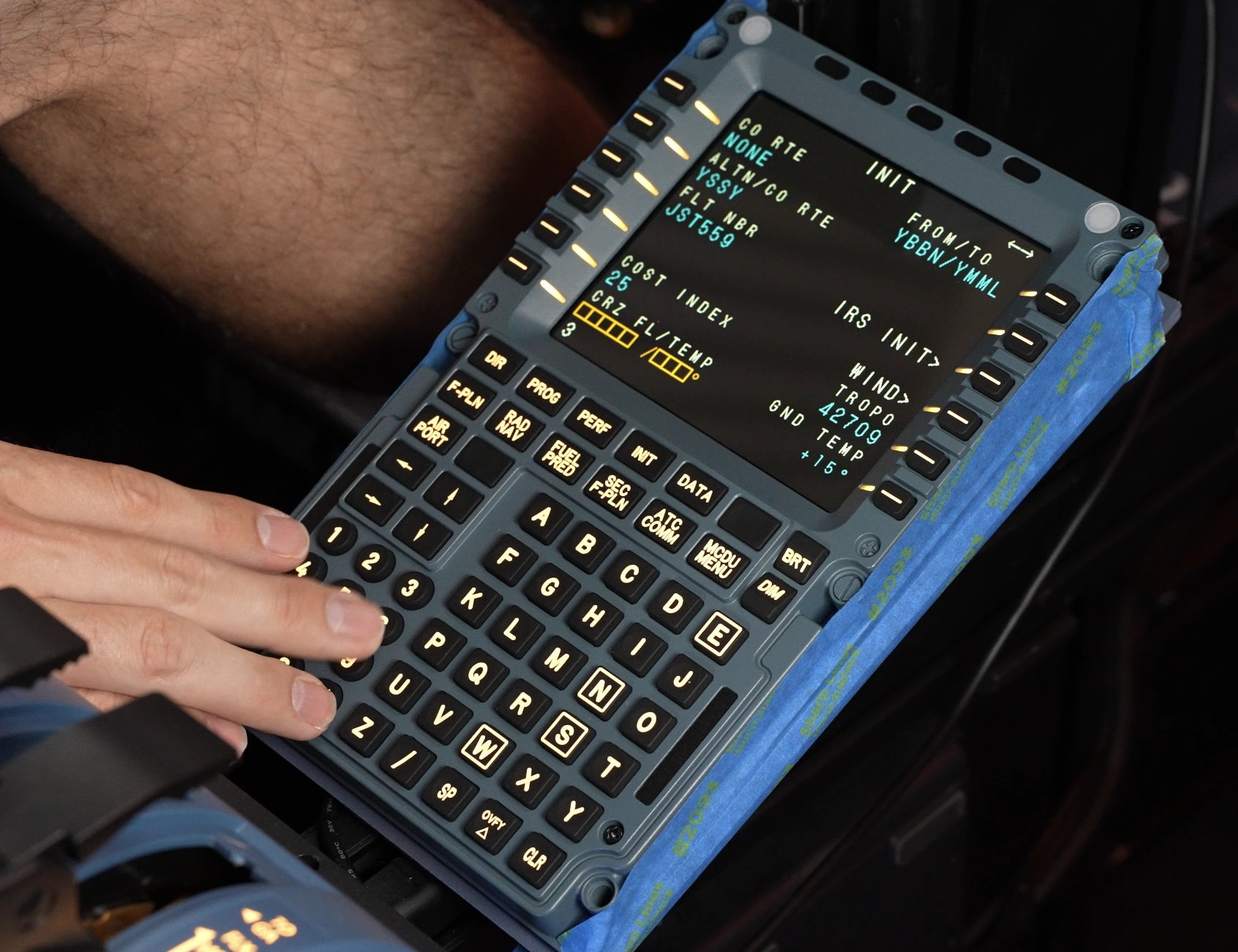
The silicone keys deserve particular praise. Initially I wasn’t convinced I’d prefer the firmer action over the softer WINCTRL buttons I’d become accustomed to. After a handful of flights my opinion completely changed. The more positive tactile feedback gave me greater confidence every key press had registered and I found myself making fewer input errors when programming routes. This was generally down having the firmer buttons which results in a more successful button activation over WINCTRL’s buttons which can easily be pressed down and not activate given the softness of the rubber not providing enough force to activate the button living underneath

WINCTRL Left, MOZA Right

The 5.1-inch IPS display is bright, crisp and easy to read from normal seating positions. Because MOZA communicates directly with the display over USB, Windows never treats it as another monitor, keeping your desktop clean while avoiding the need for an additional video output or messing with display configurations or at worst, popping out displays from the simulator to move them to another monitor potentially causing an FPS hit.

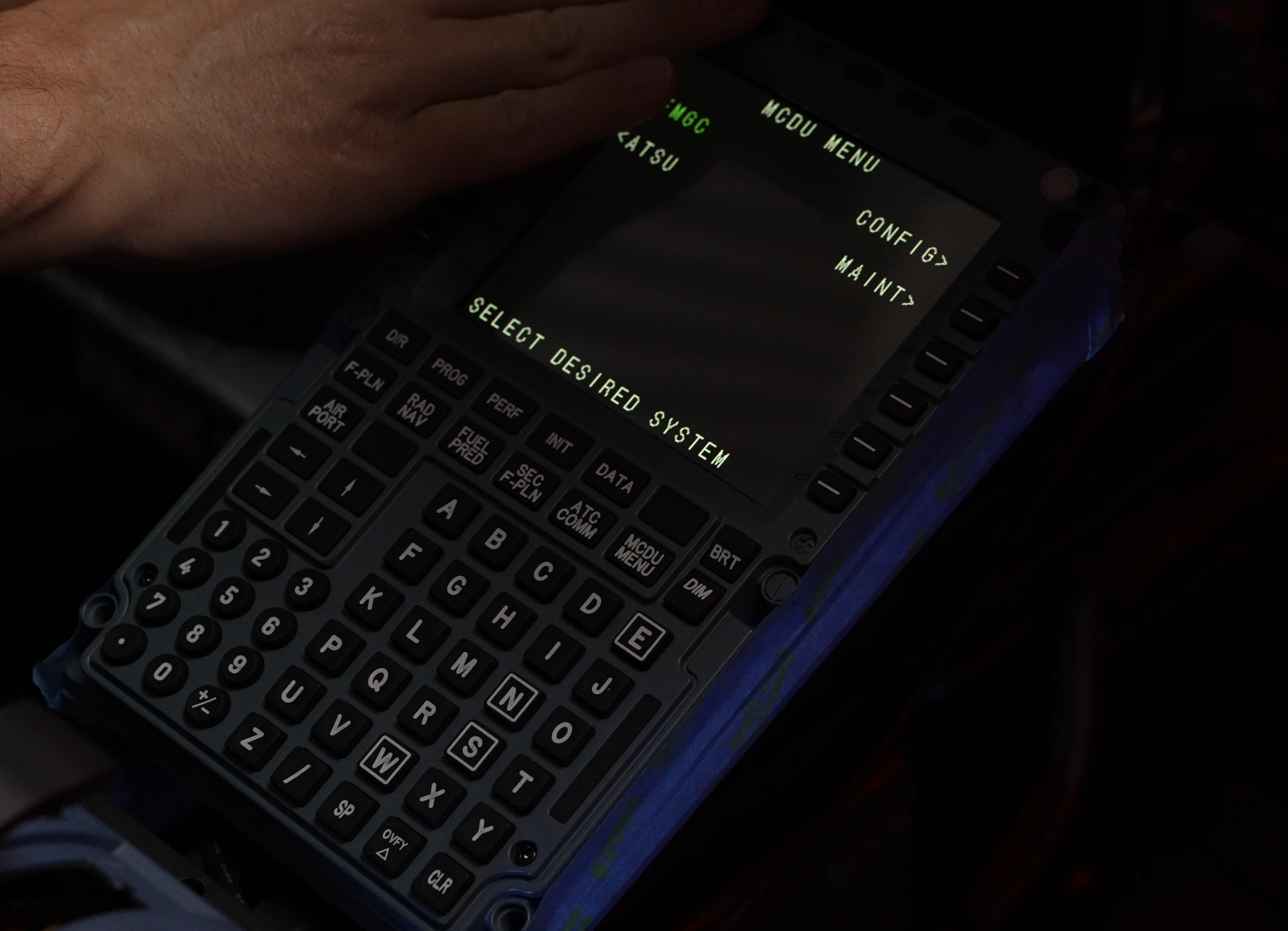
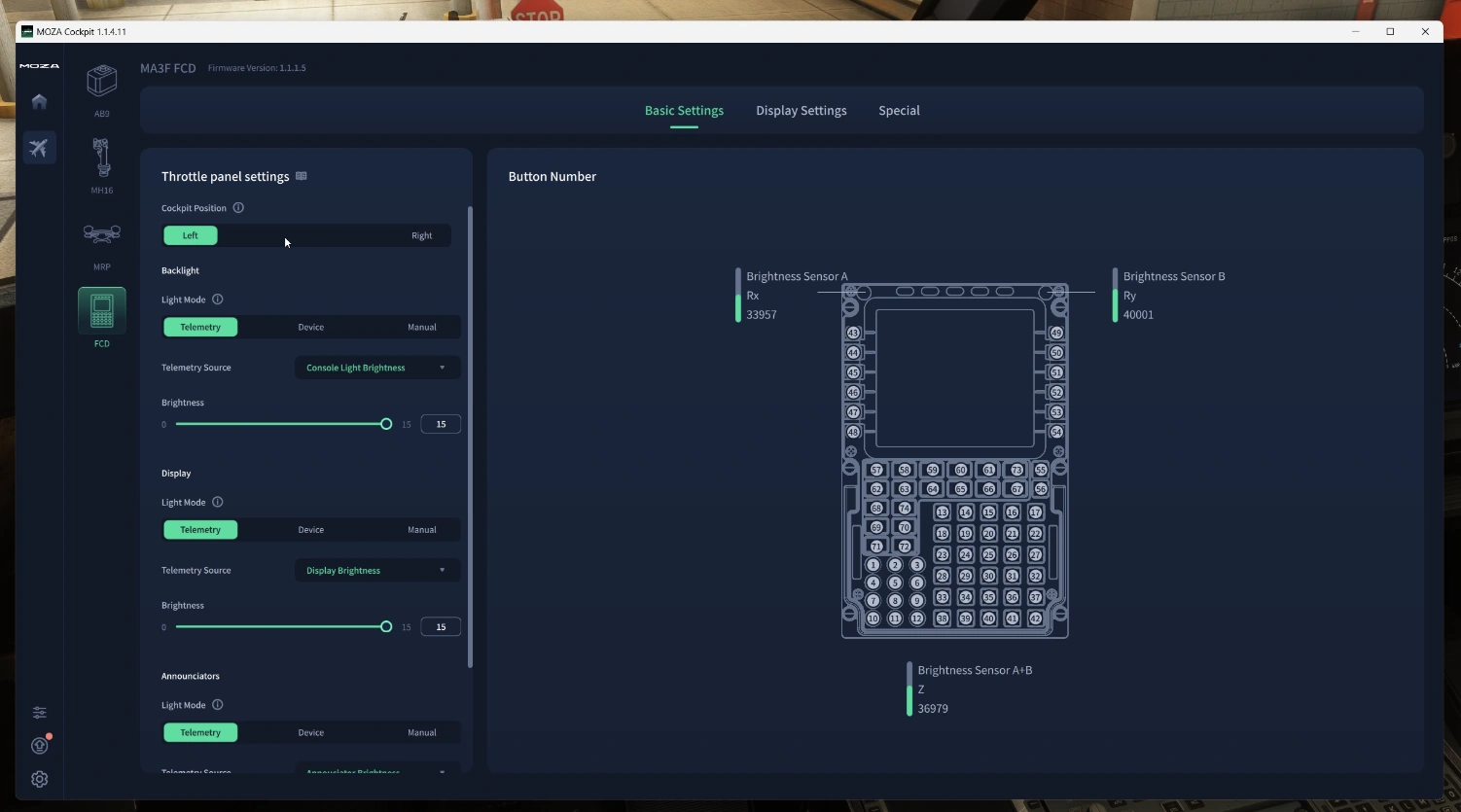
Two ambient light sensors sit above the display and allow the software to dynamically adjust brightness based on your room lighting. It’s a small touch, but after flying both during the day and late into the evening I came to appreciate not having to continually adjust brightness manually.

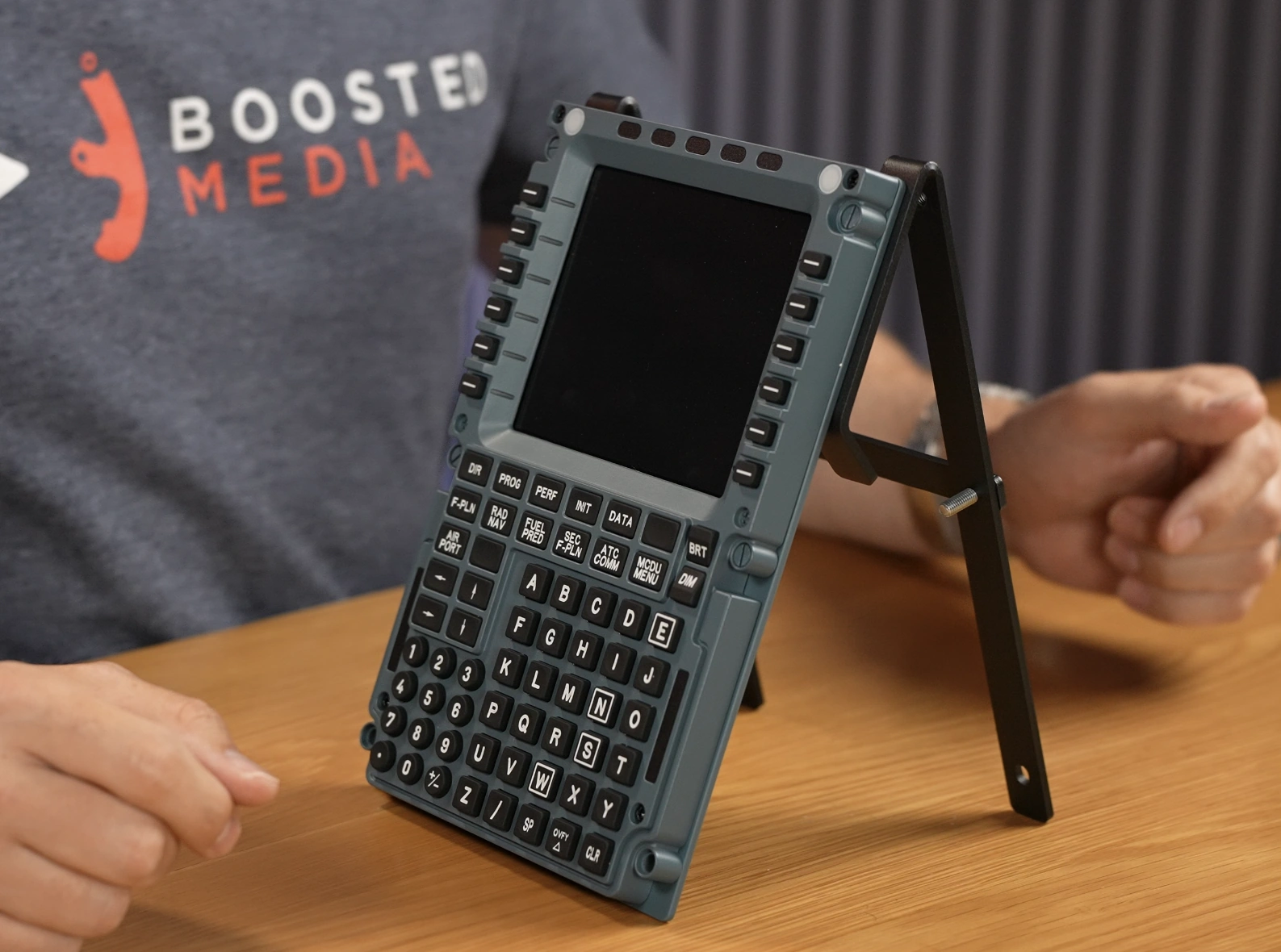
Mounting flexibility is excellent. A standard 75 × 75 mm VESA pattern makes integration into dedicated cockpits simple, while four additional mounting holes—two at the top and two at the bottom—provide further options for custom brackets and 3D-printed mounts. These are also the attachment points used by the supplied desktop stand.

Desktop Stand

The included stand is functional but ultimately the least refined part of the package. It supports two mounting angles and certainly gets the job done, however it doesn’t feel as thoughtfully engineered as the MCDU itself. If you’re building a permanent cockpit you’ll likely ignore it entirely and use the VESA mount or other mounting holes, but desktop users may find themselves wishing it was a little sturdier and a little more effort went into its design.

Living With the MA3F

One of the biggest surprises during testing was how quickly the MA3F’s extra software features became part of my normal workflow. I initially expected the checklist and scratchpad to be features I’d demonstrate once and largely ignore. Instead, I found myself reaching for them almost every flight. The scratchpad became the perfect place to jot down taxi instructions, squawk codes and amended clearances without grabbing my iPad or a piece of paper.

Software

MOZA Cockpit is clean, intuitive and one of the better hardware configuration utilities currently available.

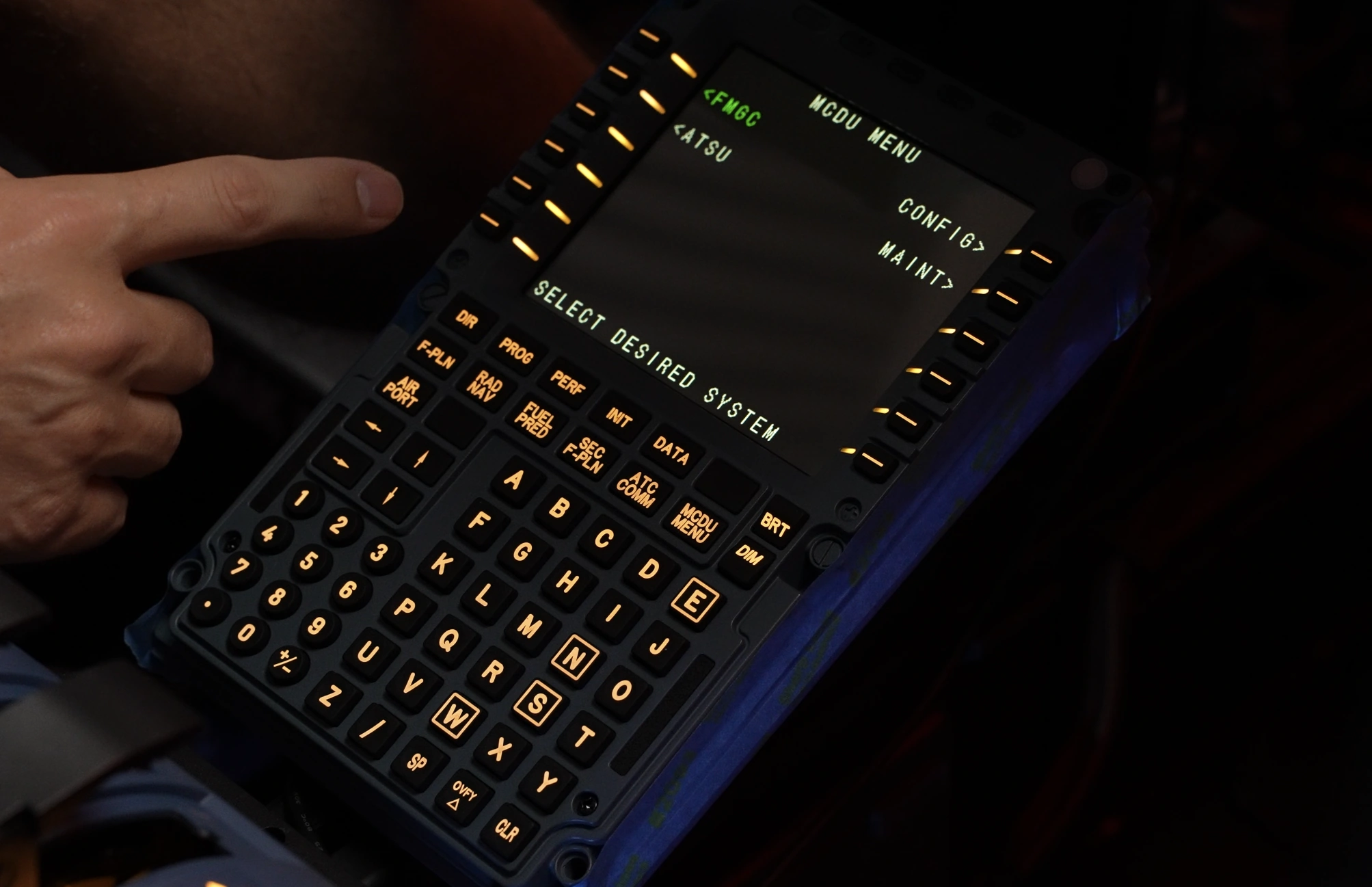
Lighting is broken into three independent zones: the backlit keys, the IPS display and the annunciator lights. Each can be configured separately using manual brightness, simulator telemetry, another MOZA device or the integrated ambient light sensors.

The ambient light mode ended up being my favourite. Rather than blindly following cockpit brightness, the MA3F adjusts itself to the lighting conditions in your room, making it equally comfortable to use during bright daytime flying or late-night sessions.

The software also allows display positioning, colours, font sizing and other visual tweaks. Font selection wasn’t functioning correctly during my review period, although MOZA was already working through multiple beta revisions while I tested the unit.

The review itself became something of a journey. Over the course of testing I worked through several firmware and software releases as MOZA addressed issues. It was encouraging to see fixes arriving quickly, even if a handful of bugs remained by the time this review had to be finalised.

The only significant issue I encountered was that checklist, ATIS and scratchpad inputs were still being passed through to the aircraft’s in-sim MCDU. On a few occasions I accidentally modified my flight plan while recording a clearance. Thankfully MOZA has confirmed this is software related and a fix is already in development.


Flying Experience

The hardware itself simply disappeared into the background—which is exactly what good cockpit hardware should do. The display remained easy to read, the keypad was enjoyable to use over long sectors and compatibility with SPAD and WINCTRL SimAppPro meant it slotted neatly into an existing mixed-manufacturer cockpit with software conflicts with other hardware I was running.

NEWSLETTER

Stay up to date with new releases And major updates

Sim RACING
Discount Codes

Conclusion: 8/10

The MA3F left me genuinely impressed. The hardware is excellent, the display is one of the better implementations I’ve used and the additional software features turned out to be far more useful than I expected. I was a big fan of the many features like the inbuilt scratch pad and checklist functions. While this review uncovered a number of software bugs, every one of them was software rather than hardware related, and I watched several issues disappear over the course of the review as new firmware arrived. If I had to hand both my existing WINCTRL MCDU and the MA3F back tomorrow and purchase one with my own money, I’d buy the MA3F. The firmer buttons, brighter display and genuinely useful utility features make it the more enjoyable unit to live with day-to-day. Assuming MOZA continues polishing the software at the pace they’ve demonstrated throughout this review, I think the MA3F has every chance of becoming one of the best Airbus MCDUs currently available for flight simulation at this price point.

Related Articles

MORE REVIEWS and Discounts

If these Sim Racing Reviews have helped you find the best racing simulator gear for your sim rig, please consider using the affiliate links on this website. By purchasing through these links, a small commission will come back to Boosted Media at no additional cost to you. This is how Boosted Media keeps providing content to the Sim Racing community.

About The Author

  • Sean

    Sean is a pilot with over two decades of experience in aviation and senior technology roles within Airlines and Non-Profit sectors. He's a lifelong flight simmer and avid VR user, blending his passion for flying with cutting-edge technology. From cockpit to virtual skies, Sean loves all things Tech and Aviation.